
Is it actually free?
Yes, and with no time limit or card. The free plan covers manual logging, your first broker file import, Review Sessions, the dashboard and 10 AI Chat messages a month. More imports are on Basic, Auto-sync on Pro — see pricing.

Trading journal
Sync trades automatically from MetaTrader 5, Interactive Brokers and cTrader on Pro, or import your first file free from any of 470+ brokers. Then a five-minute Review Session shows which setups actually pay.
Free forever planNo card requiredWeb, iOS & Android
Walkthrough
Adding trades three ways, the dashboard, strategies, a Review Session and AI chat, in nine minutes.
Product tour
Every screen below is the real product. Start with the review — the rest of the journal exists to make that five minutes worth having.
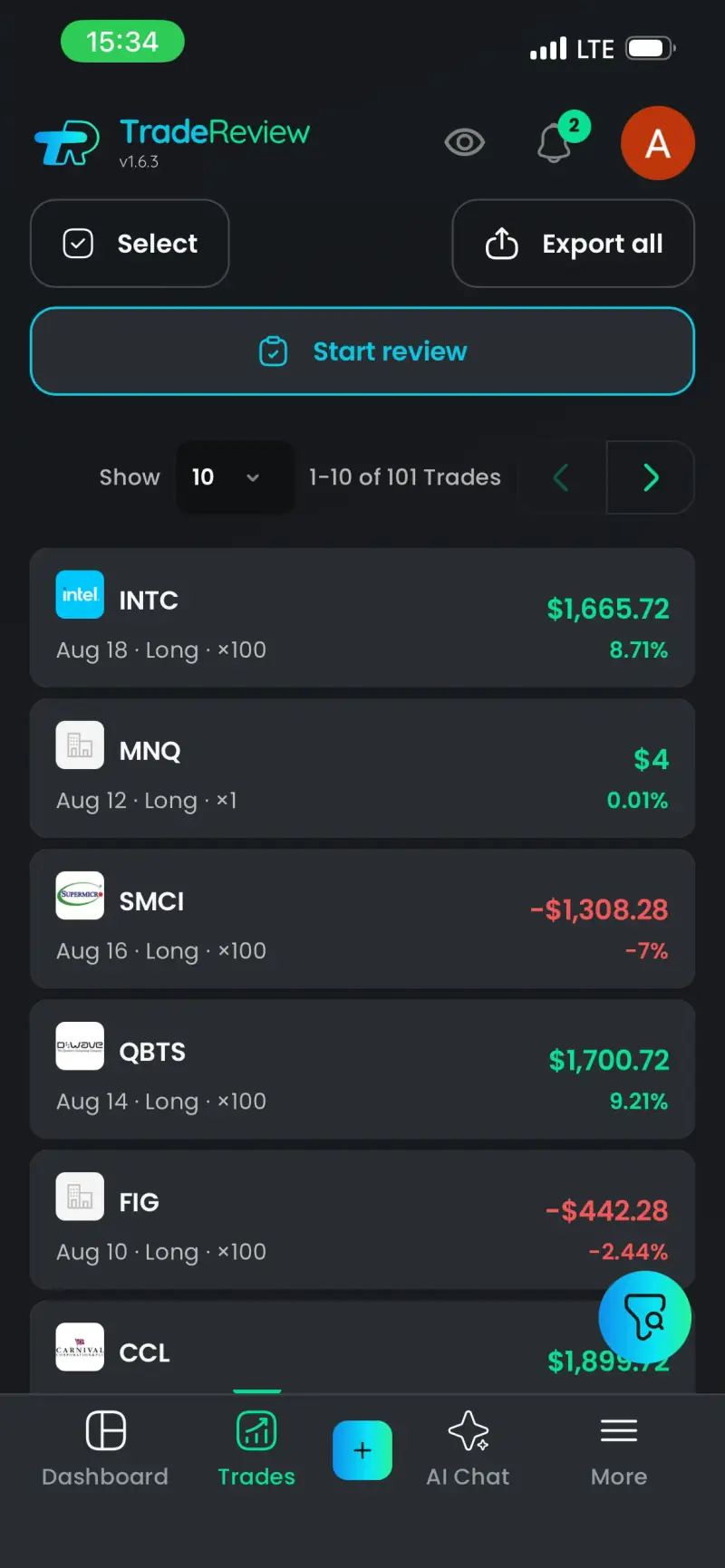
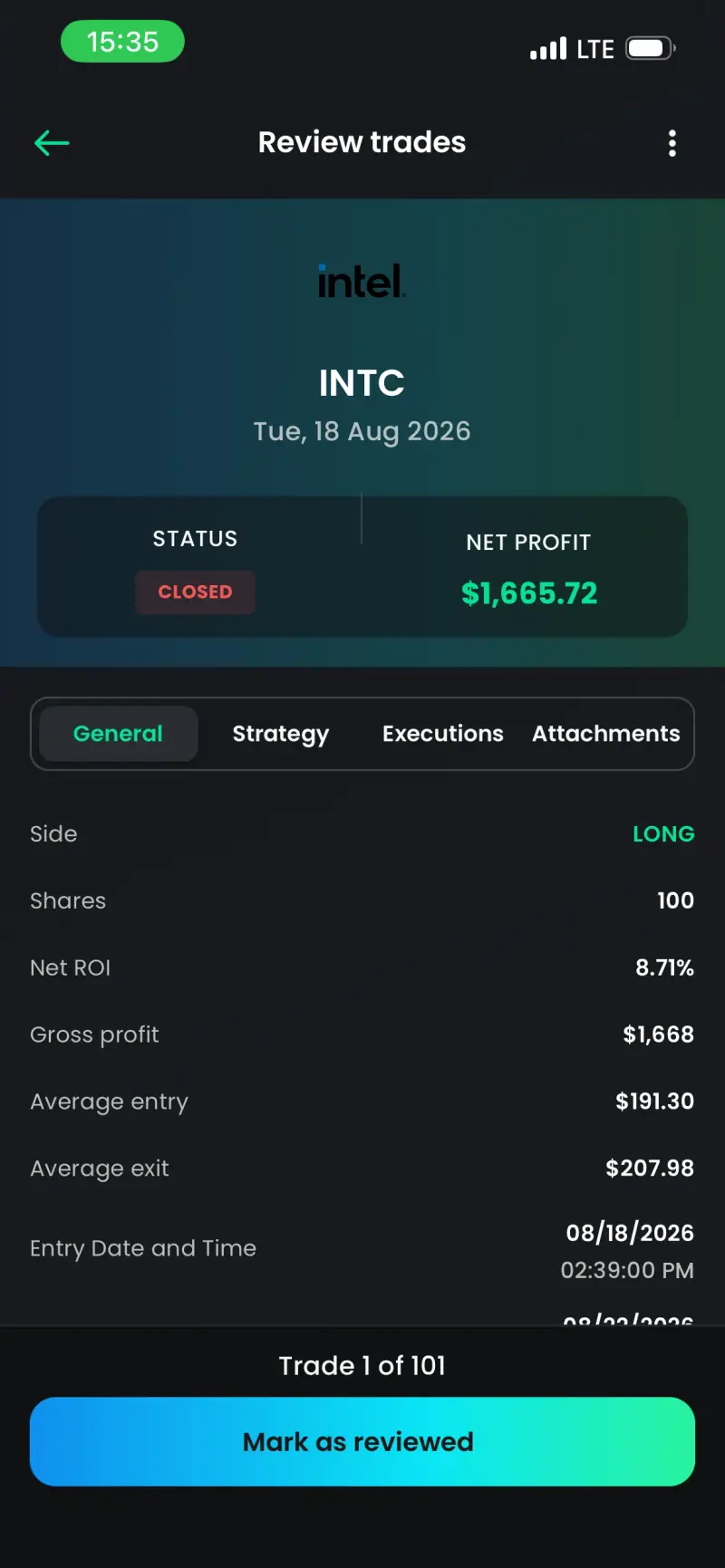
One unreviewed trade at a time — chart, tags, the note you left yourself. Mark it reviewed and the next one slides in. When the queue empties, the session closes itself.
Try it free →The four numbers that matter above the cumulative curve behind them. Switch daily, weekly or monthly without leaving the screen.
Try it free →Ask in plain language. Every answer is built from your journal, not from a model guessing — and it shows you the trades it used.
Try it free →Every setup ranked by P&L, win rate and realized R. The one quietly costing you money stops hiding in the average.
Try it free →Manual logging is free, and so is your first file import; after that, import is on Basic. Auto Sync from cTrader, Alpaca, eToro, Interactive Brokers, MetaTrader 5 and TradeLocker is Pro, and MT5 sync works with any MetaTrader 5 broker. A resync is one click.
Try it free →What traders say
Ratings from the App Store and Google Play.
★★★★★
App is awesome. AI chat is really useful, I don't need to paste CSV to ChatGPT anymore!
★★★★★
This app supports importing csv files from different brokers, has a nice UI design, shows me my trade statistics, and overall works great.
★★★★★
Good app, best life journey with you.
★★★★★
Amazing app
Brokers & platforms
Manual logging and your first file import are free. More imports on Basic, Auto Sync on Pro — 15 platforms plus 461 MetaTrader 5 brokers.
iOS & Android
Most journals make you wait until you're back at a computer — by then the reason you took the trade is gone. Log it on the phone, review it anywhere, and the desktop already has it.


Before you sign up
The basics
A trading journal is a record of every trade you take — entry, exit, size, setup, and the reason you took it — kept so you can review your decisions instead of only your balance.
The point isn't the logging. It's that a written record turns a hunch — "I think I overtrade on Fridays" — into something you can check in thirty seconds, and then stop doing. Traders who review consistently find their losing setups faster, which is the cheapest edge available to anyone.
TradeReview is a free trading journal for stocks, options, futures, forex and crypto that runs in the browser and as native iOS and Android apps. The Free plan has no time limit and needs no card: one trading account, manual entry in any market, your first broker file import, Review Sessions, the dashboard and 10 AI Chat messages a month. Basic ($9.90/mo or $99/yr) adds broker file and CSV import, option spreads and up to 5 accounts. Pro ($19.90/mo or $199/yr) adds broker Auto Sync, including MetaTrader 5, and up to 20 accounts. A Review Session walks you through each unreviewed trade and shows what it did to your P&L, and AI Chat answers questions from your own trades and shows which trades it used. TradeReview is rated 4.4 on Google Play from 28 reviews and 5.0 on the App Store from 1 rating.
From the journal
What to write down, how to run a session, and which setups to keep.
Backtesting means running a trading strategy's rules on historical data to see how they would have performed. Definition, types, biases and limits.
Build a pivot table in Excel or Google Sheets to analyze trading P&L by setup, weekday and month, then read it right: expectancy, profit factor, sample size.
Backtest a trading strategy step by step: write testable rules, add costs, log 50+ trades, read win rate, expectancy and drawdown, then test out-of-sample.
Create the account, log last week, and run one Review Session. If it doesn't tell you something you didn't know, you've lost five minutes.
Free forever plan · No card required · Web, iOS & Android