What is a futures trading journal?
A contract-level record with multiplier, commissions, session, and setup so you can measure ES or NQ by hour and playbook — not only by the platform’s day P&L.

Futures
ES, NQ, CL, and the rest of the book with the multiplier on the trade — then tag open-drive versus ORB and see which RTH and overnight hours actually pay.
Free forever planNo cardWeb, iOS & Android
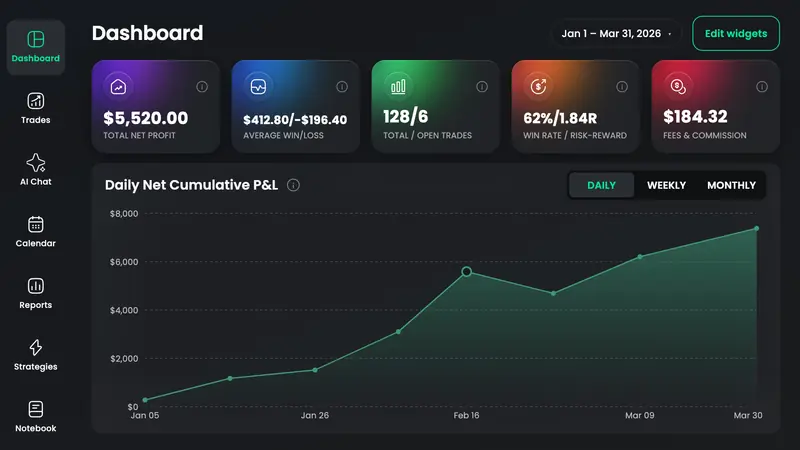
A futures trading journal records each contract fill with size, multiplier, commissions, session, and setup so P&L is in dollars — not ticks you still have to convert. TradeReview treats futures as their own type, accepts Tradovate, NinjaTrader, and Topstep file uploads on Basic and Pro, TradeLocker Auto Sync on Pro, and keeps a day/time report for RTH versus overnight.
Each futures trade stores contract size so ES, NQ, and a commodity are comparable in dollars without a spreadsheet of tick values.
Paid plans take those platform exports. TradeLocker Auto Sync is on Pro when you want fills without the CSV step.
Mark the session playbook so a morning drive in NQ is not averaged with a mean-reversion scalp on the same contract.
Daily P&L plus notes for CPI, FOMC, and the overnight hold you told yourself you would not take.
Day and time reports for index futures hours — not a generic “break it down any way” card reused from stocks.
The free futures calculator is for tick value and contract P&L *before* the trade. The journal stores the fill that actually happened.
Pull history from Tradovate, NinjaTrader, or Topstep and upload on Basic or Pro — or type a futures trade with the multiplier on Free.
Open-drive, ORB, failed breakout, news fade. ES at 9:32 is not the same trade as ES at 14:50.
Day/time and contract reports show which window survives commissions. Cut that window before you size up the one that only looks good on memory.
Typing MES by hand is free. You pay to stop downloading Tradovate and Topstep reports every night.
Auto Sync
Pro plan · fills arrive on their own
File / CSV import
Basic and Pro · upload an export
Every futures-market broker TradeReview lists today. Import method varies by broker — the brokers page shows whether yours uses file import or Auto Sync.
A contract-level record with multiplier, commissions, session, and setup so you can measure ES or NQ by hour and playbook — not only by the platform’s day P&L.
If the firm exports a file TradeReview accepts (Topstep does), upload it on Basic or Pro and keep that account separate from live futures. The journal does not enforce the firm’s rules.
Yes, with a tag or a separate filter. Mixing untagged overnight CL with RTH scalps is how a “good” contract hides a bad habit.
Before the trade
Tick value and contract P&L for the ES or NQ trade you will journal after RTH.
Still deciding
Futures import and price versus TradeZella, TradesViz, Stonk Journal, and Tradervue — last checked October 2026.
IB, Webull, and TradeZero imports — day trades and swings in one book.
Open →Iron condors as one trade; Call/Put and DTE reports. No Greeks engine.
Open →Lots, swap, MT5 Auto Sync, London open vs NY overlap.
Open →24/7 calendar and a leverage field. No Binance or Bybit sync yet.
Open →A first-class trade type alongside every other market.
Open →Multipliers are free to type. Pay when you are done copying evaluation exports by hand.