What is a stock trading journal?
A dated record of each equity or ETF trade — ticker, side, size, fees, stop, setup, and a lesson — so you can measure win rate and P&L by name and playbook instead of from the broker’s day P&L.

Stocks
Long and short equity and ETF trades in one book — day trades next to multi-day holds — then filter by ticker, setup, or cash-session hours when you review.
Free forever planNo cardWeb, iOS & Android
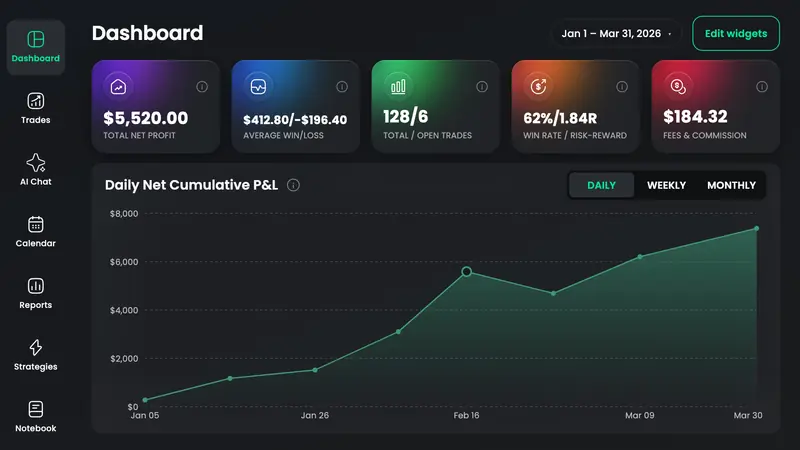
A stock trading journal is the record of every equity and ETF fill — ticker, side, size, fees, stop, setup tag, and a one-line lesson — so you can see which names and playbooks pay after commissions. TradeReview logs stocks by hand on Free, accepts broker file uploads (Interactive Brokers, Webull, TradeZero, NinjaTrader, or any broker's CSV) on Basic and Pro, and Auto Syncs Alpaca, eToro or cTrader on Pro.
File import on Basic and Pro for Interactive Brokers, Webull, TradeZero, NinjaTrader, and any other broker's CSV. Alpaca, eToro and cTrader Auto Sync sit on Pro.
Intraday scalps and multi-day holds share one equity curve. Filter by hold time, tag, or date so a swing in NVDA does not smear a morning scalp in SPY.
Symbol reports show which names earn after fees. Pair that with strategy tags so a breakout on AAPL is not mixed with a mean-reversion on the same ticker.
Daily P&L on a calendar built for regular hours and after-hours notes — earnings weeks, gap fills, and the days you should have sat out.
Win rate, net P&L, profit factor, and drawdown on every plan. Risk/reward appears once the stop is on the trade, so R is not a guess.
Web plus native iOS and Android, so the close-of-day pass can happen after the cash session — not only while the Level 2 is still open.
Type equities by hand on Free, upload an IB / Webull / TradeZero export on Basic, or Auto Sync Alpaca on Pro so the blotter is not a second job.
Tag ORB versus VWAP fade versus earnings hold, and note whether you followed the stop. Same ticker, different rules, different stats.
Open symbol and day/time reports. Keep the tickers whose profit factor survives fees; stop repeating the ones that only win on memory.
Typing stock trades is free. You pay to stop copying Interactive Brokers or Webull exports by hand.
Auto Sync
Pro plan · fills arrive on their own
File / CSV import
Basic and Pro · upload an export
Every stocks-market broker TradeReview lists today. Import method varies by broker — the brokers page shows whether yours uses file import or Auto Sync.
A dated record of each equity or ETF trade — ticker, side, size, fees, stop, setup, and a lesson — so you can measure win rate and P&L by name and playbook instead of from the broker’s day P&L.
Yes. Keep both in one stock account, then filter by date range, symbol, or tags so overnight holds do not distort the intraday stats.
A spreadsheet is enough for a handful of swing trades. Once you are copying dozens of IB or Webull fills, an app that already has P&L, win rate, and drawdown is less work than formulas.
Before the trade
Share size and stop distance for the equity trade you will journal after the cash session.
Still deciding
Price and import differences versus TradeZella, TradesViz, Edgewonk, Stonk Journal, and Tradervue — last checked October 2026.
Iron condors as one trade; Call/Put and DTE reports. No Greeks engine.
Open →ES/NQ multipliers, Tradovate and Topstep uploads, RTH vs overnight.
Open →Lots, swap, MT5 Auto Sync, London open vs NY overlap.
Open →24/7 calendar and a leverage field. No Binance or Bybit sync yet.
Open →A first-class trade type alongside every other market.
Open →Free to type equities. Upload IB or Webull when the copy-paste starts to skip reviews.