Are these trading calculators free?
Yes — all seven, with no account, no email and no usage limit. They run in your browser, so nothing you type is sent anywhere or stored.

Seven calculators for position sizing, risk and trade analysis. Every one runs in your browser — no account, no sign-up, nothing stored.
What are you trying to work out?
Enter account size, risk %, and stop loss to get exact position size for stocks, forex, and crypto.
The formulamax dollar risk ÷ risk per share
See gain required to recover, run 500 simulated paths with your win rate and avg win/loss, and understand why deep drawdowns are hard to escape.
Worth knowing−50% needs +100% to get back
Enter win rate, reward:risk and risk per trade to see 1,000 simulated equity curves, drawdowns and losing streaks.
The modelwin: equity × (1 + risk% × R) · loss: equity × (1 − risk%)
Calculate P&L and position size for ES, NQ, CL, GC and other contracts with built-in tick values.
The formulapoints × point value × contracts
Check whether a setup is worth taking by calculating R:R ratio and break-even win rate.
Worth knowing2:1 needs only a 33% win rate
Enter buy price, sell price, shares, and commissions to see net profit or loss.
The formula(sell − buy) × shares − fees
Calculate win rate, expectancy, and profit factor from your trade results.
The formula(win% × avg win) − (loss% × avg loss)
Trading calculators work out the numbers you need before and after a trade — position size from your stop, risk/reward from entry and target, futures P&L from tick values, net profit after commissions, and expectancy from your own results. TradeReview's are free, need no account, and run entirely in the browser, so the figures you type never leave your device.
The seven tools answer three questions, and they come up in the same sequence on every trade.
The catch with calculators
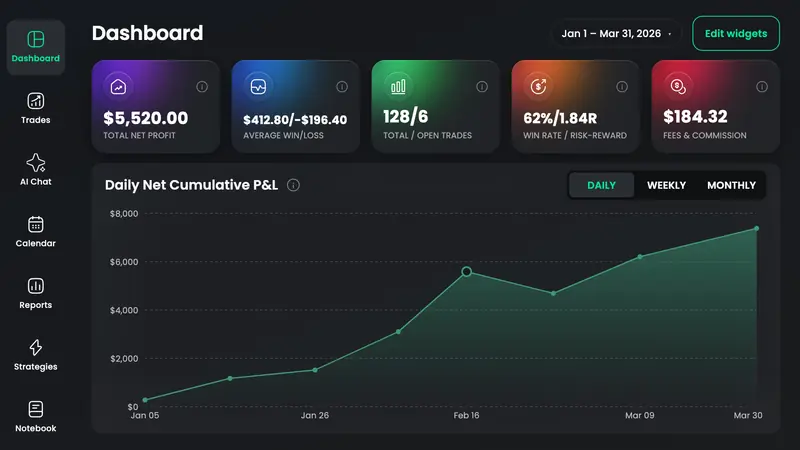
Win rate, expectancy and profit factor are only as good as the trade history behind them — and typing four averages into a box is a guess about your own trading. TradeReview keeps the running figures from your logged trades, updated as they close.
Yes — all seven, with no account, no email and no usage limit. They run in your browser, so nothing you type is sent anywhere or stored.
The position size calculator. Sizing from your stop is the single decision that caps how much a bad trade can cost you.
Position sizing, risk/reward and expectancy apply to any market — substitute lots or coins for shares. The futures calculator carries exchange tick specs for fourteen contracts including the micros.
No. An account is only useful when you want the numbers calculated from your real trade history instead of typed in by hand — and the free plan does that too.