Free trading journal · web, iOS, Android

A free trading journal with no trade cap

Log every trade in stocks, options, futures, forex and crypto on the Free plan: no card, no time limit and no monthly trade cap. Review Sessions walk you through each trade, and your first broker file import is free.

Price
$0, no time limit
Trade cap
None
Card
Not needed
Apps
Web, iOS, Android
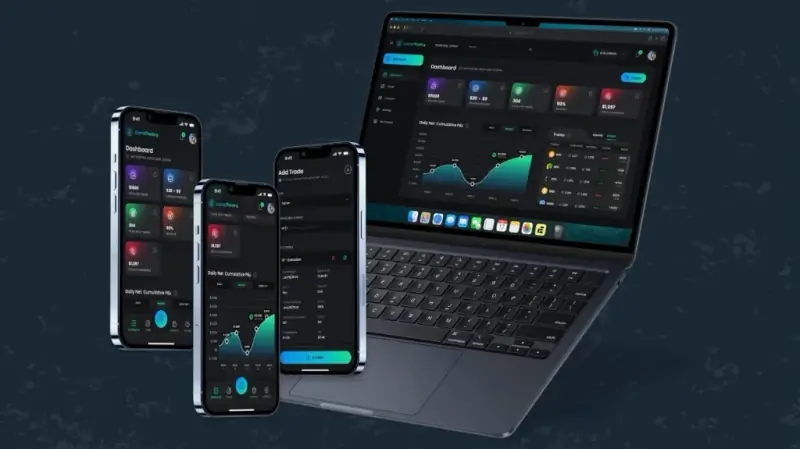
TradeReview free trading journal on a laptop and a phone
The same journal on the web and in the iOS and Android apps.

What the Free plan includes

Free is a working journal, not a trial. Here is what you get, and what costs money if you want it later.

Free · $0

  • Manual trade entry with no monthly cap, in any market: stocks, options, futures, forex and crypto
  • Your first broker file import, free
  • Review Sessions that walk you through trades you haven't reviewed yet
  • Dashboard, tags and a basic Notebook
  • 10 AI Chat messages a month, answered from your own trades
  • Data export and 500 MB of storage
  • One trading account, on the web and in the iOS and Android apps

Basic · $9.90/month

  • Broker file and CSV import after the first one
  • Multi-leg option spreads
  • Up to 5 trading accounts
  • Claude, ChatGPT and other AI apps connected to your journal (MCP)

Pro · $19.90/month

  • Auto Sync: cTrader, Alpaca, eToro, Interactive Brokers, MetaTrader 5 and TradeLocker
  • Up to 20 trading accounts
  • 200 AI Chat messages a month and priority support

Full plan table on the pricing page. Yearly billing saves about 16%.

Four free ways to start

Not ready for an app? Start with a spreadsheet or check your MT5 history first. All of these cost nothing.

App

Free TradeReview account

Log trades by hand with no monthly cap, import one broker file free, and review each trade in a Review Session.

Create free account →

Excel

Excel trading journal template

A .xlsx with formulas for net P&L, R-multiple and win rate, and a dashboard tab. Download it and start typing.

Get the Excel template

Google Sheets

Google Sheets journal

The same journal as a Sheet you copy into your Drive, with a review tab and two formulas you can add for live prices on open trades.

Copy the Sheets template

No signup

MT5 report analyzer

Drop in a MetaTrader 5 history report and see the habits costing you money. The file is read in your browser and never uploaded.

Analyze an MT5 report

Trading options? There is a free options journal template too, and 9 more free trading tools that need no account.

How free plans compare

Some “free” plans stop at 30 trades a month, and two of the best-known journals have no free plan at all.

JournalFree planLimit on free
TradeReviewFree foreverNo monthly trade cap; 1 account; first broker file free
Stonk JournalFree foreverNo cap on manual trades; unlimited accounts; CSV import on Pro ($10/mo)
TradesVizFree forever3,000 executions a month; stocks only; 1 account
TradervueFree forever30 grouped trades a month
TrademetriaFree forever30 imported orders a month; 1 account; 3 open positions
TradeZellaNo free planFrom $35/mo
EdgewonkNo free plan$35/mo or $197/yr

Checked on each vendor's site on 19–20 November 2026. Which one fits your trading, including spreadsheets: best free trading journal.

Your first week on Free

Create a free account on the web or in the iOS or Android app. No card.
Add your trades by hand, or upload one broker file: your first import is free.
Tag each trade with its setup and any mistake, then open a Review Session to go through the trades you haven't reviewed.

Want to see it first? Watch the product tour.

Free trading journal questions

Is TradeReview really free?

Yes. The Free plan has no card, no time limit and no monthly trade cap. Basic ($9.90/month) and Pro ($19.90/month) add broker import, more accounts and Auto Sync, but you never have to upgrade to keep journaling.

What is the catch with the Free plan?

Free covers one trading account, manual entry, your first broker file import, 10 AI Chat messages a month and 500 MB of storage. Ongoing file import, multi-leg option spreads and more accounts are on Basic; Auto Sync is on Pro.

Can I import trades from my broker for free?

Your first broker file import is free. After that, file and CSV import is on Basic, and Auto Sync (cTrader, Alpaca, eToro, Interactive Brokers, MetaTrader 5 and TradeLocker) is on Pro. Check your broker on the supported brokers page.

Is there a free trading journal app for iPhone and Android?

Yes. TradeReview has native iOS and Android apps as well as the web app, and the Free plan works in all three.

Can I journal options, futures, forex and crypto for free?

Yes. Manual entry works for every market on Free. Single-leg options are fine by hand; multi-leg spreads need Basic.

Can I export my trades?

Yes. Data export is on every plan, Free included, so your journal is never locked in.

Start your free trading journal

Log your next five trades and run one Review Session. It takes a few minutes, and the Free plan has no trade cap or time limit.

Trading involves risk. A journal records and reviews your trades; it does not give financial advice.