A good trading journal template in Google Sheets is one of the best free tools a trader can have. It helps you spot destructive habits, validate your strategy, and build the discipline required for long-term success. This isn’t just about tracking profits and losses; it’s about creating a mirror of your decision-making process so you can refine your edge in the market.
Why a Google Sheets Journal Is a Trader’s Best Friend

Let’s be honest — trading is a difficult mental game. We’ve all been there. You aren’t just up against sophisticated algorithms and large institutional funds; most of the time, you’re battling your own internal biases. A well-kept trading journal is one of the most effective tools you have in that fight.
Many traders think a journal is just for tallying wins and losses. Sure, that’s part of it, but the real value is much deeper. It acts as an objective mirror, showing you exactly how disciplined you are, what your emotional state is, and whether you’re following your own rules. Without that feedback loop, you’re flying blind, likely making the same costly mistakes over and over without ever knowing why.
Uncovering Your Hidden Trading Flaws
Your performance is often impacted by behavioral patterns you can’t see in the heat of the moment. These are the impulsive, emotional decisions that have little to do with your actual strategy. A simple spreadsheet forces you to look them right in the eye.
Every trader has psychological hurdles to overcome. By logging not just the numbers but the why behind each trade, you start to see these patterns emerge. This is where a trading journal template for Google Sheets really shines.
- Fear of Missing Out (FOMO): Did you chase a stock that was already soaring because you couldn’t stand to miss the move? Your journal will show a clear pattern of poor entry prices on high-momentum stocks. For example, you might notice that most of your biggest losses happen when you enter trades far above the 20-period moving average on the 5-minute chart.
- Revenge Trading: After a frustrating loss, did you immediately jump into a bigger, riskier trade to “get your money back”? Your log will highlight these emotionally-fueled decisions that rarely end well.
- Greed and Impatience: Do you consistently cut your winners short or let your losers run, hoping they’ll turn around? Documenting your original profit targets and stop losses reveals every time you deviated from your plan.
Your trading journal isn’t a record of your results; it’s a record of your behavior. You can’t control what the market does, but you can control what you do. Mastering your own actions is the path to consistency.
From Emotional Guesses to Data-Driven Decisions
The most successful traders don’t have a crystal ball. What they do have is a solid feedback loop built on analyzing their own performance, and a Google Sheets journal is the engine that drives it.
Instead of guessing what works, you can filter your data to get hard answers. Which of your setups has the highest win rate? Is your performance consistently worse on Fridays? Do your biggest losses always happen when you oversize your positions?
This is the big shift — moving from emotional reactions to analytical responses. It’s what can turn trading from a gamble into a systematic business. Every single entry, win or lose, becomes another data point that helps you sharpen your edge, manage risk, and build the discipline needed to navigate the markets with genuine confidence.
Getting Your Free Template Ready for Action
Theory is one thing, but putting it into practice is where the real work begins. Let’s get you set up with a powerful, free trading journal template for Google Sheets that’s built for clarity — no advanced spreadsheet skills required. This is your personal data hub, so the first and most critical step is making it your own.
Go ahead and grab the template. Before you do anything else, you must make a private copy. Just go to File > Make a copy. This simple action saves the journal to your personal Google Drive, ensuring your trade data stays completely confidential.
Once you’ve made a copy, you’ll see a clean slate, perfectly organized and ready for you to customize to your trading style. It only takes a few minutes.
A Quick Tour of Your New Journal
This template is designed to be intuitive, splitting it into three main tabs that work together to give you a complete picture of your performance. Understanding how they connect is key.
- Trade Log: This is where you’ll spend most of your time. It’s the heart of the journal, with all the columns you need to record every detail of your trades — from the ticker and strategy to your entry and exit points.
- Dashboard: Think of this as your command center for visual analysis. It automatically pulls data from your Trade Log and turns it into easy-to-read charts and key metrics like your equity curve and win rate. This is where you’ll spot those high-level patterns.
- Settings: This is the setup tab. You’ll only need to visit this page once to get everything dialed in.
Taking 10 minutes to set up your journal correctly is one of the highest-return investments you can make in your trading. It creates the foundation for every data-driven decision you’ll make moving forward.
Personalizing Your Settings
Before you even think about logging a trade, click over to the ‘Settings’ tab. This is what makes the template truly yours and ensures all the automatic calculations are accurate from day one. It’s the engine that powers the rest of the spreadsheet.
You’ll find a few key fields to fill in:
- Account Size: Pop in your starting capital. This number is the baseline for your equity curve, giving you a clear visual of your account’s growth or decline over time.
- Risk-Per-Trade (%): Define your maximum acceptable loss as a percentage of your account for any single trade. A common starting point for many traders is 1-2%. This input helps the sheet calculate your ideal position sizes later on.
- Commission Costs: Enter your broker’s fee per trade or per share. Overlooking commissions is a common mistake that can seriously distort your real profitability. Don’t let hidden costs surprise you.
By personalizing these inputs, you’re not just filling out a form; you’re codifying your trading plan. You’re setting the rules of engagement before the emotional pressures of a live trade can cloud your judgment.
For a deeper dive into setting up P&L calculations, our guide on a profit and loss template for Google Sheets offers more detailed examples. With this initial setup complete, you’re ready to start logging your first trade with confidence.
Logging Your Trades for Maximum Insight
A trading journal is only as powerful as the data you feed it. Just logging your profit and loss is a start, but it won’t uncover the behavioral patterns that truly drive your performance. The real value is in capturing the full context of each trade — turning raw numbers into a clear story about your decision-making.
Let’s walk through the essential columns in our trading journal template for Google Sheets and, more importantly, why each one matters. This isn’t just about record-keeping; it’s about building a database of your own habits so you can systematically improve.
The Foundational Data Points
Every trade log needs a rock-solid foundation of objective data. These are the non-negotiables that form the backbone of your analysis. Getting these right is critical, as it ensures all your automated calculations will be accurate and reliable down the road.
We need to track more than just the basics to get the full picture. The table below outlines the critical data points that should be in every trader’s journal.
Critical Data Points for Your Trade Log
| Data Point / Column | Purpose | Example Entry |
|---|---|---|
| Date & Ticker | Tracks performance over time and by asset. | 2024-10-28, AAPL |
| Position Size | Records the number of shares or contracts traded. | 100 shares |
| Entry & Exit Prices | The core numbers for calculating gross P&L. | Entry: $150.25, Exit: $152.75 |
| Commissions & Fees | Captures all trading costs for true net P&L. | $1.25 |
| Strategy Used | Assigns the trade to a predefined setup. | “5-min ORB” |
| Setup Quality | Rates the trade setup against your ideal criteria. | “A-Setup” |
| Emotions | Notes your psychological state during the trade. | “FOMO” |
Diligently recording these details for every single trade creates an objective record that holds you accountable. It’s the first step toward trading with intention.
Going Deeper Than Just Numbers
Now for the important part. The columns that follow are where you transition from a simple bookkeeper to a performance analyst. This qualitative data helps connect the numbers to your mindset and strategy — that’s where real growth happens.
You need to capture the “why” behind your actions. We’ve put together a detailed guide on how to properly structure a journal entry that explores this in more detail, but here are the key elements to focus on.
The Qualitative Columns That Drive Insight
Strategy Used
Never log a trade without assigning it to a specific, predefined strategy (e.g., “Breakout,” “Mean Reversion,” “Earnings Play”). This is non-negotiable. It allows you to filter your journal later and definitively answer the question, “Which of my strategies actually make money?”
Setup Quality (A/B/C)
Before you even enter a trade, rate the quality of the setup on a simple A/B/C scale.
- A-Setup: A textbook example of your strategy. Every single one of your rules is met perfectly. For instance, a breakout trade where the price cleanly clears a key resistance level on high volume with supporting market context.
- B-Setup: A good setup, but maybe one or two minor criteria are less than ideal. Still a valid trade according to your plan.
- C-Setup: A subpar setup that breaks one or more of your key rules. These are often the impulsive or FOMO-driven trades.
Over time, you’ll likely find that your A-Setups are more profitable, while your C-Setups consistently drain your account. This single data point can be a game-changer for your discipline.
Emotions at Entry/Exit
Be brutally honest here. Were you feeling confident and calm, or were you impatient, greedy, or fearful? A simple dropdown with options like “Disciplined,” “Anxious,” “FOMO,” or “Confident” is perfect. This helps you identify the emotional states that lead to your best (and worst) decisions.
Visualizing Your Performance with Actionable Charts
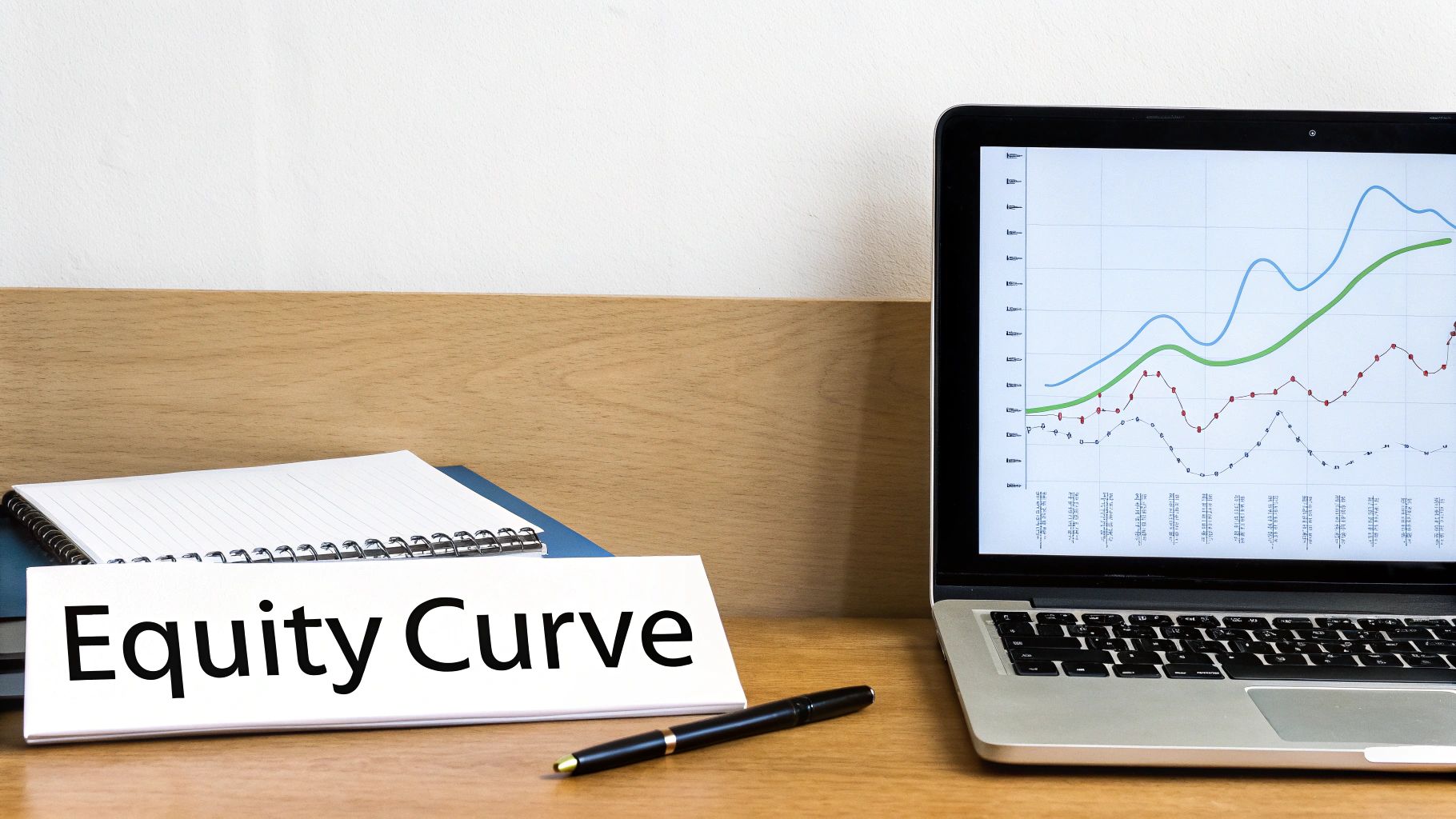
Rows of data are honest, but they don’t always tell the whole story. It’s easy to get lost in the numbers and miss the big picture hiding in plain sight. This is where your trading journal template in Google Sheets goes from being a simple logbook to your personal analytics dashboard.
Visuals turn that raw data into immediate, actionable insights. A single chart can show you what might take hours to figure out from numbers alone, helping you instantly see your progress and spot hidden flaws. We’re not just making pretty graphs; we’re building a visual feedback loop to help you grow as a trader.
Building Your Equity Curve: The Ultimate Performance Snapshot
The single most important visual in any trading journal is the equity curve. It’s a simple line chart that plots your account balance over time, trade by trade. It’s the ultimate, unfiltered truth about your consistency and profitability.
Is your curve a smooth, steady upward slope? That’s the look of a consistent, working strategy. Or is it a volatile rollercoaster of sharp peaks and deep valleys? That’s a huge red flag for a high-risk approach, inconsistency, or major psychological battles.
Your equity curve doesn’t just show your P&L; it illustrates your discipline. A choppy curve often reflects emotional trading and a lack of adherence to your plan, while a steady curve reflects consistency and control.
Creating one in your Google Sheets template is straightforward:
- Make sure you have a “Cumulative P&L” column in your Trade Log.
- Select that entire column along with your trade number or date column.
- Go to Insert > Chart in the Google Sheets menu.
- Choose the “Line chart” type.
This simple action creates a powerful mirror. A declining curve isn’t a failure — it’s a clear signal that something in your process is broken and needs your immediate attention.
Charting Your Way to Deeper Insights
Beyond the equity curve, a few other charts can give you critical, specific feedback on your trading habits. By slicing and dicing your data into different visual formats, you can start answering key questions about what really drives your results.
Let’s build a few more essential charts to dig deeper.
Uncovering Your Best and Worst Habits
Your Google Sheets journal can become a dynamic dashboard with just a few more visualizations. These charts help dissect your performance so you can focus your energy where it actually matters.
Here are a few high-impact charts to create:
- Win/Loss Ratio by Strategy: A pie or bar chart is perfect here. It instantly shows which of your strategies are performing well and which might be draining your account.
- Profitability by Day of the Week: A simple bar chart can reveal if you have an edge on certain days. You might be surprised to find you perform poorly on Mondays (due to weekend gaps) or Fridays (thanks to pre-weekend volatility).
- Average P&L by Setup Quality: This bar chart compares your A-Setups vs. your C-Setups. Seeing a positive result for ‘A’ trades and a negative result for ‘C’ trades is powerful visual proof that discipline pays off.
To build these, you’ll often want to use Pivot Tables to organize your data first. If you need a hand with that, our guide on using pivot table filtering can walk you through it. By creating these visualizations, you stop guessing what’s wrong and start seeing it clearly, allowing you to make targeted, data-driven adjustments to your trading plan.
Knowing When to Upgrade to a Dedicated Journaling Tool
A trading journal template in Google Sheets is a fantastic, free starting point for any serious trader. It builds discipline, forces you to be accountable, and gives you a clear picture of your performance without costing a dime.
But as your trading evolves, you might find that the very spreadsheet that helped you get here starts holding you back. This isn’t about ditching a good habit; it’s about recognizing when your needs have outgrown your tools. The goal is to spend your time analyzing trades, not wrestling with manual data entry.
If logging trades starts to feel like a second job, that’s a clear sign that it might be time to look at specialized software.
Key Triggers for an Upgrade
So, how do you know when you’ve hit the limits of a spreadsheet? It’s usually not a single event but a slow buildup of small frustrations. Think of it as evolving from a learner’s permit to a professional license — the vehicle needs to match the driver’s skill and demands.
Here are the most common signals that you’re ready for a more powerful tool:
- Manual Entry Becomes a Burden: As your trade frequency picks up, manually logging every entry, exit, commission, and note becomes incredibly time-consuming and prone to errors. What used to be a five-minute task can easily balloon into an hour-long chore.
- Your Analytics Needs Are More Complex: You want to run advanced analytics, like filtering trades by holding time, R-multiple (a term for risk/reward ratio), or specific market conditions. While possible in Sheets, it often requires complex formulas and pivot tables that can easily break.
- You’re Trading Multiple Accounts or Brokers: Juggling several spreadsheets to track different accounts is a recipe for chaos. Dedicated tools can pull data from multiple sources into a single, unified dashboard.
The purpose of a journal is to reduce friction in your analytical process, not create it. When the tool itself becomes a source of stress or a barrier to review, it’s no longer serving its primary function.
The Benefits of Specialized Software
Dedicated trading journals like TradeReview are built from the ground up to solve these exact problems. They automate the tedious parts of journaling so you can focus entirely on analysis and improvement. Instead of just logging data, these platforms help you interact with it in more meaningful ways.
These tools offer powerful features that are difficult, if not impossible, to replicate in a spreadsheet. For instance, many modern platforms offer features like automated trade importing from dozens of brokers, which can save hours of manual data entry each week.
The move to these tools is often tied to better risk management, as they help traders systematically analyze their biases and errors. Modern journals are even integrating AI-powered features to provide deeper insights like emotional tagging and trade error detection. You can learn more about how these journals are evolving by exploring current trading strategy insights on Journalyze.
Ultimately, a Google Sheets journal is the perfect first step. It teaches you the non-negotiable habit of recording and reviewing your trades. But when you’re ready to treat your trading like a professional business, upgrading to a tool that automates data collection and deepens your analysis is a logical and powerful next step in your development.
Frequently Asked Questions About Trading Journals

Once you start using a trading journal template in Google Sheets, questions are bound to pop up. That’s a good sign — it means you’re really digging into your data and thinking critically about your performance. We’ve put together some of the most common questions we hear from traders to help you clear any hurdles and get the most out of your journaling.
Can I Use This Google Sheets Template for Crypto and Options?
Absolutely. The template was built to be asset-agnostic because the core principles of logging an entry, exit, size, and strategy are universal. Its flexibility is one of its biggest strengths.
You’ll just need to make a few small tweaks to capture the details that matter for different asset classes.
- For Options Trading: You might want to add columns for ‘Strike Price,’ ‘Expiration Date,’ and ‘Contract Type’ (Call/Put). The P&L and ROI formulas will work just the same.
- For Crypto Trading: Instead of a stock ticker like AAPL, you’ll use a trading pair like ‘BTC/USD’ or ‘ETH/USDT.’ The ‘Strategy’ and ‘Notes’ columns are perfect for crypto-specific setups, like trading a new exchange listing or a specific market narrative.
The whole point is to make the template your own. The foundation is solid enough to handle whatever market you throw at it.
How Do I Log Partial Entries or Exits?
This is a great question, especially for traders who scale in and out of positions to manage risk. Trying to cram multiple fills into one row just muddies the water and makes your analysis a headache. The cleanest way is to treat each transaction as its own row but link them all together.
The best practice is to assign a unique ‘Trade ID’ to the entire position. For example, if you scale into a long position on NVDA with three separate buys, each of those entries gets its own row in the journal. But they would all share the same Trade ID, something like ‘NVDA-1105-Long’.
This method gives you a few key advantages:
- Clarity: Your main log stays clean and simple to read at a glance.
- Accuracy: You can precisely track the execution price and size for every single fill.
- Analysis: When you want to see the whole picture, you can easily filter by the Trade ID to analyze the performance of the entire position.
My Equity Curve Is Declining—What Should I Do?
First off, don’t get discouraged. We have all been there. A declining equity curve isn’t a failure; it’s invaluable data pointing you exactly where you need to look. Think of it as a diagnostic tool, not a report card.
A declining equity curve is a signal to become an analyst, not a critic. Use your journal to find the cause of the problem, not to beat yourself up over the symptom. The clues to your recovery are right there in your own data.
Start digging into your trades by filtering for the root cause:
- Filter by ‘Strategy’: Is one specific setup a consistent money pit? Maybe it’s time to tighten up the rules for that strategy or even shelve it completely.
- Check ‘Setup Quality’: Are you taking too many low-probability ‘C-Setup’ trades? This is a classic sign of impatience or undisciplined execution.
- Review ‘Emotions’: Go back and read your notes for your biggest losing trades. Do you see a pattern? Are they linked to entries you tagged as ‘Impatient,’ ‘Revenge,’ or ‘FOMO’?
The journal gives you the hard evidence you need to make targeted, data-driven adjustments instead of just guessing and hoping something works.
How Often Should I Review My Trading Journal?
Consistency is everything. Just like working out, the real benefits of journaling compound over time, but only if you stick with it. Logging trades is just one piece of the puzzle; the real growth happens when you regularly review what you’ve logged.
A powerful and sustainable routine usually involves three levels:
- End-of-Day Review (5-10 minutes): Log your trades right after the market closes. This ensures the details — and more importantly, your mindset and emotions — are still fresh.
- Weekly Review (30-60 minutes): Carve out some time every weekend to analyze the week’s performance. Pull up your charts, study your best and worst trades, and find one or two key patterns to work on for the week ahead.
- Monthly Review: This is your big-picture check-in. Are you making progress toward your goals? Is your equity curve trending up? This helps you zoom out and make sure your daily grind is leading to long-term growth.
This structured approach turns journaling from a chore into a powerful feedback loop for continuous improvement.
Ready to stop guessing and start analyzing? The TradeReview journal automates the tedious work of logging trades so you can focus on what matters — finding your edge. With automatic broker sync, powerful performance analytics, and a seamless mobile app, you get the insights of a professional without the hassle. Start making data-driven decisions today.