Jumping into the trading world can feel like learning a new language and a high-stakes sport all at once. An Interactive Brokers paper trading account gives you a risk-free simulator to practice on a professional-grade platform. It’s your personal trading gym to build confidence before putting real money on the line.
Why Paper Trading on Interactive Brokers Is a Smart First Move
The fear of making a costly mistake is real. We’ve all been there. On top of that, the sheer complexity of a powerful platform like Trader Workstation (TWS) can be overwhelming, even for traders with some experience. It’s easy to feel lost.
This is exactly where the Interactive Brokers paper trading account becomes your most valuable tool. It’s an identical, simulated environment where you can execute trades, test strategies, and get comfortable with the platform’s tools — all without any financial risk.
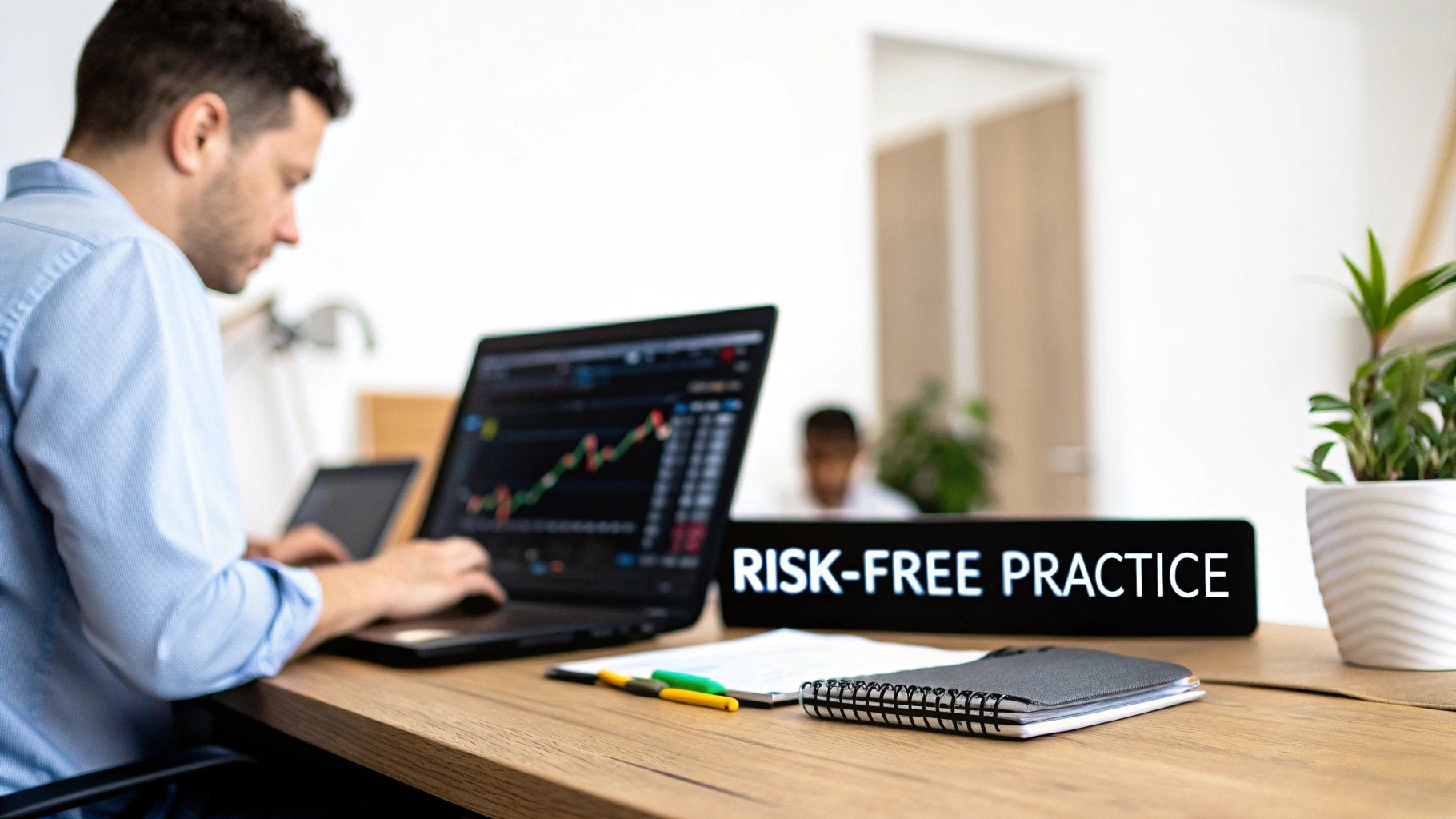
And this simulator isn’t just for beginners. Many seasoned traders regularly use it to work out the kinks in new approaches, like a complex options strategy or a new conditional order type, away from the psychological pressure of live markets.
You can learn more about the fundamentals in our complete guide explaining what paper trading is and why it’s a critical step for traders. The goal here is simple: build muscle memory and a repeatable, disciplined process.
Beyond Just Placing Trades
A paper trading account with Interactive Brokers is much more than just a place to click “buy” and “sell.” It’s a full-blown training ground designed to prepare you for real-world challenges.
- Platform Mastery: TWS is legendary for its massive feature set. The simulator lets you explore every single window, button, and order type until it all becomes second nature. This builds confidence so you aren’t fumbling with the software when a live trade is on the line.
- Strategy Validation: Have a new day trading setup you’re itching to try? A paper account lets you test its effectiveness with live market data, helping you find its strengths and weaknesses before you risk a single cent.
- Emotional Rehearsal: Let’s be honest — nothing perfectly replicates the stress of having real money at risk. But a simulator helps you practice discipline. It forces you to stick to your rules, manage virtual risk, and analyze your outcomes without the gut-wrenching fear of loss.
The real purpose of paper trading isn’t to chase fantasy profits. It’s to forge the disciplined habits of a professional trader. Your focus should be on flawless execution and sticking to your strategy, not the hypothetical P&L.
A Bridge to Confident Trading
At the end of the day, the simulator is the bridge that takes you from theory to practice.
Think of it like a flight simulator for a pilot. It’s where you learn to handle different market conditions, manage your “instruments,” and develop the composure you’ll need to navigate the often chaotic nature of live trading. By putting in the practice time, you start replacing that initial anxiety with a solid foundation of experience and a battle-tested plan.
Setting Up Your IBKR Paper Trading Environment
Getting your simulated trading desk ready is about more than just flipping a switch. If you want to get real value out of paper trading, you have to build an environment that mirrors the pressures and limitations you’ll face when real money is on the line. Let’s walk through how to set up your Interactive Brokers paper trading account to make your practice sessions as disciplined and realistic as possible.
First things first, you need to activate paper trading access. You can do this right from your Account Management portal on the IBKR website. Once you have a funded live account, you can request a paper trading account, which is usually approved quickly.
Now, here’s a small but common stumbling block: the login. Whether you’re firing up the powerful Trader Workstation (TWS) desktop platform or just using the mobile app, you’ll see a toggle or dropdown menu on the login screen. You absolutely have to select “Paper Trading” before entering your credentials. Forgetting this simple step is a classic mistake that leaves new traders confused about why they can’t access their simulator.
Customize Your Virtual Capital
By default, Interactive Brokers often hands you a cool $1 million in virtual cash. Seeing that seven-figure balance might feel great, but trading with it is one of the worst habits you can possibly build. It encourages you to take wildly unrealistic position sizes and completely removes the psychological weight of managing actual risk.
Thankfully, you can — and should — fix this immediately. Reset your virtual balance to something realistic.
- Log into Account Management: Head over to the settings for your paper trading account.
- Find the Reset Option: Look for a button or link that says something like “Reset Paper Trading Account.”
- Enter a Realistic Amount: Choose a starting balance that actually reflects what you plan to trade with. For many traders, that’s probably closer to $25,000 or $50,000, not millions.
This one tweak changes everything. It forces you to practice proper risk management from day one. You’ll have to think carefully about your position sizing and respect your stop-losses, just like you would if every dollar was real.
Align Your Market Data
Another critical piece of the realism puzzle is market data. Interactive Brokers does something pretty smart here: your paper trading account perfectly mirrors the market data subscriptions of your live account.
If you pay for real-time NASDAQ Level 1 data on your live account, you’ll get it in your paper account. If your live account only has delayed data, your simulator will be delayed, too.
This is a feature, not a bug. It prevents you from practicing with perfect, real-time data that you won’t actually have when you switch to live trading. You can check out the data subscriptions IBKR offers to see what’s available and make sure your practice environment matches your future live setup.
The Trader Workstation (TWS) is where the magic happens, and its layout is identical whether you’re live or paper trading.
The TWS interface you see above is the same professional-grade platform you’ll be using for both simulation and real trading. This consistency is huge. It means every chart you analyze and every order you place in the simulator is building direct, practical experience for when you finally put real capital to work.
Once you’ve got the setup dialed in, the next logical step is to start tracking every simulated trade to find your edge. You can see how different platforms connect by checking out our guide on supported brokerage integrations for trading journals.
How To Practice With Discipline for Realistic Results
Let’s be honest — the biggest mistake traders make with a paper account is treating it like monopoly money. When there are no real consequences, it’s incredibly easy to develop terrible habits that will get you crushed in a live market.
If you really want to get value out of your Interactive Brokers paper trading account, you have to forge the discipline of a professional from day one. This isn’t about clicking buttons; it’s about building a repeatable, rule-based process. Your goal isn’t to rack up fantasy profits — it’s to build a professional mindset that will protect you when real capital is on the line. Every single action needs a purpose.
Define Your Rules and Stick to Them
The first step toward real discipline is creating a set of non-negotiable rules. A classic, effective rule is to never risk more than 1% of your virtual account on any single trade. For example, if you set your paper account to a realistic $25,000, your maximum acceptable loss per trade is just $250. That’s it.
This one simple constraint forces you to be critical about every setup you consider. It stops you from taking those impulsive, oversized “yolo” bets and drills a mindset of capital preservation into your head. Think of your trading plan as an unbreakable contract with yourself.
Below is a quick overview of getting your IBKR paper trading environment ready for this kind of disciplined practice.
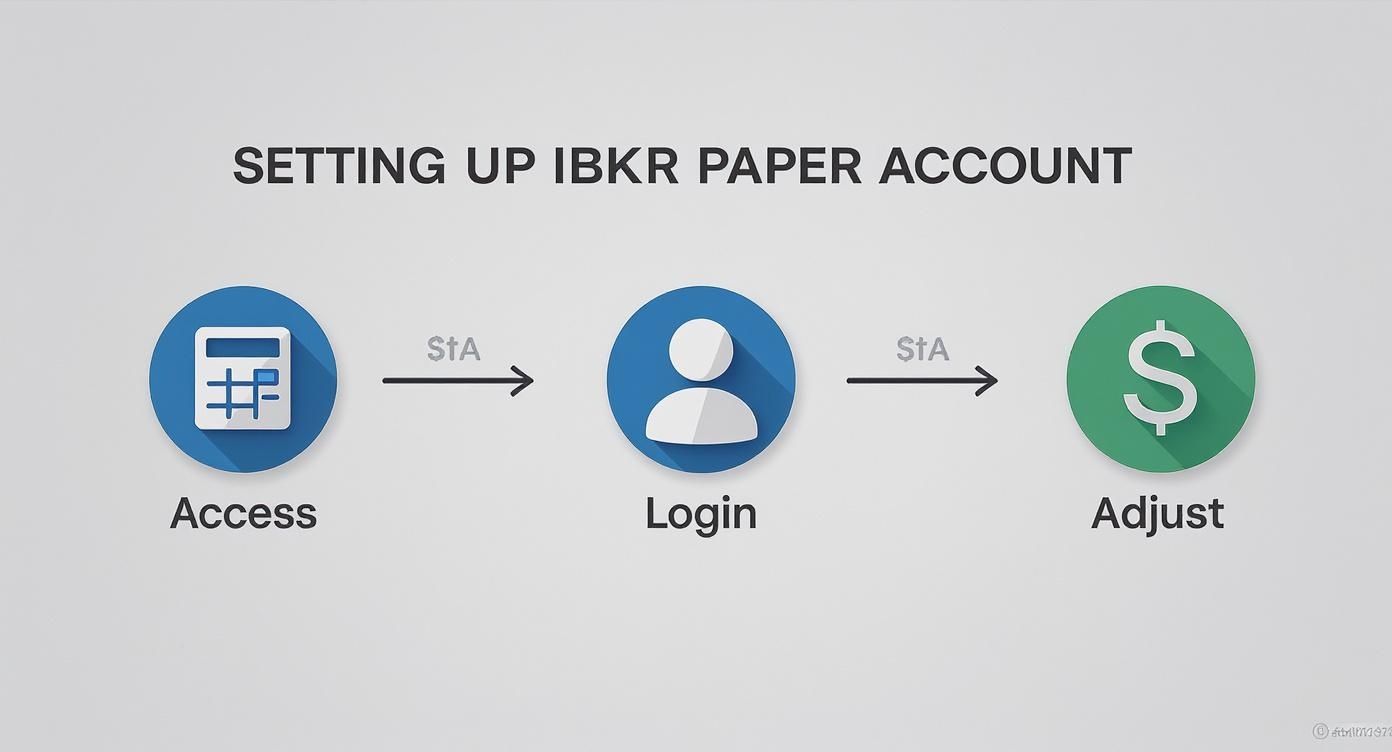
This simple process — accessing the platform, logging into the paper environment, and adjusting your starting capital — is the foundation for a realistic simulation.
Simulated Trading vs. Live Trading Realities
It’s crucial to understand that even the best simulator has its limits. Paper trading is for practice, but live trading is the real game with different pressures. Here’s a breakdown of what to expect.
| Factor | Paper Trading Simulation | Live Trading Reality |
|---|---|---|
| Emotions | Minimal. It’s easy to be calm and logical with fake money. | High. Fear, greed, and anxiety are powerful and real forces. |
| Fills & Slippage | Fills are often instant and at the exact price you see. | Slippage (getting a slightly worse price than expected) is common, especially in fast markets. |
| Order Execution | Complex orders work perfectly without delay. | Market volatility can affect fill speed and execution quality. |
| Psychological Pressure | Zero. There’s no real risk, so decisions feel weightless. | Intense. Every tick matters, and the pressure to perform can lead to mistakes. |
Understanding these differences helps you keep your practice grounded. The goal isn’t just to make paper profits; it’s to build habits that hold up under real pressure.
Use Advanced Orders From Day One
Another key to disciplined practice is mastering the tools that automatically enforce your rules. Interactive Brokers has a powerful suite of advanced order types that professional traders rely on daily. Don’t just place lazy market orders; get comfortable with these from the start:
- Bracket Orders: This is a game-changer. It attaches both a profit-taking limit order and a protective stop-loss order to your entry. The second one of them fills, the other is automatically canceled. This is a practical way to enforce your risk-reward plan on every single trade.
- Trailing Stop Orders: This order lets you lock in profits while giving a winning trade room to run. It follows an asset’s price at a set distance, only triggering a sale if the price reverses against you.
Practicing with these orders in the simulator builds critical muscle memory. You won’t be fumbling through menus when a live trade is moving fast and your adrenaline is pumping.
Remember, the simulator doesn’t perfectly replicate real-world slippage or fill speed. However, it’s invaluable for building the muscle memory to place complex orders under pressure, so you can execute your plan flawlessly when it counts.
Maintain a Meticulous Trade Journal
Finally, the most critical habit you can build is keeping a detailed trade journal. Every single simulated trade — win or lose — must be logged and analyzed. Track your entry, your exit, the reason for the trade, and what you could have done better.
This process transforms your practice sessions from a simple game into a powerful feedback loop.
Analyzing your journal data helps you see your actual performance, free from emotional bias. You might discover your strategy works great in the morning but falls apart in the afternoon, or that you consistently cut your winners too short. For traders wanting to dive deeper into performance metrics, you can learn more about how an equity curve simulator can visualize your trading progress and reveal the hidden patterns in your results.
Troubleshooting Common Paper Trading Account Issues
https://www.youtube.com/embed/J5UVLvkpFeY
Even in a simulated world, things can go sideways. The good news is that most issues you’ll run into with your Interactive Brokers paper trading account have simple, straightforward fixes. It’s frustrating when a technical glitch gets in the way of valuable practice time, so let’s walk through the most common pain points and get you back to trading.
Why Is My Market Data Delayed?
This is easily the most frequent question. The answer is simple but critical: your paper account’s data feed is a direct mirror of your live account’s subscriptions.
If you don’t have real-time data subscriptions on your live account, your paper account will also get delayed quotes. This isn’t a bug — it’s a feature designed to make your practice environment as realistic as possible.
The Classic Login Problem
Another common snag is login trouble. You get an error, you can’t figure out why, but the culprit is usually a simple oversight on the Trader Workstation (TWS) or mobile app login screen.
Before you even type in your username and password, you must select the “Paper Trading” environment from the dropdown menu. If you forget this step, you’re trying to log into your live account with paper credentials, which is an instant fail. It happens to the best of us!
Navigating Data and API Limitations
Once you’re logged in and placing trades, you might hit some more subtle walls, especially if you’re trying to backtest a strategy. A big one is the availability of historical data when connecting via an API (Application Programming Interface), which is a way for different software to talk to each other.
For example, many traders using platforms like NinjaTrader discover they can’t pull deep historical tick or bar data for backtesting directly from their paper account. This is a known constraint of the simulator. While the paper account shares your live account’s market data permissions, it doesn’t provide deep historical data through the API.
To get that data, you’ll typically need to use your live account. You can find plenty of traders discussing these challenges and potential workarounds on the NinjaTrader support forum.
Key Takeaway: Treat your paper account as a forward-testing tool. It’s perfect for practicing live execution and getting a feel for the platform. For deep historical backtesting, you’ll likely need to rely on your live account’s data access or a third-party data provider.
Common Quick Fixes
Most other problems can be sorted out with a quick check of your settings. Here are a few to keep in mind:
- Order Rejections: If your orders keep getting rejected, take a look at your virtual cash balance. You might be trying to place a trade that’s way too large for your simulated account size.
- “Read-Only API” Errors: Connecting another application? Make sure the “Read-Only API” box is unchecked in your TWS or IB Gateway API settings.
- Connectivity Glitches: Sometimes, the simplest solution is the best one. A quick restart of TWS and whatever application you’ve connected to it can often clear up mysterious connection problems.
Bridging the Gap from Simulation to Live Trading
Making the jump from paper trading to a live account is where the rubber really meets the road. It’s a mental game more than anything, and just flipping a switch in your software won’t cut it. This is the moment where many promising traders stumble because the emotional pressure changes everything.
The trick is to forget the all-or-nothing mindset. A gradual, phased-in approach is the key to protecting your capital and, just as importantly, your confidence.
First, you have to accept that no simulator is perfect. A paper trading account does its best to estimate fills, but it can’t truly replicate the messy reality of live markets. Ask any experienced trader, and they’ll tell you that factors like slippage, market impact, and fees create a noticeable difference between simulated and real results. For a deeper dive, check out this great resource on how Interactive Brokers handles paper trading mechanics.
Start Small to Feel the Weight of Real Money
Your first step into live trading shouldn’t be a cannonball into the deep end. It should be a single, cautious step. Once you’ve proven your strategy works consistently in your Interactive Brokers paper trading account, it’s time to put a tiny amount of real skin in the game.
I mean tiny.
Don’t jump in with your full position size. Start with just one share. For example, if your plan is to trade 100 shares of SPY, your very first live trade is for one share of SPY. The goal here isn’t to make money; it’s to get used to the very real feeling that comes with having your own capital at risk.
This micro-position approach lets you feel the sting of a small loss and the quiet satisfaction of a small win. It’s about retraining your brain to handle the emotional rollercoaster of live trading without risking a financial disaster.
A Phased Transition Strategy
Once you’re comfortable trading a single share, you can begin to slowly scale up. This methodical process helps you grow your risk tolerance and execution skills in tandem.
Here’s a simple but effective roadmap to follow:
-
Phase 1: The Single Share
- Execute your strategy with just one share per trade. No more.
- Your only job is flawless execution and sticking to your plan.
- Log every trade and meticulously compare your live results to your paper journal. Are they aligning?
-
Phase 2: Scale to 10%
- After you have a solid track record of consistent execution (think 20-30 trades), increase your size to 10% of your normal position.
- Keep journaling, paying close attention to any emotional pulls or bad habits that reappear.
-
Phase 3: Increase to 50%
- Once you’ve proven you can handle the 10% level without breaking your rules, move up to 50% of your full size.
- The financial swings are more significant here, making it a true test of your discipline.
Be Ready to Return to the Simulator
Finally, remember this: going back to the paper account isn’t failure. It’s a sign of a professional.
If you find the pressure of live money is causing you to break your rules, chase trades, or make impulsive calls, the smartest thing you can do is hit the pause button.
Go back to your paper trading account to drill your process and rebuild your confidence in a risk-free environment. The simulator is a tool you’ll use throughout your entire trading career, not just when you’re starting out.
Common Questions About the IBKR Paper Account
Getting your hands dirty with a new platform always brings up a few questions. To help you skip the confusion and get right to practicing, I’ve put together some quick, straightforward answers to the stuff traders usually ask about the Interactive Brokers paper trading account.
Think of this as your quick-start guide to clear up any gray areas so you can focus on what really matters: building solid, repeatable trading habits.
Is the Interactive Brokers Paper Trading Account Free?
Yes, it is. The paper trading account Interactive Brokers provides is completely free for any client with an approved and funded live account. It’s a standard feature baked right into their service, giving you a totally risk-free sandbox to play in.
You won’t find any extra charges or hidden fees for using the simulator. This is a huge benefit because it lets you experiment with new strategies and get the hang of the Trader Workstation (TWS) platform without any financial pressure.
How Do I Reset My Paper Trading Account Money?
You can reset the virtual cash in your paper account anytime you want, right from the Account Management portal on the IBKR website.
Just head into your account settings, and you’ll find an option to reset the paper trading account’s funds. It defaults to $1,000,000, but here’s a pro tip: reset it to a more realistic figure, like $25,000, that actually matches what you plan to trade with live. This makes the simulation feel much more real and helps build better habits.
Does IBKR Paper Trading Use Real Market Data?
It does, but with one very important catch. The paper trading account gets the exact same market data that your live account is subscribed to.
- If you pay for real-time data on your live account, your paper account gets it too.
- If you’re using delayed quotes on your live account, your paper account will also be delayed.
This is actually a brilliant feature. It ensures your practice environment is a true reflection of your eventual live trading experience. Interactive Brokers keeps the data permissions identical across both accounts.
Trader’s Insight: Don’t think of this as a limitation. It’s designed to stop you from building a strategy around real-time data you won’t actually have when real money is on the line — a classic mistake that trips up a lot of new traders.
Can I Trade Options and Futures in the Paper Account?
Absolutely. The IBKR paper trading account is incredibly powerful and supports a massive range of instruments.
You can practice trading just about anything you’d find in a live account, including:
- Stocks
- Complex options spreads
- Futures contracts
- Forex
This makes it an amazing tool for dialing in strategies across different asset classes before you put a single dollar at risk. It’s the perfect place to get comfortable with the mechanics of a multi-leg options strategy or learn the ins and outs of futures contracts without the costly learning curve.
Ready to turn all that practice into real performance? TradeReview helps you analyze every single simulated and live trade, turning your data into powerful, actionable insights. Stop guessing what works and start improving your strategy with a free trading journal.