A free trading journal app is one of the most powerful tools you can have for turning inconsistent results into a consistent, data-backed strategy. It goes way beyond just tracking wins and losses; it helps you see the behavioral patterns, sharpen your setups, and manage risk with a level of clarity that’s impossible to get otherwise. And the best part? You can get all of this power without spending a dime.
Why a Trading Journal Is Your Most Important Tool
Every trader understands the emotional rollercoaster — the pure rush from a big win and the gut-punch of a frustrating loss. When you’re in the heat of the moment, it’s all too easy to trade based on gut feelings or the vivid memory of your last great trade. But that’s like trying to navigate the markets with a broken compass; your emotions are pointing you in all sorts of directions, and logic goes right out the window.
A trading journal is what grounds you. It’s the tool that swaps guesswork for hard evidence. This isn’t just a diary for your trades — think of it as a professional performance review system for your entire trading business.
From Emotional Reactions to Data-Driven Decisions
Picture an elite athlete poring over game footage. They aren’t just re-watching the highlight-reel plays. They’re meticulously analyzing every single move, every mistake, and every successful play to find their blind spots and strengths. A trading journal does the exact same thing for your performance in the markets. It creates a space for you to step back and assess yourself objectively, far away from the emotional biases that cloud your judgment during a live trading session.
A trading journal forces you to confront reality. It holds up a mirror to your habits — both good and bad — and provides the raw data needed to build discipline and consistency over the long term.
Without a journal, you’re pretty much doomed to repeat the same mistakes. You might not even realize that your biggest losses always seem to happen on Friday afternoons, or that a specific setup you love actually has a surprisingly low win rate. For example, after reviewing a month of trades, a trader might discover their “breakout” strategy has a 70% win rate in the morning but only a 30% win rate in the afternoon. This is a powerful, actionable insight that’s nearly impossible to catch without tracking everything systematically.
The Foundation of Long-Term Growth
A detailed record helps you finally answer the critical questions that lead to real improvement:
- What are my most profitable setups? By tagging each trade, you can quickly see which strategies are consistently making you money and which ones are just bleeding your account dry.
- Why am I losing money? The journal will reveal your bad habits in plain sight — like holding onto losers for too long, cutting your winners short, or revenge trading after a loss.
- Am I actually following my plan? It gives you indisputable proof of whether you stuck to your rules or let fear and greed take over.
Ultimately, using a free trading journal app is the single most important first step toward treating your trading like a real business. It builds the discipline and long-term thinking that sustainable success requires, transforming random outcomes into a predictable, repeatable process. To dive deeper into this topic, you can learn more about why every trader needs a trading journal in our detailed guide.
Key Features of a Powerful Free Trading Journal App
When you finally decide to move past a clunky spreadsheet, you’ll discover that a dedicated free trading journal app is loaded with features designed to give you a real edge. These aren’t just flashy add-ons; they’re essential tools that turn raw trade data into insights you can actually use.
Knowing what to look for is the first step. A great journal app does more than just track your P&L — it becomes your personal performance analyst, helping you spot patterns and fine-tune your strategy without the emotional noise that clouds your judgment in a live trading session.
Let’s break down the must-have features that separate a game-changing tool from a glorified digital notebook.
Automated Broker Synchronization
Honestly, the single most valuable feature you’ll find is automated broker synchronization. Manually typing in every single trade is not only a massive time-sink, but it’s also a recipe for errors. One simple typo can throw off all your metrics, giving you a completely skewed picture of how your strategy is really performing.
Auto-sync solves this problem instantly. By securely connecting to your brokerage account, the app pulls in all your trade data automatically. This means:
- No More Manual Entry: You get back hours of your time to focus on what matters — analyzing the markets and improving your process.
- Guaranteed Accuracy: Your journal becomes a perfect mirror of your brokerage history, so you know your analytics are based on clean, reliable data.
- Immediate Feedback: Trades show up in your journal almost instantly, letting you review your decisions while the context is still fresh in your mind.
This feature has become an industry standard, with established platforms advertising connections to dozens of brokers. The time savings alone make it a critical feature for any active trader. You can dig deeper into the best trading journals and their features in this 2025 review.
This is all part of the mental shift a trading journal creates, moving you from emotional gut-checks to data-backed decisions.
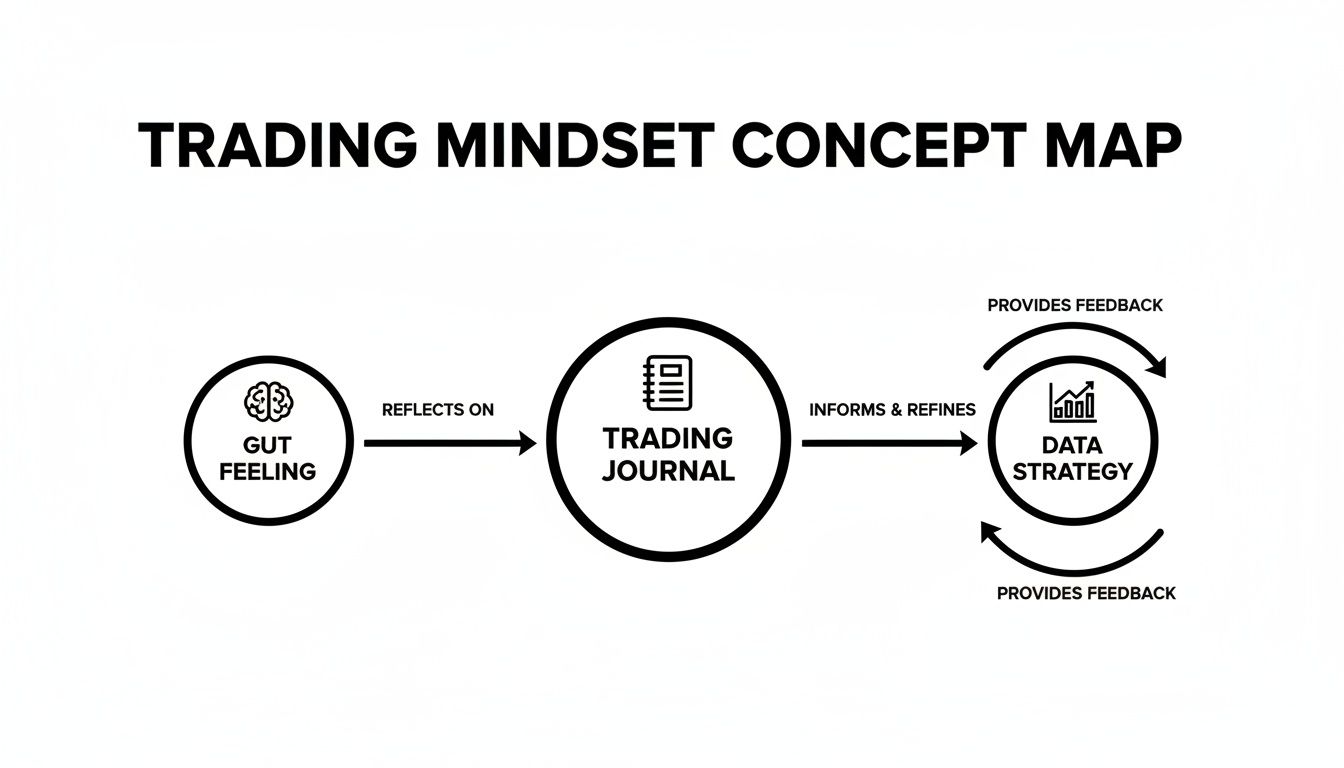
As you can see, the journal acts as that vital bridge between just feeling like you have an edge and actually building a robust, repeatable trading strategy.
Crucial Performance Metrics and Analytics
Once your trades are in, the real work begins. A powerful free trading journal app will instantly calculate and display the key metrics that reveal the true health of your trading system. Forget fumbling with complex formulas in a spreadsheet; a good app serves this information up on a clean, easy-to-read dashboard.
A few of the most important metrics to look for include:
- Win Rate: This is simply the percentage of your trades that are profitable. While a high win rate feels great, it’s pretty meaningless without more context.
- Profit Factor: Calculated by dividing your total gross profits by your total gross losses. Any profit factor above 1.0 means you’re profitable. The higher, the better.
- Risk/Reward Ratio: This compares your average profit on winning trades to your average loss on losing trades. A healthy ratio (like 2:1 or higher) ensures your winners more than make up for your losers.
These are the numbers that help you move beyond asking, “Did I make money today?” to the much more important question: “Is my trading process sustainable for the long haul?”
Essential Features in a Free Trading Journal App
When you’re comparing different apps, it’s easy to get lost in a long list of features. This table breaks down the core functions that will have the biggest impact on your growth as a trader.
| Feature | Why It’s Important for Your Trading |
|---|---|
| Auto Broker Sync | Saves you hours of tedious manual data entry and, more importantly, eliminates human error. Your analysis is only as good as the data it’s based on. |
| Core Analytics Dashboard | Provides an at-a-glance view of your key metrics like Profit Factor and Win Rate, giving you a quick pulse on the health of your trading strategy. |
| Custom Tagging | Lets you categorize trades by setup, market condition, or even your emotional state. This is crucial for drilling down to see what’s really working and what isn’t. |
| Advanced Filtering | Allows you to slice and dice your trade history to answer specific questions, like “How do my ‘Reversal’ trades perform on Tuesdays?” |
| Chart Visualizations | Plots your entries and exits directly on charts, giving you a visual replay of your trades. This context is invaluable for reviewing your decision-making process. |
| Note-Taking Capabilities | A space to jot down your thoughts, thesis, and emotional state for each trade. This helps you connect the “what” (the numbers) with the “why” (your mindset). |
These aren’t just nice-to-haves; they are the building blocks of a system that enables true self-reflection and continuous improvement.
Advanced Filtering and Trade Visualization
The best journaling tools, like TradeReview, don’t just throw raw numbers at you — they help you uncover the story behind those numbers. This is where advanced filtering and visualization come into play, allowing you to dissect your performance from every possible angle.
Think about it. What if you could instantly answer questions like:
- Which of my trading setups generates the highest profit factor?
- Do I perform better trading in the morning or the afternoon?
- What’s my win rate when I trade during the first hour of the market open?
- Am I more profitable with stocks or with options?
With powerful tagging and filtering, you can slap custom labels on each trade (e.g., “Breakout,” “Reversal,” “FOMO Entry”) and then analyze the performance of each group. This is where you find those “aha!” moments — the small tweaks that lead to massive improvements in your results.
Thankfully, these features are no longer locked behind expensive paywalls. They are quickly becoming the standard for any serious free trading journal app.
Moving Beyond Spreadsheets to an Automated Journal
For a lot of traders, the first attempt at keeping records starts with a familiar tool: the humble spreadsheet. It’s free, everyone knows how to use it, and it feels like a perfectly logical first step.
You set up columns for your entry price, exit, P&L, and maybe a spot for notes. For a while, this system works just fine.
But as your trading activity picks up and you start needing real analysis, the spreadsheet method begins to fall apart. The whole process becomes a grind. Manually typing in every single trade isn’t just slow; it’s a minefield for human error. One misplaced decimal or a forgotten trade can throw your entire performance picture off course.
Suddenly, you realize you’re spending more time fighting with formulas and doing tedious data entry than actually analyzing the market. That’s the hidden cost of a “free” spreadsheet — it steals your time and focus, which are your most valuable assets as a trader.
The True Cost of Manual Journaling
Let’s say you want to answer a simple question: “What’s my average win size on Nasdaq stocks during the first hour of trading over the last three months?”
In a spreadsheet, this is an absolute nightmare. You’d have to manually filter by ticker, then by date, then by time, and then try to build a complex formula to calculate the average. It’s a clunky, time-sucking task that you’ll probably avoid doing regularly.
Now, imagine that same question in a dedicated free trading journal app. With your trades automatically synced, you can get that answer in just a few clicks. The real win here isn’t just about convenience; it’s about getting your time and mental energy back.
The hours you save on manual data entry are hours you can pour directly into strategy development, backtesting, and market research. This shift alone gives you a powerful and immediate return on your decision to switch.
Automation and Deep Analysis
The biggest leap forward an app gives you is automation. And this goes way beyond just logging your trades. An automated journal becomes your personal data analyst, working behind the scenes to crunch the numbers on crucial metrics that are a headache to manage in a spreadsheet.
- Automated P&L Calculation: Forget wrestling with SUMIF formulas. The app calculates your profit and loss instantly and accurately for every trade.
- Dynamic Equity Curve: You can actually see your account growth visually over time, without having to manually update a chart.
- Instant Performance Metrics: Your profit factor, win rate, and average risk-to-reward ratio are updated in real-time with every trade that syncs.
This level of automation creates an incredibly powerful feedback loop. You can review your entire trading day with complete, accurate data just moments after the market closes, while the decisions and emotions are still fresh. A static spreadsheet simply can’t compete with that. For a deeper dive, check out our guide on using a trading journal in Excel versus a dedicated app.
Making the Smart Switch
The move from a manual spreadsheet to an automated app really comes down to a simple cost-benefit analysis. A spreadsheet might be free, but it demands an enormous amount of your time and effort.
In contrast, a free trading journal app offers automation that gives you that time back. For active traders, auto-import features can significantly cut the time spent logging trades. Over hundreds of trades, that adds up to dozens of hours saved — time much better spent on activities that actually grow your account.
Choosing the right tool isn’t about finding a fancier way to log data. It’s about investing in a system that helps you become a smarter, more efficient trader.
How to Set Up Your Trading Journal for Maximum Insight
Getting a free trading journal app up and running is more than just connecting your broker and watching the data roll in. The real magic happens during the initial setup — this is where you lay the groundwork to turn a simple logbook into your most powerful analytical tool.
A thoughtful setup transforms your trade history from a dry list of transactions into a searchable database that shines a light on your hidden strengths and critical weaknesses. The goal isn’t just to record what happened, but to truly understand why it happened. This all starts with customizing your workspace and, most importantly, creating a consistent tagging system that speaks to your specific trading style and psychological triggers.
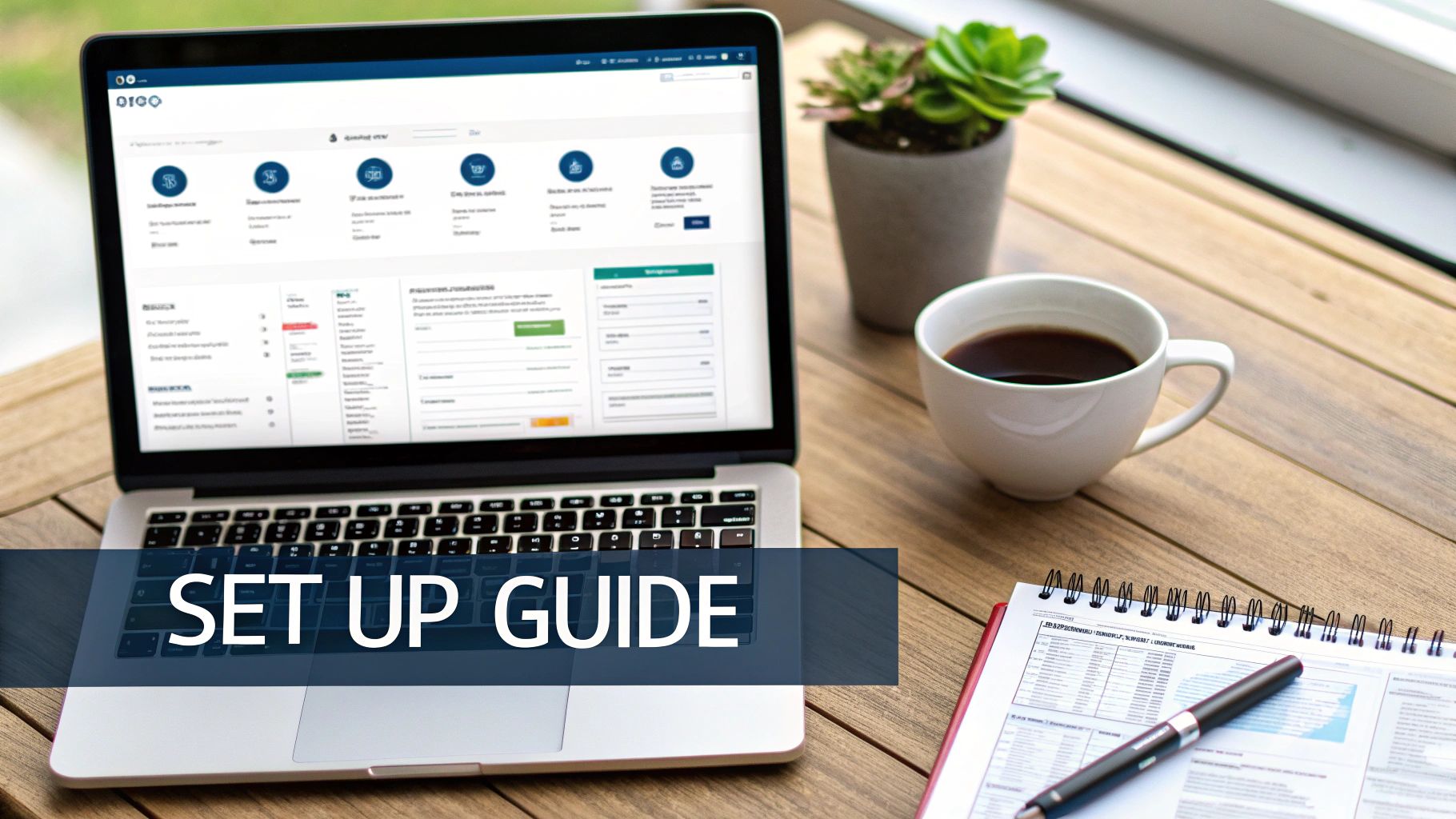
Step 1: Connect and Customize Your Workspace
The first step is usually the easiest: linking your brokerage account. Any quality app will walk you through a secure process to enable auto-sync, instantly freeing you from the tedious and error-prone task of manual data entry.
Once your trades start populating, take a minute to personalize your dashboard. Most apps, including TradeReview, let you arrange widgets to highlight the metrics that actually matter to you.
Do you live and die by your equity curve? Get it front and center. Or is your profit factor the one number you need to see? Setting up your dashboard to reflect your priorities gives you a meaningful, at-a-glance snapshot of your performance every time you log in.
Step 2: Build Your Custom Tagging System
This is, without a doubt, the most important part of setting up your journal. Tags are custom labels you slap on each trade, allowing you to slice and dice your performance data based on specific criteria. Without a disciplined tagging system, you’re just staring at raw P&L. With one, you can start asking — and answering — the hard questions that lead to real growth.
A well-structured tagging system is the engine of insight. It’s what lets you move from asking, “Did I win or lose?” to “Under what specific conditions do I consistently perform my best?”
Your tagging system should be personal to you, but a fantastic starting point is to create categories that cover the three core pillars of any trade.
- The Setup: What technical or fundamental reason pulled you into the trade?
- The Mindset: What was your emotional and psychological state during execution?
- The Execution: How well did you actually follow your plan and manage the trade?
Step 3: Implement Your Tags with Practical Examples
Now, let’s turn those categories into actionable tags you can apply to every single trade. Consistency here is everything. Using the same tags every time ensures your data stays clean and your analysis is actually accurate.
1. Setup or Strategy Tags:
These tags define the “why” behind your entry. They’re how you figure out which of your strategies are actually making you money over a large sample size.
BreakoutMean ReversionEarnings PlaySupport BounceTrend Following
2. Psychological or Emotional Tags:
This is where you get brutally honest with yourself. Tracking your emotional state helps you spot the behavioral patterns that are silently killing your bottom line. We’ve all been there.
-
FOMO(Fear of Missing Out) Patient EntryRevenge TradingOverconfidentAnxious
3. Mistake or Execution Tags:
These tags are for grading yourself on how well you stuck to the plan. This helps you pinpoint those recurring operational errors that need to be fixed, fast.
Held Loser Too LongCut Winner Too SoonMoved Stop-LossChased EntrySized Too Large
By consistently applying this framework, you can finally answer career-changing questions like, “Which setup generates my highest profit factor?” or “Do I make impulsive FOMO trades right after a big loss?” The process of creating detailed records is a skill in itself, and you can explore our complete guide on how to properly fill out a journal entry to master this routine. This disciplined approach is what separates amateurs from professionals.
Journaling Workflows for Different Trading Styles
The best free trading journal app is one that bends to fit your style, not the other way around. Let’s be honest: a scalper making dozens of trades before lunch has completely different needs than a long-term investor holding a position for years. A one-size-fits-all journal just doesn’t cut it.
The real goal here isn’t just to log trades. It’s about building a personalized feedback loop that helps you sharpen your unique edge in the market. So, let’s break down how different types of traders can tailor their journaling process to match how they play the game.
The Day Trader: A Workflow Built for Speed and Discipline
Day trading is a high-octane environment. You’re making split-second decisions, often dozens in a single session. Your journaling workflow has to match that pace — it needs to be fast, efficient, and ruthlessly focused on intraday performance and keeping your emotions in check. With the sheer volume of trades, manual logging is a non-starter, which is why auto-broker sync is an absolute must-have.
Your review should be a daily ritual, something you do right after the market closes. This is critical because the emotional context of each trade — the anxiety, the greed, the hesitation — is still fresh in your mind.
Day Trader Journaling Checklist:
-
Tag Your Setups: Get specific. Use tags like
Opening Range Breakout,VWAP Reclaim, orRed-to-Green Move. This helps you quickly see which patterns are actually making you money during certain hours. -
Log Your Emotional State: Were you patient, or did you chase an entry because of FOMO? Tagging your mindset (
Patient,Chasing,Revenge Trading) is your secret weapon for taming the psychological beast of intraday trading. - Screenshot Everything: Attach a chart screenshot to every single trade. Mark up your entry, exit, and stop-loss. A quick visual review is one of the fastest ways to catch sloppy execution.
- Track Your “Golden Hours”: A good app will let you filter your P&L by the time of day. You might discover you’re a rockstar in the first hour but consistently bleed profits after 1 p.m.
For a day trader, the journal is your anchor. It’s the objective coach that keeps you honest, showing you when you’re sticking to the plan and when you’re letting emotions call the shots.
The Options Trader: A Workflow for Analyzing Complexity
Options trading isn’t just about direction; it’s a multi-dimensional game. A simple P&L log just scratches the surface. Your journal needs to help you dissect strategy structure, manage risk across different legs, and track your thesis on things like volatility.
Your review sessions might be less frequent than a day trader’s — maybe weekly — with a focus on how specific strategies are performing over time.
Options Trader Journaling Checklist:
-
Tag by Strategy: This is huge. Categorize your trades with tags like
Iron Condor,Covered Call,Cash-Secured Put, orVertical Spread. This lets you see which strategies are your true moneymakers. -
Note the Volatility Environment: Was implied volatility (IV) sky-high or in the gutter when you opened the trade? Adding a quick tag (
High IV,Low IV) gives you critical context for why a trade worked or failed. - Document Your Adjustments: Options trades are rarely “set it and forget it.” Use the notes section to explain why you decided to roll a position, adjust a strike, or close one leg of a spread. This is where the real learning happens.
- Track Assignment and Expiration: Keep detailed records of any trade that gets assigned or expires. This helps you build a playbook for managing positions as they approach their final days.
The Swing and Position Trader: A Workflow for Documenting Your Thesis
If you’re a swing trader or a long-term investor, your trades are less frequent but each one carries more weight. Your journaling is less about rapid-fire feedback and more about meticulously documenting and stress-testing your big-picture ideas over weeks, months, or even years.
Your review process is more periodic — think monthly or quarterly. The focus is on the health of your overall portfolio and whether your core investment theses are still holding up.
Swing & Position Trader Journaling Checklist:
- Write Out Your Full Thesis: The notes section is your sanctuary. Before you enter, write a detailed paragraph explaining why. What are the fundamental drivers? What are the technical signals? What’s your price target, and what event would completely invalidate your idea?
-
Track Portfolio Allocation: Use tags to monitor your exposure. How much are you allocated to
Technology,Healthcare, orEnergy? This is a simple way to make sure you aren’t accidentally concentrating all your risk in one basket. - Schedule Your Check-Ins: Set calendar reminders to review your open positions once a month or once a quarter. Are your original reasons for owning the stock still valid? Document your conclusions in the journal.
- Log the Macro Picture: Note the broader market mood when you enter a trade. Was the Fed being hawkish or dovish? Was sentiment greedy or fearful? This context helps you understand how your strategy holds up in different economic seasons.
No matter your style, a free trading journal app like TradeReview gives you the flexible toolkit you need. By tailoring your workflow, you can turn a simple logbook into your most powerful tool for consistent, focused improvement.
How to Choose the Right Free App for Your Needs
With a growing number of free trading journal apps out there, picking the right one can feel a bit like analysis paralysis. But you can easily cut through the noise by zeroing in on a few critical factors that will actually help you become a better trader. The goal is to find a tool that doesn’t just work for you today, but grows with you as your strategies evolve.
Think of it like choosing a workout partner. You need someone who gets your style, gives you honest feedback, and actually pushes you to improve. Your journal app should do the same for your trading.
Broker Compatibility and Automation
This one is a deal-breaker. First and foremost, check for broker compatibility. The single most powerful feature of a modern trading journal is its ability to sync automatically with your broker. If an app can’t connect, you’re basically signing up for hours of mind-numbing manual data entry. It’s slow, frustrating, and a surefire way to introduce errors into your analysis.
Look for a platform that clearly lists the brokers it supports. A long list of integrations is a great sign that you’re looking at a mature, well-maintained tool. Prioritizing auto-sync is non-negotiable — it saves you a massive amount of time and ensures your analytics are built on clean, accurate data from day one.
Understanding the Freemium Model
The market for these tools has exploded, and it’s a good thing for traders. Industry reviews show a clear trend of top trading journals offering some kind of free plan to get you started. This freemium approach is smart, giving you the core tools for free while keeping the high-end features for paid users. You can see a great breakdown in this 2025 guide to the best trading journals.
But what should a good free tier actually include?
- What to Expect for Free: A solid free plan should give you unlimited manual trade logging, key performance stats (like win rate and profit factor), basic trade filtering, and a place to take notes.
- What’s Often Behind a Paywall: The more advanced stuff, like unlimited automatic broker syncing, AI-powered insights, backtesting simulators, and heavy-duty data exports, is usually reserved for premium plans.
Your main goal is to find a free version that’s powerful enough on its own to help you build a consistent journaling habit. Don’t get distracted by a laundry list of premium features you don’t need yet. Focus on the fundamentals that deliver real value right now.
Evaluating Analytics and Platform Access
Finally, take a look at the analytics and how you can access them. Does the free version show you a clear equity curve? Can it calculate your profit factor? Can you tag and filter trades to find patterns? These are the essential tools you need to find your edge. A journal that just shows your P&L is barely more useful than your broker’s statement.
You also need to think about where you trade and review. If you like to check your trades on the go, an app with native iOS and Android versions, like TradeReview, is a must-have. Make sure the experience feels fluid whether you’re on your desktop or your phone. A platform that’s accessible wherever you are makes it infinitely easier to stick with journaling, and consistency is what this is all about.
A Few Common Questions About Trading Journal Apps
Even after seeing all the benefits, it’s natural to have a few questions before diving in with a free trading journal app. Let’s tackle some of the most common ones traders ask.
Is It Really Safe to Connect My Broker Account?
Absolutely. Any reputable journal app uses secure, read-only API connections, often through trusted platforms that specialize in financial data aggregation. Think of it like a one-way street for data.
The app can view your trading history to import it, but it has no access to move your money or place trades. Your login info is encrypted and isn’t stored by the journal app itself, keeping your account safe and sound.
What Are the Big Differences Between Free and Paid Versions?
A good free plan gives you everything you need to build a solid journaling habit. You’ll get the core tools: manual trade logging, key performance metrics, and a place to jot down your notes. It’s the perfect starting point.
Paid plans typically build on that foundation with powerful automation and deeper analytics. This is where you’ll usually find features like:
- Unlimited automatic syncing with your broker.
- AI-powered insights that automatically spot patterns in your trading.
- Advanced tools for backtesting and simulating trade ideas.
- More granular filtering and reporting options to slice and dice your data.
What If My Broker Doesn’t Offer Auto-Sync?
While auto-sync is a fantastic time-saver, it’s not a dealbreaker. Almost every decent app lets you upload your trade history with a standard CSV file, which you can download right from your broker’s website.
This is still way faster than punching in every trade by hand, and you get access to all the same powerful analytical tools. It’s a simple workaround that keeps your journaling process smooth and efficient.
Ready to see what data-driven insights can do for your trading? It’s time to get started with TradeReview. It’s a powerful, multi-platform, and completely free trading journal app built to help you analyze your performance and build a strategy that works.