Every trader knows the frustration of a losing streak or a missed opportunity. We’ve all been there — second-guessing a solid plan or making an impulsive decision that goes against our better judgment. The critical difference between a consistently profitable trader and one who remains stuck often lies not in a secret strategy, but in the discipline to learn from their own actions. This is where a meticulously kept trading journal becomes your most powerful analytical tool. It transforms subjective feelings and gut reactions into objective, actionable data, revealing the hidden patterns in your wins and losses. Without one, you’re essentially guessing, repeating the same mistakes without understanding the root cause. It’s a tough cycle to break, but a journal is the first step toward taking control.
This article cuts through the noise and provides a deep dive into practical, real-world examples. We won’t just show you what a journal looks like; we’ll dissect multiple formats to help you find the perfect fit for your trading style. You will see a detailed trading journal example for various platforms, from sophisticated software like TradeReview and Edgewonk to flexible custom templates in Excel and Notion. For each example, we’ll break down its key fields, offer strategic insights on how to use them effectively, and provide actionable takeaways you can implement immediately. By the end, you’ll have a clear roadmap to build or choose a journal that helps you refine your edge, manage your psychology, and take systematic control of your trading performance.
1. TradeReview Trading Journal
TradeReview serves as a robust, cloud-based platform crafted for today’s active traders. It surpasses the constraints of manual spreadsheets by automating the most laborious aspects of journaling. By importing trade data directly from numerous brokers, it reduces manual entry errors and conserves time, allowing traders to focus on analysis rather than data entry — a significant benefit for those who prioritize efficiency.
The platform functions as more than just a data log; it acts as an analytical tool. TradeReview applies its technology to produce detailed performance reports, interactive charts, and even AI-driven insights to help identify hidden patterns in trading behavior. This method makes it an excellent trading journal example for individuals serious about performance optimization and long-term development.
Strategic Breakdown & Analysis
TradeReview’s main strength is its capacity to convert raw trade data into actionable insights. For instance, a day trader executing over 50 trades weekly can utilize the platform’s tagging system to classify setups (e.g., “breakout,” “reversal,” “opening range”). Over time, the analytics will highlight which setups are profitable and which consistently incur losses, providing a clear path for improvement. It shifts the focus from intuition to data-driven decisions.
Swing traders can analyze performance across different holding periods and market conditions. You can filter trades to assess how your strategy performed during high-volatility weeks versus low-volatility ones, aiding in adapting your approach to the current market environment. Achieving this level of detailed analysis is challenging with a simple spreadsheet. Keeping a thorough digital record like this can be a vital part of your daily routine; explore more about building this habit in this in-depth guide to a daily log book.
Actionable Takeaways & Best Practices
To maximize the benefits of a platform like TradeReview, discipline and consistency are essential. Here are some practical steps to consider:
- Consistent Tagging: Establish a clear and consistent tagging system for your trade setups, mistakes, and market conditions from the start. This creates a rich dataset for future analysis.
- Weekly Performance Review: Allocate time each weekend to review your weekly performance reports. Identify your most profitable days, times, and instruments to find your unique edge. This process isn’t about celebrating victories or fixating on losses; it’s about objective analysis for the upcoming week.
- Analyze Your Psychology: Utilize the journaling notes and screenshot features to document your thoughts and emotions during trades. Reviewing these entries helps you recognize emotional triggers such as fear of missing out (FOMO) or revenge trading. This step is crucial for mastering the psychological aspect of trading, which often distinguishes struggling traders from successful ones.
2. Edgewonk Trading Journal
Edgewonk distinguishes itself as a highly structured, web-based platform focused on the psychological and behavioral aspects of trading. It goes beyond simple profit and loss tracking to serve as a complete performance coaching tool. By prompting users to evaluate their emotional state and decision-making for every trade, it helps traders understand the “why” behind their results, not just the “what.” This addresses a common pain point for many traders who know what they should do but struggle to do it consistently.

The platform’s strength lies in its analytical depth, offering a suite of tools designed to dissect performance and uncover a trader’s true edge. It provides advanced statistics on setups, instruments, and holding times, but its real value comes from its dedicated “Emotional Analytics” and “Trade Management” modules. This detailed approach makes Edgewonk a powerful trading journal example for traders committed to mastering their mindset and discipline.
Strategic Breakdown & Analysis
Edgewonk’s core philosophy is that sustainable profitability comes from identifying and fixing deep-seated behavioral flaws. For example, a swing trader might notice they consistently close profitable trades too early out of fear. By using Edgewonk’s mandatory psychological evaluation fields for each trade, they can document this feeling and later use the platform’s filters to isolate all trades closed due to “fear.” This reveals the quantifiable financial cost of that emotion, creating a powerful incentive for change.
Day traders benefit immensely from its setup-consistency tracking. By logging every trade against predefined setups, the journal’s analytics can show which patterns are truly profitable and which are just “noise.” A prop firm trader could use Edgewonk to prepare for evaluations by demonstrating consistent risk management and adherence to a proven strategy, using the monthly reports to showcase their progress and discipline over time.
Actionable Takeaways & Best Practices
To leverage Edgewonk’s full potential, a trader must commit to its structured process. Honesty and consistency are non-negotiable.
- Complete Every Field: Diligently fill out the psychological and trade management evaluations for every single trade, even the small ones. This data is the foundation for all of the platform’s most powerful insights.
- Conduct a Monthly Review: Set a recurring calendar reminder to review your detailed monthly performance reports. Focus on key metrics like your expectancy, profit factor, and the “Tilt-Meter” to track your emotional discipline over time.
- Isolate and Analyze Mistakes: Use the advanced filtering system to identify your most common and costly mistakes. Whether it’s “over-leveraging” or “impulse entry,” isolating these patterns is the first step toward eliminating them from your trading routine. This systematic approach to self-improvement is critical for long-term growth and helps you move beyond the frustrating cycle of repeating the same errors.
3. Excel Trading Journal Template
The Excel or Google Sheets trading journal is the quintessential do-it-yourself solution for traders who value complete control and customization. This approach involves creating a personalized spreadsheet to manually track every aspect of your trading activity. While it requires more initial setup than dedicated software, it offers unparalleled flexibility, allowing you to build a journal that perfectly matches your specific needs and strategies without any software limitations.
This method puts you in the driver’s seat, forcing a hands-on approach to data entry that can deepen your connection to each trade. By manually inputting details like entry/exit prices, position size, and strategy, you actively engage with your performance. For traders seeking total privacy and a cost-effective solution, a spreadsheet is an excellent trading journal example that has stood the test of time.
Strategic Breakdown & Analysis
The true power of an Excel journal lies in its custom-built analytical capabilities. A swing trader managing 5-10 trades per month can create columns to track metrics like “Days Held,” “Risk/Reward Ratio Achieved,” and “Market Condition.” Over several months, this data can be filtered to reveal if their strategy performs better in trending versus range-bound markets or if they tend to exit winning trades too early.
For beginner traders, the spreadsheet serves as a foundational learning tool. You can create columns for “Reason for Entry,” “Emotions at Entry,” and “Lessons Learned.” This forces a critical review of the decision-making process behind each trade, building a strong habit of self-reflection. More advanced users can leverage pivot tables and formulas to automatically calculate metrics like win rate, average profit, and profit factor (the ratio of gross profits to gross losses), transforming a simple log into a powerful analytical dashboard.
Actionable Takeaways & Best Practices
To build an effective Excel journal and avoid common pitfalls, a structured approach is essential. Here are some best practices to implement:
- Implement Color Coding: Use conditional formatting to instantly distinguish winning trades (green) from losing ones (red). This provides a quick visual reference of your performance at a glance, highlighting streaks and patterns.
- Separate Sheets for Strategies: If you trade multiple strategies (e.g., one for day trading and another for swing trading), create separate tabs or sheets for each. This prevents data from becoming cluttered and allows for isolated performance analysis.
- Regular Backups Are Crucial: Your journal is a valuable asset containing months or even years of hard-won experience. Regularly back up your file to cloud storage (like Google Drive or Dropbox) or an external hard drive to prevent data loss. For a deeper dive into creating your own spreadsheet, you can explore this guide to an Excel trading journal template.
4. Journalytix Trading Journal
Journalytix is a modern, clean trading journal application designed for traders who value simplicity and actionable insights. It streamlines the journaling process by combining automated trade tracking with powerful behavioral analysis, moving beyond simple data logging. By connecting directly with your broker, it automates trade imports, freeing you up to focus on the “why” behind your trades rather than manual data entry.
The platform’s key differentiator is its emphasis on behavioral finance and AI-driven recommendations. It analyzes your trading patterns to provide personalized feedback aimed at improving your decision-making processes. This makes it an excellent trading journal example for the new generation of mobile-first traders and anyone seeking a minimalist interface without sacrificing deep analytical power.
Strategic Breakdown & Analysis
Journalytix excels at turning your performance data into a clear roadmap for improvement. For instance, a beginner struggling with consistency can use the platform’s AI recommendations to identify their single biggest trading flaw, such as holding losing trades too long or cutting winners too early. The app might suggest setting stricter stop-loss rules or focusing on a higher risk-reward ratio, providing a specific, measurable goal for the week.
The platform is particularly useful for mobile traders who need to log trades and insights on the go. Imagine executing a trade from your smartphone; Journalytix allows you to quickly add notes, tags, and screenshots immediately after, capturing your mindset in the heat of the moment. Its performance heatmaps are another powerful tool, visually highlighting your most and least profitable trading times and days of the week, helping you optimize your trading schedule for when you perform best.
Actionable Takeaways & Best Practices
To leverage Journalytix effectively, integrate its features into your daily and weekly trading routine. Here are some practical steps to implement:
- Set Weekly Improvement Goals: Use the AI-generated recommendations as a starting point. Each week, choose one specific behavior to work on (e.g., “reduce revenge trading after a loss”) and track your progress within the app.
- Utilize Performance Benchmarks: Set clear benchmarks in the app, such as a target profit factor or win rate. This gamifies the improvement process and gives you concrete milestones to strive for, turning abstract goals into tangible targets.
- Review Heatmaps Regularly: Dedicate five minutes at the end of each week to review your performance heatmaps. If you consistently lose money during the first hour of the market open, consider sitting out that period and observing instead. This simple adjustment, guided by data, can significantly impact your bottom line.
5. Notion Trading Journal Template
Notion has emerged as a favorite for traders who crave ultimate customization and control over their journaling process. Unlike dedicated software with fixed features, Notion acts as a flexible digital workspace where you can build a trading journal from the ground up, tailored precisely to your strategy and workflow. Its database capabilities allow for powerful, interconnected systems that link trades, strategies, market conditions, and personal notes into one cohesive hub.
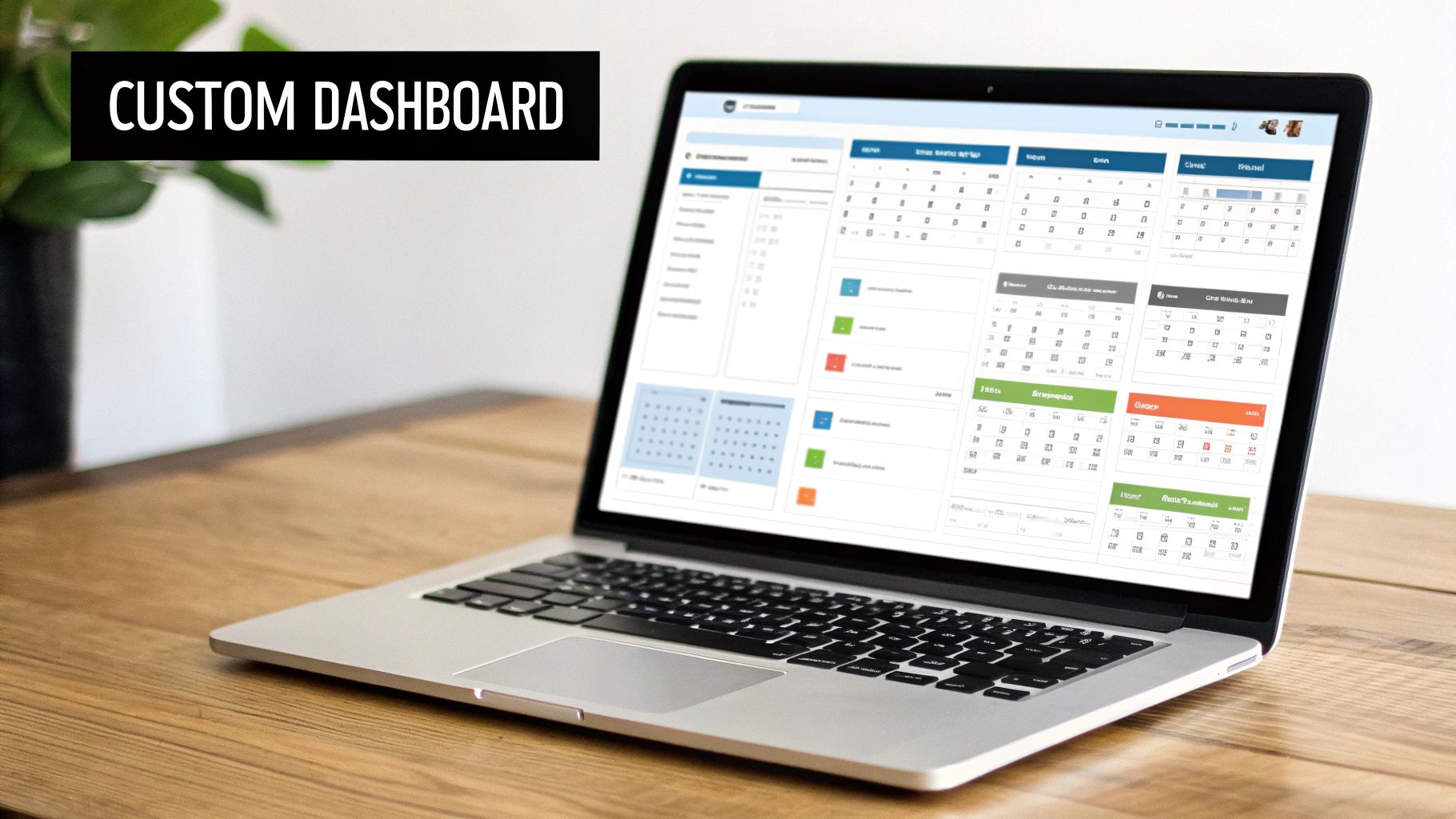
This modular approach makes Notion a fantastic trading journal example for tech-savvy traders who want to integrate their trading analysis with broader life and financial planning. The platform’s strength lies in its ability to be more than just a journal; it can become a complete trading headquarters, managed and designed entirely by you.
Strategic Breakdown & Analysis
The true power of a Notion journal lies in its database relations and custom views. A trader can create a primary “Trades” database and link it to other databases for “Strategies,” “Market Conditions,” and even “Psychological State.” For example, when logging a trade, you can link it to the “Breakout Strategy” entry and the “High Volatility” market condition. Over time, this creates a rich, interconnected web of data.
You can then create different views of your data without altering the original database. A swing trader could set up a calendar view to visualize trade duration, while a day trader might prefer a board view organized by setup type (e.g., “Opening Range Break,” “Mean Reversion”). This flexibility allows you to analyze your performance from multiple angles, spotting correlations that a rigid spreadsheet or a one-size-fits-all app might miss. It helps you answer complex questions like, “How does my ‘Gap and Go’ strategy perform on Tuesdays during a bull market?”
Actionable Takeaways & Best Practices
Building a Notion journal from scratch can seem daunting, but starting with community templates and following best practices can streamline the process.
- Start with a Community Template: Before building your own, search for pre-built trading journal templates within the Notion community. This provides a solid foundation that you can customize over time as you identify your specific needs.
- Leverage Linked Databases: Create separate databases for distinct categories like strategies, setups, and mistakes. Use Notion’s “Relation” property (a feature that links entries in different databases) to link individual trades back to these categories for powerful, multi-dimensional filtering and analysis.
- Create Multiple Views: Don’t stick to a single table view. Experiment with Board, Calendar, and Gallery views to visualize your trading data in different ways. For instance, use a Board view to track a trade’s lifecycle from “Planned” to “Live” to “Reviewed.” This visual approach can make the review process more intuitive and less of a chore.
6. Thinkorswim / ThinkBack Trading Journal
For traders who operate within the TD Ameritrade ecosystem, the Thinkorswim platform offers powerful, integrated journaling capabilities. This approach eliminates the need for third-party software by allowing you to analyze trades directly within the environment where they are executed. Its standout feature, ThinkBack, provides a “market rewind” function, letting you reconstruct past trading days to see exactly how your trades unfolded against historical price action.
The platform’s native tools are designed for deep, context-rich analysis. Instead of just logging numbers, you can overlay your exact entry and exit points onto the same charts you used to plan the trade. This integration makes it an exceptional trading journal example for traders who value efficiency and want to review their performance without leaving their primary trading platform.
Strategic Breakdown & Analysis
The primary strength of using Thinkorswim is its seamless connection between execution and review. An options trader, for example, can use ThinkBack to replay the moments before and during a volatile earnings announcement. They can watch how the options chain and implied volatility (a measure of expected price swings) changed in real-time, then review their own execution to see if they panicked, hesitated, or followed their plan perfectly. This level of granular replay is invaluable for identifying behavioral patterns.
Similarly, a day trader can use the platform’s drawing tools to annotate charts with their pre-market plan, then overlay their executed trades for the day. This visual comparison immediately highlights deviations from the plan, such as chasing a stock outside of a planned entry zone. This method transforms journaling from a simple record-keeping task into a dynamic performance review and backtesting tool. You can find more details on refining your system in this guide to backtesting trading strategies.
Actionable Takeaways & Best Practices
To effectively leverage Thinkorswim’s journaling features, a structured approach is crucial. Here are some best practices to integrate into your routine:
- Schedule ThinkBack Sessions: Dedicate a specific time each week to use ThinkBack. Replay your biggest winning and losing trades to understand the execution quality and decision-making process under pressure.
- Use On-Chart Notes: Utilize the drawing tools to add text notes directly onto your trade charts. Document your thesis for entering the trade, your emotional state, and the reasons for your exit. This creates a rich, visual trade log.
- Analyze Your Slippage and Fills: The platform provides detailed execution data. Review your orders to see the difference between your intended price and your actual fill price (slippage). Consistently poor fills might indicate issues with your order type or the liquidity of the instruments you trade.
Top 6 Trading Journals — Feature & Function Comparison
| Tool | Implementation Complexity 🔄 | Resource Requirements ⚡ | Expected Outcomes ⭐📊 | Ideal Use Cases 💡 | Key Advantages ⭐ |
|---|---|---|---|---|---|
| TradeReview Trading Journal | Moderate 🔄 — cloud setup & broker linking | Subscription, compatible broker, internet | Strong trade analysis & detailed metrics 📊 | Active/day traders with high trade volume | Automatic imports; comprehensive stats; broker sync |
| Edgewonk Trading Journal | High 🔄 — detailed configuration & manual inputs | Higher subscription, time for detailed entry | Deep psychological and statistical edge analysis ⭐📊 | Traders focused on psychology, prop firms, systematic improvement | Highly customizable metrics; community feedback; robust reports |
| Excel Trading Journal Template | Low 🔄 — DIY setup (templates/formulas) | Free (Excel/Sheets), manual entry time, basic Excel skill ⚡ | Basic tracking and custom reports; limited advanced analytics 📊 | Beginners, low-frequency traders, privacy-conscious users | Zero cost; full control; offline capability |
| Journalytix Trading Journal | Low 🔄 — simple onboarding and UI | Account access, mobile device, broker links for auto import | Quick behavioral insights and real-time performance ⭐⚡ | Mobile-first traders and beginners seeking simplicity | User-friendly UI, AI recommendations, mobile app |
| Notion Trading Journal Template | Moderate 🔄 — learning Notion & building DBs | Free/paid Notion plan, optional Zapier for automation | Highly flexible dashboards and linked data; customizable reports 📊 | Productivity-focused or creative traders integrating workflows | Flexible relational DBs; template sharing; integrates with tools |
| Thinkorswim / ThinkBack Trading Journal | Moderate 🔄 — platform learning curve | TD Ameritrade account, Thinkorswim platform (free to users) | Seamless execution-linked records, replay & platform analysis ⭐📊 | Traders using Thinkorswim as primary platform (options/equities) | Native integration; automatic recording; professional chart tools |
From Data to Discipline: Making Your Journal Work for You
We’ve explored a diverse landscape of trading journals, from the comprehensive analytics of dedicated platforms like TradeReview and Edgewonk to the unparalleled flexibility of a custom Excel or Notion template. Each trading journal example serves a singular, powerful purpose: to transform your raw trading data into a roadmap for consistent improvement. The goal isn’t just to record trades; it’s to uncover the hidden patterns, biases, and strategic blind spots that define your performance. Remember, this isn’t about chasing perfection or guaranteed profits — it’s about building a sustainable, long-term process.
The journey from inconsistent results to disciplined execution is paved with objective data. Your journal is the tool that gathers the raw materials for this journey. It’s where you confront the reality of your decisions, separating what you thought would happen from what actually transpired in the market. This honest self-assessment is the bedrock of long-term trading success.
Key Takeaways for Building Your System
As you move forward, remember these core principles distilled from the examples we analyzed:
- Consistency Over Complexity: A simple journal you use every day is infinitely more valuable than a complex one you abandon after a week. Start with the essential data points: entry, exit, position size, setup, and P/L. You can always add more detail later.
- Capture the “Why”: The most critical data isn’t just what you traded, but why. Your rationale, your emotional state, and your adherence (or deviation) from your trading plan are the keys to unlocking meaningful insights. A notes section is non-negotiable.
- The Review is the Real Work: Logging trades is just the first step. The real growth happens during your weekly or monthly review sessions. This is where you connect the dots, identify recurring mistakes, and discover what truly works for your strategy.
- Personalization is Paramount: The best trading journal example is the one that is built for you. Whether you’re a scalper, a swing trader, or a long-term investor, your journal must reflect your unique methodology, timeframe, and psychological triggers. Don’t be afraid to adapt and evolve your template as your trading style matures.
Your Actionable Next Steps
Your path forward begins now. The difference between a struggling trader and a disciplined one often comes down to the commitment to this single habit.
- Choose Your Starting Point: Select one of the journal types we discussed that best aligns with your current needs and technical comfort level. If you’re unsure, the custom Excel template is an excellent, no-cost way to begin.
- Commit to 30 Trades: Don’t get overwhelmed. Commit to logging your next 30 trades with meticulous detail. This provides a solid, manageable dataset to perform your first meaningful review.
- Schedule Your First Review: Put it on your calendar right now. Book a one-hour, distraction-free appointment with yourself at the end of the 30-trade period to analyze your results and find at least one actionable pattern to improve upon.
Ultimately, a trading journal is more than a logbook; it’s a tool for building discipline. It forces accountability, removes emotion from your analysis, and provides the objective feedback necessary to cultivate a professional mindset. It’s the bridge between hoping for success and building a repeatable process to achieve it.
If you’re looking for a modern, powerful way to automate your trade logging and dive deep into performance analytics, consider exploring TradeReview. It connects directly to your broker to import trades automatically, providing the insights you need without the manual data entry, making it the perfect evolution from any basic trading journal example. Learn more and start your analysis at TradeReview.