If you’ve ever felt like your brokerage statements just aren’t telling you the whole story, you’re not alone. We understand the struggle. A free P&L template for Excel is often the first real step traders take to turn a pile of raw data into insights they can actually use, shifting from gut feelings to a disciplined, long-term strategy.
This guide will walk you through a powerful template we’ve built specifically for traders like you, helping you build the habits needed for a sustainable trading career.
Why Disciplined Trade Tracking Matters
Many traders, especially when starting out, get laser-focused on the daily wins and losses. We’ve all been there. But in doing so, they miss the powerful story their data is trying to tell. Sure, your broker statement shows your net P&L, but it leaves the most important questions unanswered:
- Which of my setups are actually making me money over the long run?
- Do I trade better in the morning session or the afternoon chop?
- Am I consistently cutting my winners short while letting my losers run wild?
Without a structured way to track these details, you’re basically flying blind. This is where a dedicated P&L template becomes more than a spreadsheet — it’s your own personal performance analyst. The goal isn’t just to log numbers; it’s to create a data-driven feedback loop that helps you get better, trade by trade. This isn’t a path to guaranteed profits, but a tool for disciplined improvement.
True discipline in trading isn’t about forcing winners. It’s about consistently executing your process, and that process starts with meticulous record-keeping.
From Cluttered Data to Clear Decisions
Financial templates are nothing new. While many P&L templates online are designed for small businesses with fields for revenue and expenses, a trader’s needs are completely different. Our “revenue” comes from winning trades, and our “costs” are commissions, fees, and losing trades. Our free P&L template for Excel is built from the ground up with a trader’s workflow in mind. It helps you organize every single trade systematically, turning a chaotic transaction history into a crystal-clear picture of your trading habits.
This level of organization is the bedrock of a solid trading journal, which is absolutely essential for finding and sharpening your edge. If you want to dive deeper, you can learn more about why every trader needs a trading journal in our detailed guide. Think of this template as the first step toward building a sustainable, long-term approach to the markets.
How to Download and Set Up Your P&L Template
Alright, let’s get this new tracking system set up and ready to go. Kicking things off is simple enough, but it’s the small, disciplined habits you build right now that can pay off big time down the road. The whole point of this is to move away from a chaotic mess of trade data toward a clean, repeatable process.
Think of it like this: you start with scattered trade data, and this template acts as the bridge to bring it all together into organized, actionable insights.
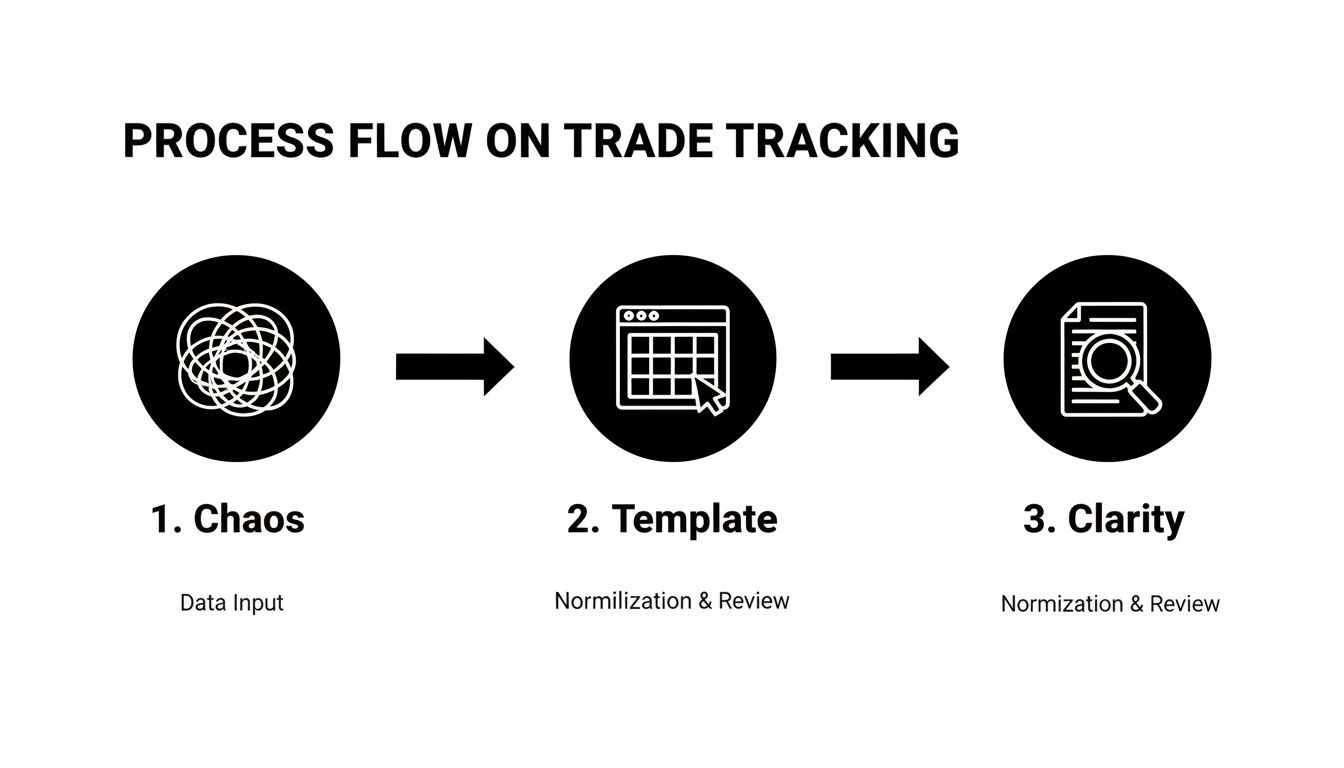
This template is what transforms the initial noise of raw trade data into the clarity you need for real analysis.
Your First Steps with the Template
First things first, grab your free P&L template here [Download Now – No Sign-up Required].
When you open up the file, you’ll see a few important tabs that give you a complete picture of your performance:
- Trade Log: This is the heart and soul of the system. It’s where you’ll meticulously log every single trade you take.
- Dashboard: This sheet gives you that high-level, visual summary of your most important metrics — think equity curve and win rate.
- Monthly Summary: Here, your performance gets broken down month-by-month, which is fantastic for spotting trends over time.
Before you jump in, it’s crucial to get your file prepped. The template comes with some sample data just to show you how it works. Your first task is to wipe all those example entries from the ‘Trade Log’ sheet.
Immediately after that, save a fresh, blank version as your master copy. You could name it something like [YourName] - P&L Master Template.xlsx. This little step ensures you always have a clean slate to start a new month or year from.
A common pitfall for traders is just not sticking with the tracking routine. We get it, it can feel like a chore. Make a commitment to yourself right now: log every trade, every single day. This isn’t just about punching in numbers; it’s about forging the professional discipline required for potential long-term success.
Logging Your First Trade: A Practical Example
Let’s walk through a practical example to make this feel real.
Imagine you just bought 50 shares of a fictional tech company — we’ll call it TECH — at an entry price of $150.00. You used your “Breakout” strategy, and the commission for the trade was $1.00.
Here’s exactly how you would fill out the key columns in your ‘Trade Log’ tab:
- Date: Pop in the date you opened the position.
-
Ticker: Type
TECH. Consistency is everything here; always use the same ticker. - Strategy: Select or type “Breakout.” Using consistent names for your strategies is what makes your analysis powerful later on.
- Long/Short: You bought the shares, so enter “Long.”
-
Entry Price: Input
150.00. -
Position Size: Enter
50. -
Commissions: Input
1.00.
The columns for Exit Price and Net P&L will stay empty for now. Once you close the trade, you’ll come back and fill in those details. For instance, if you sell at $155.00, you’ll enter that price, and the sheet’s built-in formulas will then automatically calculate your profit or loss.
With that first entry logged, you’ve officially started your journey toward becoming a data-driven trader. Nice work.
Personalize Your Template for Deeper Insights
A generic template is a good starting point, but the real power comes from making it your own. Every trader’s style is different, and your free P&L template excel should absolutely reflect that. This is where you transform a simple spreadsheet into a personal trading command center, dialed in to your specific strategies and what you need to analyze.
This isn’t just about adding a few columns here and there. It’s about being intentional and asking yourself: what data will give me a genuine edge? By personalizing your template, you’re building a tool that answers the questions you need answered to actually improve.
Add Columns That Truly Matter
The base template covers the essentials, but deep analysis requires more context. Think about the information you wish you had after a big winning streak or a frustrating drawdown. That’s what you should add.
Here are a few high-impact columns we’ve found useful:
- Trade Rationale: A quick note on why you took the trade. Was it a textbook technical breakout? A reaction to a news catalyst? This small habit turns your P&L sheet into a powerful journaling tool.
-
Holding Period: A simple calculation (
Exit Date - Entry Date) can reveal a lot. It helps you see if you’re performing better on quick day trades or longer-term swing positions. - Screenshot Link: Drop in a link to a chart screenshot of your entry and exit points. There’s nothing like visual context for objectively reviewing your decisions later on.
This level of detail is what separates traders who learn from their mistakes from those who just keep repeating them.
Use Data Validation for Consistency
One of the most common ways traders sabotage their own analysis is with inconsistent data entry. One day you log a strategy as “Breakout,” the next as “BO,” and the week after as “Breakout Setup.” This makes accurate filtering and reporting impossible.
Excel’s Data Validation feature is the perfect fix. You can create simple dropdown menus for key columns like ‘Strategy’ or ‘Market Session,’ forcing your inputs to be uniform every single time. This is not overly technical; it’s a simple tool found under the ‘Data’ tab in Excel.
Forcing consistency with dropdowns eliminates the guesswork from your analysis. You can confidently filter your trades to see exactly how your ‘Mean Reversion’ strategy performed last quarter, knowing every single relevant trade is included.
Adding custom columns and controls is the first step, but how you use that data is what really counts. The table below breaks down a few ways you can modify your P&L template to get more meaningful insights.
Key Customization Options for Your P&L Template
| Customization Area | Example Modification | Analytical Benefit |
|---|---|---|
| Strategy Tracking | Add a ‘Strategy’ column with a dropdown list (e.g., “Scalp,” “Swing,” “News”). | Instantly filter and compare the profitability of different trading setups. |
| Time-Based Analysis | Add a ‘Time of Day’ or ‘Market Session’ column. | Identify if you perform better during specific market hours (e.g., London Open vs. New York Close). |
| Risk Management | Include a ‘Risk/Reward Ratio’ column, calculated automatically. | Assess whether your winning trades are significantly outweighing your losers. |
| Emotional Journaling | Add a ‘Mindset’ column with options like “Focused,” “Impatient,” “FOMO.” | Connect your psychological state to your trading outcomes and spot negative patterns. |
These small tweaks can transform your spreadsheet from a simple logbook into a dynamic analytical tool that actively helps you refine your edge.
Customize Your Dashboard Visuals
Finally, make the dashboard work for you. The default charts are a great start, but you should absolutely modify them to track the metrics that align with your trading goals.
For example, if you really want to drill down into your performance by strategy, a pivot table is your best friend. This is a feature in Excel that lets you summarize large amounts of data. You can create one to dynamically summarize your profitability for each setup you trade.
If you’re new to this incredibly powerful Excel feature, our guide on how to master pivot table filtering can walk you through it. The goal is to create a dashboard that, at a single glance, tells you what’s working, what isn’t, and where you need to focus your energy next.
Turn Your Trading Data into Actionable Intelligence
Alright, you’ve got your trades logged and the template is customized. Now the real work begins. Data entry is one thing, but the true power of this free p&l template excel is turning that raw data into intelligence you can actually use.
This is what separates traders who run their trading like a business from those who are just along for the ride.
We’re going to shift our focus from the ‘Trade Log’ over to the ‘Dashboard’ and ‘Summary’ sheets. Think of these as your command center, designed to help you ask the tough questions and get honest answers about your performance. Just looking at your total P&L is a rookie move; the goal here is to dig deep and figure out the why behind the numbers.
This part is a deliberate, reflective process. It’s about building the discipline to step away from the market’s noise each week and objectively review your own actions.
From Recording Data to Interpreting It
All the secrets to your trading edge are sitting right there in your data, but you need to know how to unlock them. Your dashboard gives you that high-level visual overview, while the summary sheets let you get granular. The trick is to get comfortable with Excel’s filtering and sorting functions to isolate specific variables and see how they really affect your bottom line.
Let’s walk through a couple of practical scenarios to see this in action.
Scenario 1: Is My “Go-To” Strategy Actually Working?
Imagine you’ve been leaning heavily on a ‘Scalping’ strategy for the last quarter. You feel like it’s a winner, but feelings don’t pay the bills. Data does.
- Head over to your ‘Trade Log’ sheet.
- Find the ‘Strategy’ column and apply a filter. Select only “Scalping.”
- Now, do the same for the ‘Date’ column, filtering for just the last quarter.
Instantly, the sheet isolates every scalping trade from that period. Now you can see the real P&L. Is it positive? What’s the win rate? This simple filter gives you a data-backed verdict on whether that strategy is making you money or just keeping you busy.
Many traders are shocked when they do this. They often find that the strategy they enjoy trading the most is actually their least profitable. A P&L template forces you to confront these hard truths, and that’s exactly what you need for real growth.
Asking the Right Questions During Your Review
A structured weekly review is completely non-negotiable if you’re serious. This is your time to be a detective, and the template is your evidence file.
As you analyze your dashboard and filtered data, here are some critical questions to ask yourself:
- Which day of the week is my most profitable? Filter by day and see if a pattern emerges. Maybe you’re dialed in on Tuesdays but consistently give back profits on Fridays. That’s a potential edge.
- Am I better at going long or short? A quick filter on the ‘Long/Short’ column can uncover a hidden strength you didn’t even know you had.
- What’s my real risk vs. reward? Compare the average P&L of your winners to your losers. If your average loss is much bigger than your average win, you may have a risk management problem, even if your win rate feels high.
- Does my performance change when I size up? Filter by position size to see if your results get worse when you trade bigger. This is a classic sign of a psychological hurdle you may need to work on.
This whole process isn’t about finding perfect answers overnight. It’s about continuous, gradual refinement. You’re hunting for trends, patterns, and weaknesses you can fix in the week ahead. By consistently asking these questions, you stop being a passive data-logger and become an active performance analyst, constantly sharpening your edge.
Avoid Common Data Entry Mistakes
Let’s be honest: your P&L tracker is only as good as the data you feed it. Even the most sophisticated free p&l template excel will spit out junk if you put junk in. This isn’t about being perfect from day one, but it is about building the discipline to make sure your data is clean and reliable.
Many traders shoot themselves in the foot with simple, avoidable errors. Let’s walk through the usual suspects and how you can build habits to dodge them completely.
Keep Your Data Consistent
Inconsistent inputs are the fastest way to corrupt your entire analysis. Imagine trying to filter for all your Apple trades, but you’ve logged the ticker as ‘AAPL’, ‘Apple’, and sometimes ‘APPL’. The spreadsheet can’t group them together, which means you’re getting a totally incomplete picture of your performance on that stock.
The fix is simple: standardize your entries right from the start.
- Ticker Symbols: Always use the official ticker. Pick a format and be religious about it for every single trade.
- Strategy Names: We touched on this earlier, but using dropdown menus for your strategies is a game-changer. It gets rid of typos and variations like ‘Breakout’ vs. ‘BO’.
- Commissions and Fees: Never, ever forget to log commissions. These tiny costs stack up fast and eat directly into your net profit. Forgetting them gives you a dangerously inflated sense of how well you’re actually doing.
It’s easy to rush through data entry after a long day in the markets, but this is where discipline truly pays dividends. Five minutes of careful logging now will save you hours of headaches trying to clean up messy data later.
Use a Simple Entry Checklist
To fight back against forgetfulness or a simple copy-paste mistake, just create a quick mental checklist you run through after closing every trade. It doesn’t have to be complicated — just a quick final once-over to make sure everything looks right.
Your post-trade checklist could be as simple as this:
- Check All Fields: Is every column filled out? Don’t leave blanks for things like Exit Price, Exit Date, or Commissions.
- Verify Ticker & Strategy: Do they match the format of your other entries?
- Sanity-Check the P&L: Does the auto-calculated P&L feel right based on your entry, exit, and size?
Reconcile Against Your Brokerage Statement
Your brokerage statement is the ultimate source of truth. Once a month, set aside 15 minutes to do a quick reconciliation. Just compare the total net P&L in your spreadsheet for that month against the P&L your broker reported.
If the numbers don’t match, it’s a huge red flag. It tells you that you probably missed logging a trade, forgot commissions, or made a typo somewhere. Catching these little errors early stops them from compounding into a massive problem. This simple routine builds trust in your data, so you can make decisions with confidence.
Using a standardized template gives you a massive head start. According to ProjectManager.com, utilizing templates for financial statements can significantly improve accuracy by reducing manual errors (templates improve financial accuracy on ProjectManager.com).
Questions That Come Up (And Our Answers)
Even with a straightforward template, a few questions are bound to pop up. Getting stuck on a technical hiccup is frustrating, especially when all you want to do is dig into your performance data. Let’s walk through some of the most common queries traders have about our free P&L template for Excel.
Our goal here is to clear up any small roadblocks so you can focus on the bigger picture: using your data to make smarter, more informed trading decisions.
Can I Use This P&L Template in Google Sheets?
You absolutely can. Although we built it with Excel in mind, the template is fully compatible with Google Sheets.
Just upload the .xlsx file to your Google Drive, and it will automatically convert into a Sheets file. All the core formulas, functions, and dashboard elements should work just as they do in Excel. This gives you a great cloud-based option for logging and reviewing your P&L from any device, anywhere.
How Should I Handle Stock Splits or Dividends?
This is a fantastic and super practical question. Here’s the best way we’ve found to handle both without messing up your data integrity:
- For Stock Splits: Let’s say you’re holding a stock that does a 2-for-1 split. You’ll need to go back and adjust your original entry data for that position. Simply double your share count and cut your entry price in half. We highly recommend adding a note in a ‘Comments’ column so you remember why the numbers changed months later. This keeps all your P&L calculations accurate.
- For Dividends: Treat dividends as a separate, positive cash flow event. Just create a new entry in your trade log, list the ticker and the date, and pop the dividend amount right into the P&L column. To keep things clean, use a unique category like “Dividend Income” to track this revenue stream separately from your active trading gains.
What if My Formulas Are Showing an Error?
Seeing a formula error like #VALUE! can be alarming, but the fix is usually pretty simple. The most common culprit is accidentally entering text into a cell that’s expecting a number, like putting “N/A” in the ‘Position Size’ column. A quick double-check to ensure all your numerical fields have only numbers usually solves it.
Another possibility is that a formula’s range might have broken if you added or deleted columns. Just click on the cell with the error to see which other cells it’s referencing, then adjust the range to fix it. If you want to get a better handle on the mechanics, our guide on calculating trading profit covers some of these core concepts in more detail.
How Often Should I Review My P&L Data?
With P&L reviews, consistency beats frequency every time. It’s incredibly tempting to check your numbers after every single trade, but that habit can lead to emotional, knee-jerk decisions.
A weekly review is perfect for spotting short-term patterns and making small tactical adjustments. A monthly review is absolutely essential for seeing the bigger picture, analyzing broader performance trends, and making sure you’re still on track with your long-term trading goals.
Discipline in your review process is just as important as discipline in your trade execution.
Ready to stop guessing and start analyzing? The TradeReview trading journal offers an even more powerful way to track your performance with features like auto broker sync, advanced performance analytics, and a visual trade calendar. It’s the perfect next step after mastering your Excel P&L. Start journaling for free on tradereview.app and turn your trade data into your greatest asset.