Every successful trading strategy is built on a foundation of data, not gut feelings. We’ve all been there — a promising idea for entering and exiting trades feels like a sure thing, but without rigorous historical analysis, it’s just a hypothesis. This is where dedicated back test software becomes an indispensable tool, transforming abstract ideas into statistically validated strategies. It allows you to simulate your trading rules on past market data, revealing how a strategy would have performed — warts and all — before you risk a single dollar of real capital.
For example, you might have a simple moving average crossover strategy. Backtesting would show you not just the potential profits, but also the painful drawdowns, the long flat periods, and whether it even worked a decade ago. This process uncovers hidden flaws, refines entry and exit points, and builds the data-driven confidence necessary to execute a plan with discipline, especially during volatile market conditions. Jumping between different platforms, however, can be frustrating and costly. The market is filled with options, each catering to a specific type of trader — from discretionary day traders using chart-based tools to quantitative analysts coding complex algorithms for options portfolios. Finding the right fit is crucial for effective analysis.
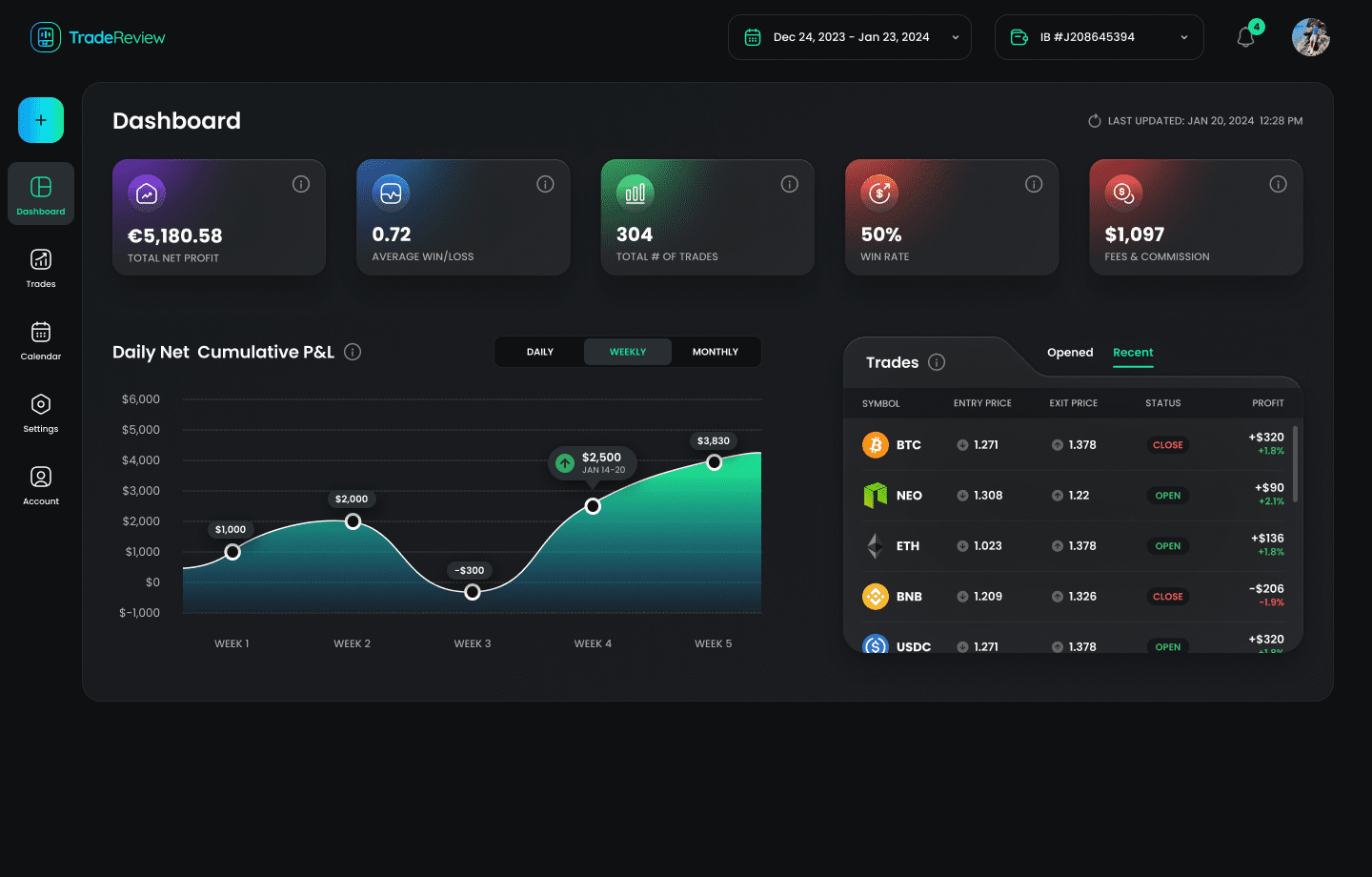
This comprehensive guide is designed to cut through the noise and help you select the best back test software for your specific needs. We will dive deep into twelve of the top platforms, providing a detailed breakdown of their core features, ideal user profiles, pricing structures, and honest pros and cons. Each review includes screenshots and direct links to help you evaluate the options efficiently. Whether you are a programmer looking for a powerful API, an options trader needing sophisticated modeling, or a visual trader who prefers point-and-click systems, this resource will guide you to the platform that aligns with your strategy and workflow. We’ll also discuss how to integrate your findings with tools like TradeReview to maintain a complete performance journal.
1. TradingView
TradingView is arguably the most accessible and widely used browser-based charting platform, making it an excellent entry point for traders looking to explore algorithmic strategies. Its primary strength lies in Pine Script, a user-friendly programming language designed specifically for creating custom indicators and strategies that can be tested directly on the charts. This integration eliminates the need for complex setups or software installations, allowing you to go from idea to initial backtest results in minutes.
The built-in Strategy Tester provides a performance summary, including net profit, win rate, and max drawdown. The platform’s true power for serious backtesting is unlocked with its Premium plan, which offers “Deep Backtesting” on up to 2 million historical bars. This feature is crucial for validating a strategy’s robustness over extended market cycles. For example, testing a simple “buy the dip” strategy on the S&P 500 would show great results from 2010-2020, but Deep Backtesting would reveal how it fared during the 2008 financial crisis, giving a more sober long-term perspective. The vast public library of user-submitted scripts also provides a massive resource for learning and inspiration.
Ideal User and Key Features
- Best For: Day traders, swing traders, and those new to algorithmic trading who need a fast, intuitive back test software solution for single-symbol strategies.
- Strategy Language: Pine Script v5 is relatively easy to learn and is well-documented.
- Data: Offers extensive historical data across stocks, forex, and crypto, with deeper history available on paid plans.
- Unique Offering: A massive social component and public script library allow for unparalleled idea sharing and community collaboration.
Pros and Cons
| Pros | Cons |
|---|---|
| Zero-install, web-based access | Limited multi-asset/portfolio testing |
| Massive community script library | Advanced metrics only in reports, not chart |
| Fast iteration and visual feedback | Deepest historical data requires Premium plan |
Pricing and Access
TradingView offers a tiered pricing model, starting with a free plan that has limited indicators and backtesting capabilities. Paid plans (Pro, Pro+, and Premium) unlock more features, including additional indicators, server-side alerts, and the essential Deep Backtesting feature. While you start testing for free, a paid plan is necessary for rigorous analysis. After running your tests, you can track your live results and compare them against your backtested expectations; you can see how to organize this data in this example trading performance dashboard to ensure your strategy holds up.
Website: https://www.tradingview.com/
2. QuantConnect (LEAN)
QuantConnect offers an institutional-grade, open-source algorithmic trading engine called LEAN, accessible through a powerful cloud platform. It caters to serious quants and developers who require a robust environment for complex, multi-asset strategies. Unlike simpler platforms, QuantConnect provides a comprehensive ecosystem with integrated data, research notebooks, cloud computing, and deployment capabilities, all built around its core engine. This allows for a seamless transition from research and backtesting to live paper or real-money trading.
The platform supports strategy development in both C# and Python, giving developers the flexibility to work in their preferred language. Its strength lies in handling intricate strategies involving equities, options, futures, forex, and crypto, backed by a vast catalog of historical and alternative datasets. For instance, you could design a pairs trading strategy between two correlated tech stocks and include logic to hedge the portfolio with VIX futures during periods of high volatility — all within one test. While the cloud platform simplifies access, the open-source nature of LEAN also allows developers to run the entire engine locally for maximum control and privacy, making it an incredibly versatile back test software solution.
Ideal User and Key Features
- Best For: Quantitative developers, institutions, and experienced traders who need a powerful, data-rich environment for portfolio-level backtesting and live deployment.
- Strategy Language: C# or Python, offering full programming power and flexibility.
- Data: Provides a massive catalog of institutional-quality data, including alternative datasets like sentiment and corporate actions.
- Unique Offering: The open-source LEAN engine can be run on the cloud or locally, providing unmatched flexibility from hobbyist projects to institutional hedge fund operations.
Pros and Cons
| Pros | Cons |
|---|---|
| Institutional-grade data and engine | Steep learning curve for non-programmers |
| Supports complex, multi-asset strategies | Cloud compute and data can become costly |
| Open-source with cloud or local options | Less visual and more code-intensive |
Pricing and Access
QuantConnect operates on a tiered subscription model based on the computational resources required. A free tier is available for individuals to get started with basic backtesting nodes. Paid plans (Quant Researcher, Team, and Enterprise) offer more powerful backtesting and live trading nodes, increased storage, and collaborative features. While the core engine is free, access to premium datasets and significant cloud computing power are additional costs to consider for large-scale operations.
Website: https://www.quantconnect.com/
3. AmiBroker
AmiBroker is a powerful, desktop-based technical analysis platform renowned for its exceptional speed and robust portfolio-level backtesting capabilities. As a dedicated Windows application, it delivers performance that web-based platforms often struggle to match, executing complex tests across thousands of symbols in seconds. It uses its own proprietary AmiBroker Formula Language (AFL), which provides granular control for designing sophisticated trading systems, scans, and custom indicators.
The platform truly shines in its ability to conduct multi-threaded portfolio backtests, optimizations, walk-forward analysis, and Monte Carlo simulations. This makes it an ideal back test software for systematic traders who need to validate a single strategy across an entire universe of stocks. For example, a trader could test a momentum strategy on the entire S&P 500 over 20 years, rotating into the top-performing stocks each quarter, and get the results in minutes. While it requires users to source and manage their own historical data, this DIY approach grants ultimate flexibility for those working with unique datasets or third-party data providers.
Ideal User and Key Features
- Best For: Quantitative traders and system developers who need to run extremely fast portfolio-level backtests and optimizations on a local machine.
- Strategy Language: AmiBroker Formula Language (AFL) is a fast, C-like scripting language designed for array processing.
- Data: Requires user-supplied end-of-day or intraday data from third-party vendors, offering maximum flexibility.
- Unique Offering: Blazing-fast backtesting engine capable of handling portfolio-wide analysis, walk-forward testing, and Monte Carlo simulations efficiently on standard hardware.
Pros and Cons
| Pros | Cons |
|---|---|
| Extremely fast backtests on modest PCs | Windows-centric (not natively cross-platform) |
| Perpetual license model with upgrades | Data sourcing and setup are user-managed (DIY) |
| Advanced analytics like MAE/MFE | Steeper learning curve compared to web platforms |
Pricing and Access
AmiBroker is offered as a one-time purchase for a perpetual license, which is a significant departure from the subscription models common today. The Standard Edition provides core functionality, while the Professional Edition includes advanced features like portfolio backtesting and walk-forward optimization. New versions are released regularly, and users can pay an upgrade fee to access the latest features after their initial free upgrade period expires.
Website: https://www.amibroker.com/
4. NinjaTrader
NinjaTrader is a heavyweight desktop platform with a strong focus on the futures market, offering a sophisticated suite of tools for serious strategy development. Its core backtesting engine, the Strategy Analyzer, goes beyond simple performance reports by providing optimization, walk-forward analysis, and Monte Carlo simulations. These aren’t just fancy terms; they are essential tools for building long-term resilience. Walk-forward analysis, for instance, helps prevent you from creating a strategy that only works on past data by testing it on unseen data segments, promoting a more disciplined and realistic approach.
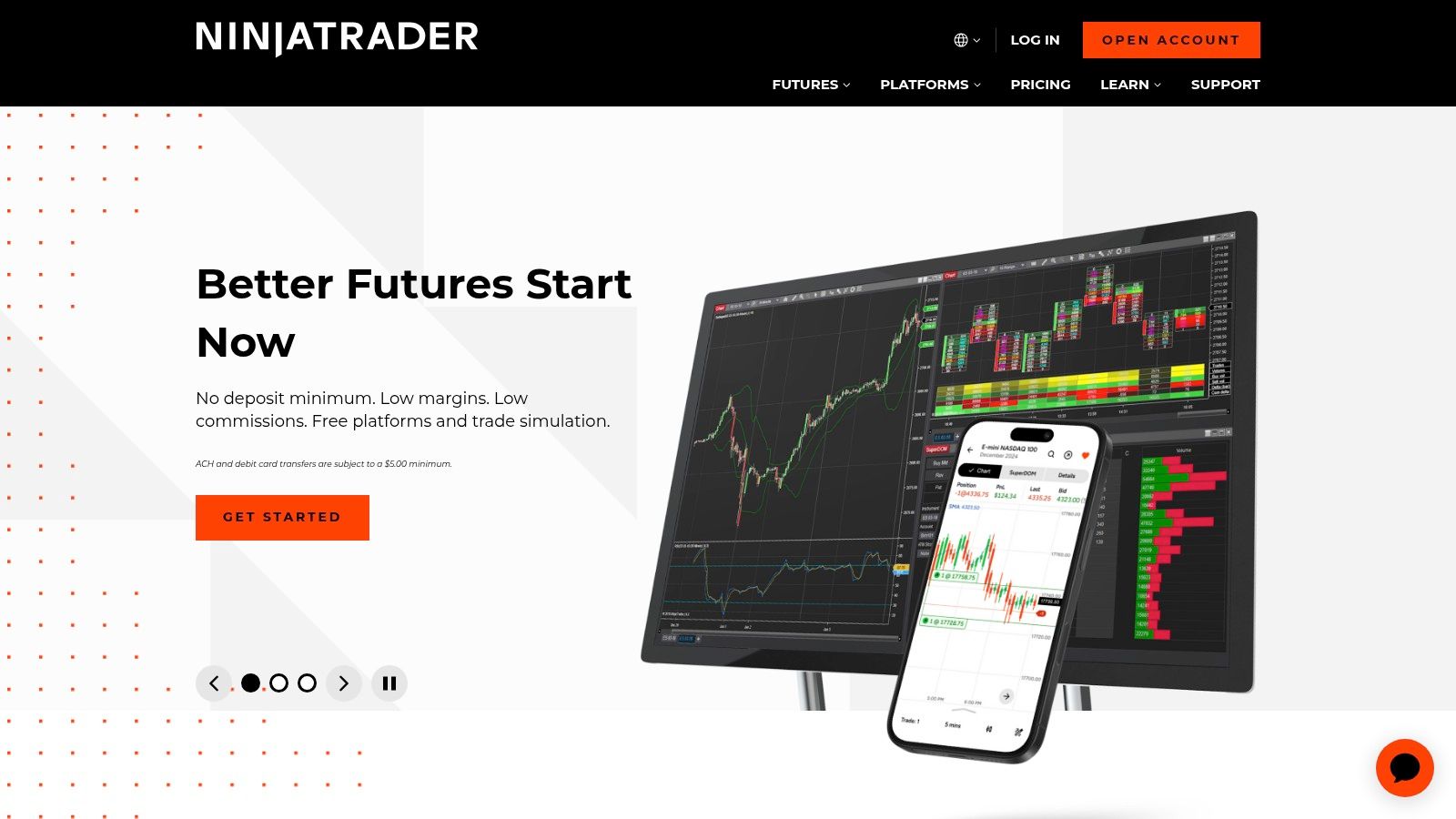
One of its most powerful features is the Market Replay function, which lets you download historical tick-level data and replay a trading session as if it were happening live. This is invaluable for discretionary traders looking to practice or for validating automated strategies with high-fidelity fill simulation. The platform also benefits from a large third-party ecosystem, offering a wide array of indicators and pre-built strategies for purchase or lease.
Ideal User and Key Features
- Best For: Futures traders, system developers, and discretionary traders who want to test strategies with high-fidelity, tick-level data.
- Strategy Language: NinjaScript (based on C#), offering significant power and flexibility for complex logic.
- Data: High-quality tick data available for Market Replay, crucial for futures and scalping strategies.
- Unique Offering: The Strategy Analyzer’s built-in walk-forward and Monte Carlo tools provide institutional-grade robustness testing.
Pros and Cons
| Pros | Cons |
|---|---|
| Advanced institutional-grade tools | Steeper learning curve (C#-based) |
| Market Replay for realistic simulation | Best features require paid license or funded account |
| Strong focus on futures markets | Desktop-only software (no web version) |
Pricing and Access
NinjaTrader offers several ways to access its platform. You can start for free with simulated trading and charting, but advanced features and live trading require either a paid lifetime license or a lease plan. Alternatively, opening a funded brokerage account with NinjaTrader also unlocks the platform’s full feature set. While powerful, this back test software requires a commitment, either through a direct purchase or by funding a live trading account. After testing, you can meticulously track your strategy’s live performance using a dedicated trading performance dashboard to ensure it aligns with historical results.
Website: https://ninjatrader.com/
5. MultiCharts
MultiCharts is a robust, Windows-based desktop platform designed for serious traders who require portfolio-level analysis and optimization. It stands out by offering a powerful “Portfolio Trader” feature, allowing users to test a single strategy across a basket of symbols simultaneously. This is a critical advantage for those managing diversified portfolios, as it reveals how a strategy performs with correlated and uncorrelated assets, providing a more realistic performance picture than single-instrument tests.
The platform is renowned for its compatibility with TradeStation’s EasyLanguage, using a similar scripting language called PowerLanguage. This makes it an ideal choice for traders migrating from TradeStation or those familiar with that ecosystem. Its advanced features, like genetic optimization and walk-forward analysis, allow for sophisticated strategy refinement. MultiCharts also offers market replay functionality, enabling traders to practice their execution on historical data as if it were happening in real-time — an invaluable tool for building discipline and confidence.
Ideal User and Key Features
- Best For: Quantitative traders and system developers who need professional-grade portfolio backtesting and optimization tools on a desktop platform.
- Strategy Language: PowerLanguage (highly compatible with EasyLanguage).
- Data: Broker- and data-agnostic, connecting to a wide array of data feeds and brokerage accounts for maximum flexibility.
- Unique Offering: The Portfolio Trader is its standout feature, providing comprehensive portfolio-level backtesting, optimization, and risk analysis that many other platforms lack.
Pros and Cons
| Pros | Cons |
|---|---|
| Powerful portfolio-level backtesting | Windows-only desktop application |
| EasyLanguage/TradeStation compatibility | Licensing is often through resellers, not direct |
| Genetic optimization and walk-forward tools | Steeper learning curve than web-based platforms |
Pricing and Access
MultiCharts operates on a lifetime license model, which is typically purchased through a network of official resellers rather than directly from their main site. The pricing can vary depending on the reseller and any ongoing promotions. There are two main versions: MultiCharts and MultiCharts.NET, the latter of which supports C# and VB.NET for more complex strategy development. While the upfront cost is significant, it provides a powerful piece of back test software without recurring subscription fees.
Website: https://www.multicharts.com/
6. TradeStation
TradeStation is a veteran in the trading industry, offering a comprehensive brokerage and analysis platform with powerful, built-in backtesting tools. Its core strength lies in EasyLanguage, a scripting language designed to be more intuitive than general-purpose languages like Python, allowing traders to translate their ideas into testable strategies efficiently. The platform integrates backtesting directly onto its charting package, providing immediate visual feedback and performance reports for single-instrument strategies.
For traders looking beyond single-asset tests, TradeStation offers Portfolio Maestro. This advanced add-on tool enables sophisticated portfolio-level backtesting, allowing users to simulate how a basket of strategies would perform across multiple symbols. This capability is crucial for understanding correlated risks and the true diversification benefits of a multi-asset approach, setting it apart from many chart-based testers. For example, you can test how a portfolio of five different non-correlated strategies would have performed as a whole, which gives a much more realistic picture of risk and reward than testing each one in isolation.
Ideal User and Key Features
- Best For: Discretionary and systematic traders who want an all-in-one platform for analysis, testing, and execution, especially those focused on equities, futures, and options.
- Strategy Language: EasyLanguage is purpose-built for trading logic and is well-supported with extensive documentation.
- Data: Provides high-quality historical data for equities, options, and futures directly within the platform.
- Unique Offering: Portfolio Maestro delivers true portfolio backtesting, a feature not commonly found in integrated brokerage platforms. This robust back test software allows for simulating complex, multi-strategy systems.
Pros and Cons
| Pros | Cons |
|---|---|
| Tight integration of testing and execution | Portfolio Maestro is an advanced, paid add-on |
| Mature platform with a large script library | Platform can have a steeper learning curve |
| All-in-one analysis, testing, and brokerage | Fees and commissions can be complex depending on usage |
Pricing and Access
TradeStation’s pricing model has evolved. You can now subscribe to the platform’s analytics tools without opening a brokerage account, though costs for data and advanced features like Portfolio Maestro may apply. For active traders who use it as their broker, platform fees are often waived based on trading volume or account balance. After testing, you can execute trades directly, and it’s important to see if your broker is supported by performance journals to properly track and analyze your live results against your backtested models.
Website: https://www.tradestation.com/
7. MetaTrader 5 (MetaQuotes)
MetaTrader 5 (MT5) is one of the most ubiquitous trading platforms in the retail forex and CFD space, offered by hundreds of brokers worldwide. Its enduring popularity stems from its integrated development environment for creating “Expert Advisors” (EAs) using the MQL5 programming language. The platform includes a powerful, built-in Strategy Tester that allows traders to backtest and optimize these automated strategies directly within the software they use for live trading, creating a seamless workflow from development to execution.
The Strategy Tester is a comprehensive tool that offers multiple testing modes, including a visual mode that plots trades on a chart for easy analysis. One of its standout features is multi-threaded optimization, which leverages your computer’s full processing power to rapidly test thousands of parameter combinations to find the most robust settings. However, it’s crucial to use this power wisely to avoid “curve fitting” — creating a strategy that looks perfect on past data but fails in live trading. The goal is robustness, not perfection. Furthermore, the massive MQL5 Market provides access to countless pre-built EAs and indicators, making it a valuable resource for both new and experienced algorithmic traders.
Ideal User and Key Features
- Best For: Forex and CFD traders who want an integrated back test software solution that connects directly to their brokerage account.
- Strategy Language: MQL5, a C++ like language for developing Expert Advisors and custom indicators.
- Data: Historical data is supplied directly by your broker; its quality and depth can vary significantly.
- Unique Offering: A vast marketplace for third-party EAs and a large global user base provide extensive community support and ready-made tools.
Pros and Cons
| Pros | Cons |
|---|---|
| Integrated with many retail brokers | Data quality is broker-dependent |
| Powerful multi-threaded optimization | Limited to assets offered by your broker |
| Huge marketplace of EAs and indicators | Primarily focused on FX/CFDs, not equities |
Pricing and Access
The MetaTrader 5 platform itself is free to download and use. Access to trading and historical data is provided through a brokerage account, which may have its own funding requirements. The core backtesting and optimization features are included at no extra cost. The primary expenses come from purchasing commercial Expert Advisors or custom indicators from the MQL5 Market, where prices vary widely.
Website: https://www.metaquotes.net/en/metatrader5/
8. Portfolio123
Portfolio123 is a comprehensive, web-based platform designed for building and testing quantitative investment strategies, primarily for equities and ETFs. It excels at factor-based research and portfolio-level simulations, providing retail investors with tools typically reserved for institutional quants. The platform’s core strength is its use of high-quality, point-in-time fundamental and technical data, which prevents lookahead bias (using future information in a historical test) and ensures more realistic backtest results.

Users can create complex screening and ranking systems without writing traditional code, using a rules-based engine that is both powerful and accessible. Its rolling backtest feature allows you to see how a strategy would have performed if started at different points in time, offering a robust check against curve-fitting. This focus on portfolio simulation and factor analysis makes it an exceptional back test software for investors focused on systematic, long-term equity strategies rather than high-frequency intraday trading. For example, one could build and test a “value investing” model based on metrics like P/E ratio and book value across a universe of stocks, a process grounded in long-term financial principles.
Ideal User and Key Features
- Best For: Quantitative investors, factor-based traders, and long-term portfolio managers who need robust tools for equities and ETFs without extensive coding.
- Strategy Language: A user-friendly, rules-based system for screening and ranking; no programming required for most features.
- Data: Over 20 years of point-in-time historical data, including fundamentals, estimates, and pricing for North American equities.
- Unique Offering: Advanced tools like rolling backtests and portfolio-level simulations with high-quality, survivorship-bias-free data.
Pros and Cons
| Pros | Cons |
|---|---|
| High-quality point-in-time data | Primarily focused on equities and ETFs |
| No coding needed for powerful strategies | Full datasets and API access are costly |
| Strong portfolio-level simulation tools | Not designed for intraday or HFT strategies |
Pricing and Access
Portfolio123 operates on a subscription model with several tiers. A free plan allows for basic screening and exploration. Paid plans unlock essential backtesting features, more historical data, and the ability to run more complex simulations and live strategies. Higher-tier plans add premium datasets, API access, and increased research capabilities, making it a scalable solution as your needs grow.
Website: https://www.portfolio123.com/
9. Wealth-Lab 8
Wealth-Lab 8 is a powerful, Windows-based desktop platform designed for serious system development and detailed portfolio-level backtesting. It stands out due to its extensive modularity, allowing traders to build a highly customized environment. Instead of a one-size-fits-all approach, Wealth-Lab 8 leverages a rich extension marketplace where users can add broker connections, specialized data feeds, and advanced analytical tools like Monte Carlo simulators. This makes it a flexible sandbox for traders who want to fine-tune every aspect of their testing workflow.
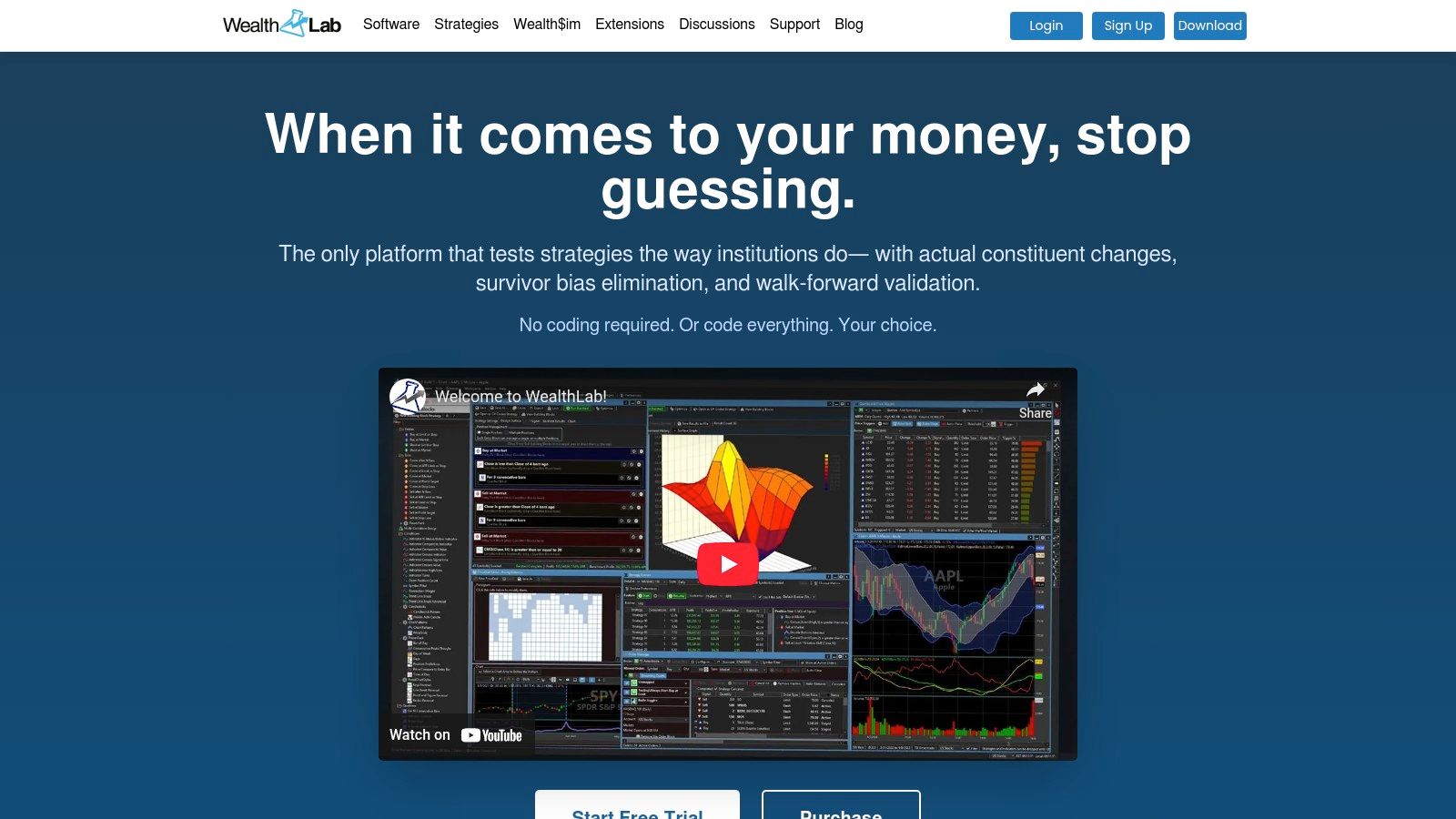
The platform supports both code-based strategy creation in C# and a building-block approach for non-programmers, making it accessible to a wide range of users. Its strength lies in running complex simulations across an entire portfolio, providing insights into how strategies perform together. The active community forum and a large repository of sample strategies provide a valuable resource for learning and accelerating development, helping users get the most from this comprehensive back test software.
Ideal User and Key Features
- Best For: Quantitative traders and system developers who require deep customization and robust portfolio-level backtesting on a Windows machine.
- Strategy Language: C# for full control, with a drag-and-drop building block interface available for non-coders.
- Data: Integrates with numerous data providers via its extension marketplace, covering global equities, futures, and forex.
- Unique Offering: A vast extension ecosystem that allows for a highly tailored testing environment with specialized tools, data connectors, and broker integrations.
Pros and Cons
| Pros | Cons |
|---|---|
| Deep extension ecosystem for customization | Windows-only platform, no Mac/web access |
| Robust portfolio-level testing capabilities | Some key extensions are paid add-ons |
| Strong community and strategy repository | Steeper learning curve than simpler tools |
Pricing and Access
Wealth-Lab 8 operates on an annual subscription model, offering different tiers that provide access to core features. While the base subscription is competitively priced, users should budget for premium extensions that may be necessary for their specific needs, such as advanced analytics or direct connections to certain brokers or data providers. A free 14-day trial is available, allowing prospective users to fully evaluate the platform’s capabilities before committing.
Website: https://www.wealth-lab.com/
10. QuantRocket
QuantRocket is a powerful, self-hosted platform designed for quantitative researchers and trading firms that require full control over their entire technology stack. Deployed via Docker, it provides a modular and production-ready environment for data collection, research, and live trading. The platform offers two distinct backtesting engines: Moonshot for vectorized, portfolio-level analysis and a Zipline-compatible engine for more detailed, event-driven simulations.

This structure is ideal for developers who want to build and manage their own data pipelines, connecting directly to sources like Interactive Brokers for historical and live data. The entire research process is managed within a JupyterLab environment, giving quants the flexibility of Python’s data science ecosystem. QuantRocket stands out as a robust back test software solution for those who have outgrown cloud platforms and need a customizable, locally or cloud-deployed trading infrastructure. It’s for the serious builder who wants to own every part of their process, from data storage to execution logic.
Ideal User and Key Features
- Best For: Professional quants, small hedge funds, and experienced developers needing a flexible, self-hosted environment for creating and deploying complex trading systems.
- Strategy Language: Python, utilizing popular libraries like Pandas and NumPy within the Moonshot and Zipline frameworks.
- Data: Integrates with Interactive Brokers and various data vendors for building custom data pipelines across equities, futures, and forex.
- Unique Offering: The Docker-based deployment provides unparalleled control, portability, and scalability, allowing you to run your entire stack on a local machine or in the cloud.
Pros and Cons
| Pros | Cons |
|---|---|
| Complete control over data and execution | Requires DevOps and Docker knowledge |
| Modular, production-ready architecture | Full pricing details require creating an account |
| Supports multiple backtesting paradigms | Steeper learning curve than web-based tools |
Pricing and Access
QuantRocket offers a free tier for learning and evaluation, which includes sample data to test the platform’s capabilities without a brokerage connection. For full data access and live trading features, users must subscribe to a paid plan. The pricing structure is segmented by features, but specific costs are only visible after creating an account on their website. This model is suited for serious developers and firms prepared to invest in a professional-grade infrastructure.
Website: https://www.quantrocket.com/
11. Tickblaze
Tickblaze is a comprehensive Windows-based desktop platform designed for serious strategy development, from initial backtesting and optimization to advanced walk-forward analysis. It stands out by providing a robust environment for portfolio-level testing, a feature often missing in more accessible platforms. The software comes with built-in delayed and end-of-day data for major asset classes, allowing traders to immediately start validating their ideas without complex data integration hurdles.
Its emphasis is on providing deep, institutional-grade analytics. After running a test, users can explore over 70 key performance indicators (KPIs), distributions, and heatmaps to dissect a strategy’s behavior under various market conditions. This detailed analysis helps build a long-term, realistic understanding of a strategy’s potential, moving beyond simple profit and loss metrics. Tickblaze also features a marketplace where developers can offer premium algorithms and users can find open-source examples, creating a valuable ecosystem for learning and strategy discovery. This makes it an excellent piece of back test software for traders ready to move beyond single-symbol analysis.
Ideal User and Key Features
- Best For: Quantitative traders and system developers who need a powerful desktop solution for portfolio-level backtesting and walk-forward optimization.
- Strategy Language: C# using the .NET framework, offering high performance and flexibility for complex logic.
- Data: Includes built-in delayed and EOD data for stocks, forex, and futures, reducing setup friction.
- Unique Offering: An integrated marketplace for paid strategies and a strong library of open-source community examples provide a rich learning environment.
Pros and Cons
| Pros | Cons |
|---|---|
| Fast portfolio tests with bundled data | Pricing and licensing messaging can be unclear |
| Rich analytics with 70+ KPIs and visuals | Windows-only desktop application |
| Open-source strategy examples available | Steeper learning curve due to C# language |
Pricing and Access
Tickblaze’s pricing model has historically included a one-time license fee, but potential users should carefully verify the current offerings on the website, as messaging can sometimes vary. It is crucial to confirm the terms before purchasing to avoid any confusion. The platform is a downloadable desktop application for Windows.
Website: https://tickblaze.com/
12. Blueshift by QuantInsti
Blueshift is a cloud-based backtesting and research platform from QuantInsti, designed to bridge the gap between learning quantitative trading and deploying live strategies. Its main appeal lies in offering a zero-cost entry point to a professional-grade, event-driven backtesting engine. Users can write strategies in Python using familiar Jupyter-style notebooks or leverage a no-code visual editor, making it accessible to both programmers and those who prefer a graphical interface.
The platform provides curated and cleaned historical market data, which removes one of the biggest initial hurdles for new quants: data sourcing and cleaning. This allows you to focus purely on strategy logic and performance analysis. For example, a student could immediately start testing a classic Bollinger Band mean-reversion strategy on US equities without needing to find, purchase, and clean years of historical data first. Blueshift also integrates paper and live trading with a select list of brokers, providing a clear pathway from initial research to real-world application, all within a single browser-based environment.
Ideal User and Key Features
- Best For: Aspiring quantitative traders, students, and developers looking for a free, cloud-based Python environment with quality data to develop and test their strategies.
- Strategy Language: Python (via notebooks) and a visual no-code builder.
- Data: Provides built-in, cleaned historical data for multiple asset classes, primarily focused on US and Indian markets.
- Unique Offering: A seamless workflow that takes users from education (via QuantInsti courses) to research, backtesting, and finally to live deployment within one ecosystem.
Pros and Cons
| Pros | Cons |
|---|---|
| Free for research and backtesting | Limited selection of brokers for live trading |
| Integrated, cleaned historical datasets | Data coverage may not suit all global markets |
| Both Python and no-code options | Live deployment features may have limitations |
Pricing and Access
Blueshift’s core research and backtesting functionality is completely free to use, making it an exceptional educational and developmental tool. This free tier provides access to the Python environment, no-code builder, and historical data. For users who wish to move from simulation to reality, live deployment is available through partner brokers, which may involve separate brokerage fees and specific terms. This model makes it a powerful and accessible back test software for validating ideas without an initial financial commitment.
Website: https://blueshift.quantinsti.com/
Backtesting Software — 12-Platform Feature Comparison
| Platform | Core features | UX / Quality | Target audience | Unique selling points | Price & Value |
|---|---|---|---|---|---|
| TradingView | Pine Script strategy tests, web/mobile charts, social script library | ★★★★☆ | 👥 Retail traders & chartists | ✨ Large public script/library, fast prototyping, 🏆 community sharing | 💰 Free tier; Premium for Deep Backtesting & more alerts |
| QuantConnect (LEAN) | Cloud backtests, C#/Python APIs, large dataset catalog, LEAN engine | ★★★☆☆ | 👥 Quant developers, researchers, teams | ✨ Open-source LEAN + scalable cloud compute | 💰 Free tier; paid data/compute & enterprise options |
| AmiBroker | AFL scripting, multithreaded portfolio backtests, walk‑forward & MAE/MFE | ★★★★☆ | 👥 Windows-based system developers & DIY quants | ✨ Extremely fast local backtests, perpetual license, 🏆 performance | 💰 One-time license + user-managed data feeds |
| NinjaTrader | Strategy Analyzer (backtest/opt/walk‑forward), tick Market Replay, futures focus | ★★★★☆ | 👥 Futures & active day traders | ✨ Tick-level market replay for realistic fills | 💰 Free/basic; paid licenses & funded-account perks |
| MultiCharts | Portfolio Trader, EasyLanguage/PowerLanguage support, genetic optimization | ★★★★☆ | 👥 Traders migrating from TradeStation, portfolio testers | ✨ EasyLanguage compatibility; data/broker neutrality | 💰 Paid desktop license (resellers; variable pricing) |
| TradeStation | EasyLanguage scripting, chart backtests, Portfolio Maestro add-on, brokerage | ★★★★☆ | 👥 Active traders who want integrated brokerage & testing | ✨ Tight brokerage+testing integration; mature script community | 💰 Platform subscription; add-ons (Portfolio Maestro) may cost |
| MetaTrader 5 (MetaQuotes) | MQL5 EA Strategy Tester, multi-threaded optimization, broker integrations | ★★★★☆ | 👥 FX/CFD retail traders & EA developers | ✨ Large MQL5 marketplace & broker availability | 💰 Free platform; broker-dependent data/fees |
| Portfolio123 | Rules-based sims, point-in-time fundamentals, rolling backtests & screeners | ★★★★☆ | 👥 Equity/ETF investors, factor researchers | ✨ Point-in-time fundamental datasets for robust tests | 💰 Subscription tiers; API & full datasets cost extra |
| Wealth‑Lab 8 | Strategy & portfolio backtesting, extension marketplace, sample strategies | ★★★★☆ | 👥 Windows quant traders & researchers | ✨ Rich extension ecosystem (brokers, analytics) | 💰 Annual subscription + optional paid extensions |
| QuantRocket | Dockerized research stack, Moonshot/Zipline engines, IBKR integration | ★★★☆☆ | 👥 Teams/firms needing self-hosted production stack | ✨ Self-hosted, production-ready quant stack with JupyterLab | 💰 Free evaluation; pricing/data via account (enterprise) |
| Tickblaze | Strategy dev, portfolio analytics, built-in delayed/EOD data, marketplace | ★★★★☆ | 👥 Portfolio-focused algo traders | ✨ Bundled data, 70+ KPIs & heatmaps, community algos | 💰 One-time or license options; pricing/terms vary |
| Blueshift (QuantInsti) | Event-driven Python & no-code builder, cleaned datasets, browser-based | ★★★★☆ | 👥 Learners, educators & Python quant beginners | ✨ Free cloud research tier that bridges to deployment | 💰 Free research/backtest tier; live deployment may have fees |
Your Next Step: Choosing a Tool and Committing to the Process
We’ve navigated the complex landscape of back test software, exploring a dozen powerful platforms from the accessible charts of TradingView to the institutional-grade infrastructure of QuantRocket. Each tool offers a unique blend of features, catering to different trading styles, technical skills, and strategic goals. The journey from a promising idea to a robust, validated trading strategy is demanding — and often frustrating — but selecting the right software is the critical first step in transforming theory into potential reality.
The key takeaway is that there is no single “best” platform for everyone. The ideal choice is deeply personal and depends entirely on your specific needs. A discretionary day trader will find NinjaTrader’s charting and semi-automated features more intuitive than a C#-savvy quant who needs the raw power and flexibility of QuantConnect’s LEAN engine. Similarly, an options strategist will gravitate towards tools with dedicated options backtesting capabilities, a feature that might be irrelevant to a long-term, stock-only portfolio manager.
Making the Right Choice for Your Trading Journey
Your decision should be a deliberate process, not a rushed one. Before committing your time and capital, reflect on a few core questions. This self-assessment will act as a compass, guiding you toward the software that aligns with your trading philosophy and operational requirements.
1. What is your technical proficiency?
Be honest about your coding skills. If you’re not a programmer, platforms like TradingView, Portfolio123, or the point-and-click builders in TradeStation and MultiCharts are excellent starting points. If you are fluent in Python or C#, then QuantConnect, QuantRocket, or Blueshift unlock a world of unparalleled customization and complexity. An overly complex tool will only lead to frustration, so choose one that matches your current ability.
2. What markets and instruments do you trade?
Your chosen market dictates your software needs. If you’re an options trader, tools with robust options chain data and modeling are non-negotiable. Forex traders will feel at home with MetaTrader 5, while futures traders often lean towards NinjaTrader or TradeStation. Ensure the platform you select provides high-quality historical data for the specific assets you intend to trade.
3. What is the complexity of your strategies?
Simple, single-instrument strategies can be tested almost anywhere. However, if you’re developing complex, multi-instrument portfolio-level strategies, you need a platform built for that purpose. Portfolio123 and QuantConnect excel at this, allowing you to simulate how a full portfolio behaves, accounting for capital allocation, rebalancing, and correlated risk.
4. What is your budget?
The financial commitment varies widely, from free, open-source engines to premium platforms with significant monthly subscriptions. Start with free trials or community editions whenever possible. This hands-on experience is invaluable and will reveal a tool’s true workflow and limitations far better than any marketing material can. Remember that the “cost” also includes your time spent learning the platform.
From Backtest to Live Execution: The Path Forward
Choosing your back test software is just the beginning. The real work lies in the disciplined application of the scientific method to your trading ideas. It involves forming a hypothesis, rigorously testing it against historical data, and analyzing the results with an objective, critical eye. This process is iterative; you will test, fail, refine, and re-test countless times.
Embrace this cycle. Every failed backtest is not a loss but a valuable lesson that saves you real capital in the live markets. The goal is not to find a “perfect” strategy with a flawless equity curve, as such a thing rarely exists. The goal is to understand your strategy’s true character: its strengths, its weaknesses, and its behavior under different market conditions. This deep, long-term understanding is what builds the confidence needed to execute your plan with discipline when real money is on the line. Your chosen software is your laboratory for this essential work.
Once your backtests show promise, the next vital step is to track and analyze your forward-testing and live-trading results. TradeReview is designed to be the perfect companion to your backtesting process, providing a sophisticated trading journal to validate your strategies in the real world. You can import your trades, tag them to the strategies you developed, and analyze your performance with institutional-grade analytics to see if your live results match your historical tests. Start your free trial of TradeReview today and close the loop between testing and execution.