A stock spreadsheet tracker is exactly what it sounds like: a custom document you build to log your trades, measure your performance, and analyze your strategy over time. It’s the tool that turns a simple list of buys and sells into your personal trading command center. But more than that, it’s a commitment to discipline and long-term improvement.
Moving Beyond Basic Trade Logging
Most of us start the same way. We open a fresh spreadsheet and start jotting down our buys and sells. It feels organized at first — a neat list of tickers, entry prices, and exit prices. But after a while, you hit a wall. That basic log starts to feel more like a chore than a tool.
The turning point usually comes when you realize that simple record-keeping isn’t actually giving you any real insight. You’re bogged down in manual data entry, fighting with clunky formulas, and you still have no clear picture of why your strategy is working (or why it isn’t). This is an incredibly common struggle for traders; it’s that “aha!” moment when you understand that just playing the game isn’t the same as analyzing how you play. A dedicated stock spreadsheet tracker is what bridges that gap.
Why a Deeper System Matters
Putting in the effort to build a more robust tracker isn’t just about crunching numbers; it’s about building the discipline needed for long-term growth. It forces you to zoom out from individual trades and see the bigger picture of your performance. We’ve all felt the sting of a losing streak, and it’s during those times that a solid, data-driven system keeps you grounded and prevents emotional decisions.
Think about it this way: markets are always in motion. According to RBC Wealth Management, the U.S. stock market has shown remarkable resilience, hitting new all-time highs on numerous occasions. Without a proper tracker, those are just interesting headlines. But with one, you can dig in and see exactly how your strategy performed during those key periods. You can ask, “Did I capitalize on that upward trend, or was I sitting on the sidelines in fear?”
A great tracker does more than just record Profit & Loss. It documents your decisions and the mindset behind them. It becomes your personal trading story, written in data, helping you find those hidden patterns in your own behavior.
Ultimately, making this upgrade is all about creating clarity. It helps you finally answer the critical questions that a basic log just can’t handle:
- Which of my trading setups are actually the most profitable?
- Am I consistently exiting winning trades too early because of fear?
- Are my biggest losses coming from moments when I break my own rules?
Answering these questions is what shifts your approach from being reactive to truly strategic. It lays the foundation for more intentional, confident, and informed trading.
Designing Your Custom Stock Tracker
Building your own stock spreadsheet tracker is all about creating a system that speaks your language as a trader. It’s the point where you stop just passively jotting down numbers and start actively digging into your performance.
We’re not just making a list here. We’re building the engine that will power your analysis for years to come. The goal is to lay a foundation that captures not only what happened in a trade, but more importantly, why it happened.
This kind of structured approach is how you turn messy, scattered trade logs into a goldmine of clear, actionable insights.
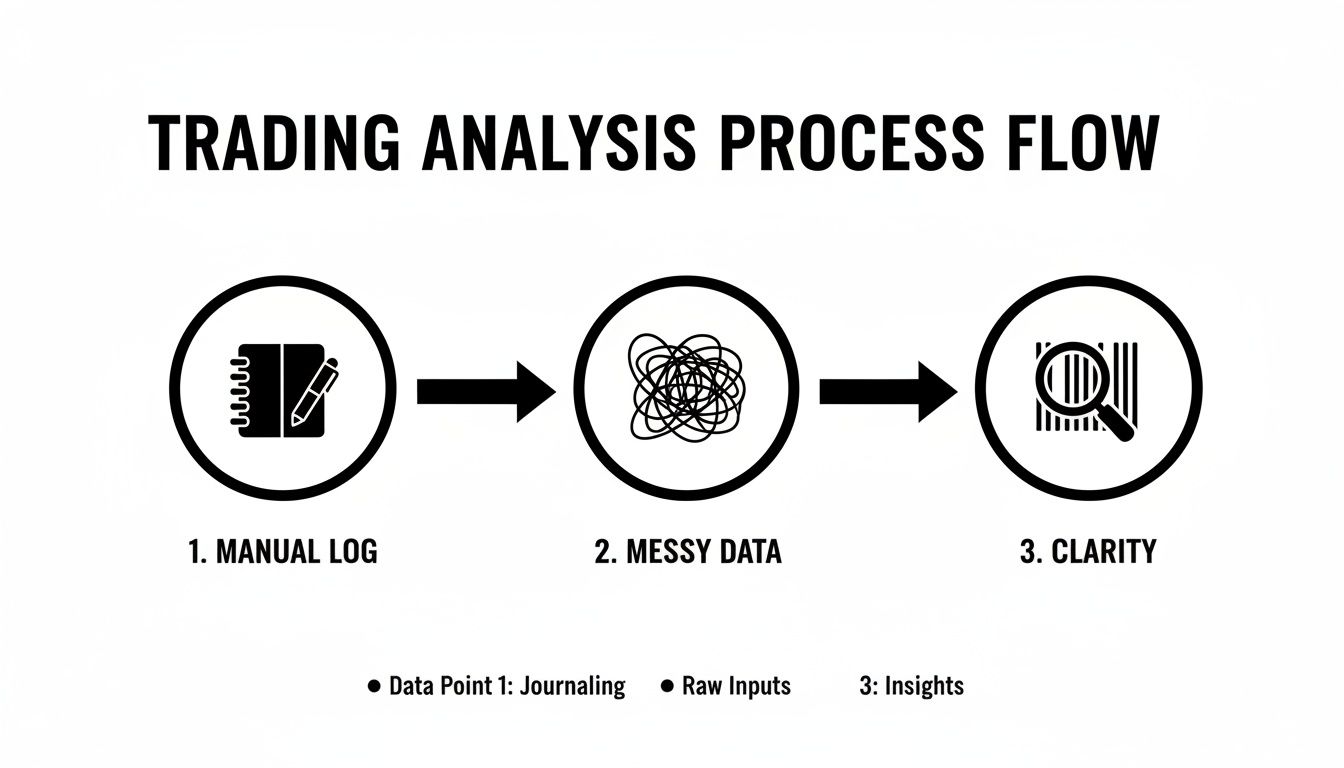
This process helps organize the chaos of raw trading data, letting you spot the patterns you can actually act on.
The Essential Columns
Every great tracker starts with a solid set of columns. While you can customize it to the moon and back, a few core data points are completely non-negotiable for any kind of meaningful analysis. Think of these as the absolute building blocks of your system.
Here’s a look at the essential data points you’ll need to get started.
| Column Name | Data Type | Purpose & Example |
|---|---|---|
| Entry Date | Date | Helps you track performance over time. Example: 2024-10-28
|
| Ticker Symbol | Text | The unique symbol for the asset. Example: AAPL, TSLA
|
| Position Size | Number | The number of shares or contracts. Example: 100, 5
|
| Entry Price | Currency | The price per share/contract at entry. Example: $150.25
|
| Exit Price | Currency | The price at which you closed the position. Example: $155.50
|
| Exit Date | Date | The date you closed the position. Example: 2024-10-30
|
These quantitative fields — the numbers — are the backbone of your tracker. They give you the raw data you need to calculate profit and loss with some simple formulas down the line. If you want more inspiration on what to track, check out our guide on building a trading journal template in Google Sheets.
Remember, the point of tracking isn’t just to see if you made money. It’s to understand your behavior, detect patterns, and avoid repeating the same mistakes. Just like a chess grandmaster reviews every game, a serious trader reviews every trade.
Adding Context With Qualitative Data
Numbers only tell half the story. The real “aha!” moments happen when you start logging qualitative data — the “why” behind your trades.
I know, it can feel tedious at first, but this is often where the most valuable lessons are hiding. We’re all human, and our emotions and biases play a huge role in our trading decisions. Acknowledging this is not a weakness; it’s a strength.
Consider adding these powerful columns to capture that crucial context:
- Setup/Strategy: What was the specific trading setup that triggered your entry? Was it a “Breakout,” a “Mean Reversion,” or an “Earnings Play”? This helps you figure out which strategies are actually working for you.
- Trade Rationale: In a sentence or two, why did you take this trade? Document your thesis before you enter. This keeps you honest and accountable to your plan.
- Emotions/Mindset: How were you feeling when you entered and exited? Were you patient, fearful, or maybe a little too confident? This column requires brutal honesty, but it’s incredibly insightful.
Here’s a practical example of how this comes together. Let’s say you bought 100 shares of XYZ at $50.50 based on a “bull flag breakout” setup. Your rationale was solid volume confirmation, but in your notes, you admit to feeling “anxious” from the start. You ended up exiting early at $51.00 for a tiny gain, only to watch it climb to $55.00 without you.
This qualitative data immediately reveals a potential pattern: exiting winners prematurely due to fear. That’s an insight you would never get from the numbers alone.
Automating Your Analysis with Key Formulas
A tracker without formulas is just a digital notebook. It’s organized, sure, but it isn’t doing much work for you. To really turn your stock spreadsheet tracker from a simple log into a powerful analytical tool, you need to make it do the heavy lifting. This is where formulas come in, turning your raw data into actionable insights automatically. This isn’t about promising guaranteed profits; it’s about building a system to better understand your own results.
The goal here is to build a system that works for you. You want to be able to open your sheet and instantly see your key performance metrics, freeing you up to focus on actual analysis rather than tedious arithmetic. It’s a small investment of time upfront that pays huge dividends in your daily trading discipline.
Calculating Core Performance Metrics
Let’s start with the absolute essentials. These formulas calculate the profit or loss for each individual trade, both as a raw dollar amount and as a percentage return. Think of them as the foundational building blocks for your entire dashboard.
Let’s assume you’ve set up your columns like this:
- E2: Position Size (e.g., 100 shares)
- F2: Entry Price (e.g., $50.00)
- G2: Exit Price (e.g., $52.50)
You can pop these simple formulas right into your sheet:
-
Profit/Loss ($): This calculates your gross profit or loss in dollars.
=(G2 - F2) * E2
Using our example, that’s($52.50 - $50.00) * 100, which gives you a $250.00 gain. -
Return (%): This formula shows your return as a percentage of your initial investment.
=(G2 - F2) / F2
With the same numbers, this works out to($52.50 - $50.00) / $50.00, giving you a 5% return. Just remember to format the cell as a percentage to make it look right.
If you want to go a bit deeper on these calculations, check out our detailed guide on the most important formulas for tracking profit and loss.
Summarizing Performance with Conditional Formulas
Knowing the result of a single trade is one thing, but the real magic happens when you start summarizing your performance across different categories. This is where functions like SUMIF and COUNTIF become your best friends. They let you ask specific questions about your data without complex manual sorting.
For example, what if you’ve logged dozens of trades and want to know your win rate specifically for breakout strategies?
By tracking your results over not just one game, but over the last 10, or even the last 100, you take a bigger picture view and can better process bad games as a natural part of play.
This is a great piece of advice from the world of competitive chess, and it’s just as true for trading. Conditional formulas are what help you get that “bigger picture view.”
Let’s say your “Strategy” is in Column C and your “Profit/Loss ($)” is in Column I. You could set up a little summary table with these formulas:
-
Total “Breakout” Trades:
=COUNTIF(C:C, "Breakout") -
Winning “Breakout” Trades:
=COUNTIFS(C:C, "Breakout", I:I, ">0") -
“Breakout” Strategy Win Rate:
=[Winning Trades Cell] / [Total Trades Cell]
With these in place, your sheet will automatically update the win rate for that strategy every single time you log a new trade. You can easily replicate this for different tickers, trade types, or any other category you’re tracking.
Bringing Your Tracker to Life with Real-Time Data
A static spreadsheet is good, but a dynamic one is even better. If you’re using Google Sheets, the GOOGLEFINANCE function is an absolute game-changer. It can pull near real-time and historical stock data directly into your cells, which is perfect for tracking any positions you still have open. In simple terms, it’s a built-in tool that fetches financial data from Google Finance.
For instance, to get the current price of Apple (AAPL), you just need this simple formula:=GOOGLEFINANCE("AAPL", "price")
This one function transforms your tracker into a live dashboard. You can set up a new section just for your open positions and use this to calculate your unrealized P&L, which will update on its own roughly every 20 minutes. No more manually looking up prices — you can stay focused on your strategy instead of fetching data.
Visualizing Your Trading Performance
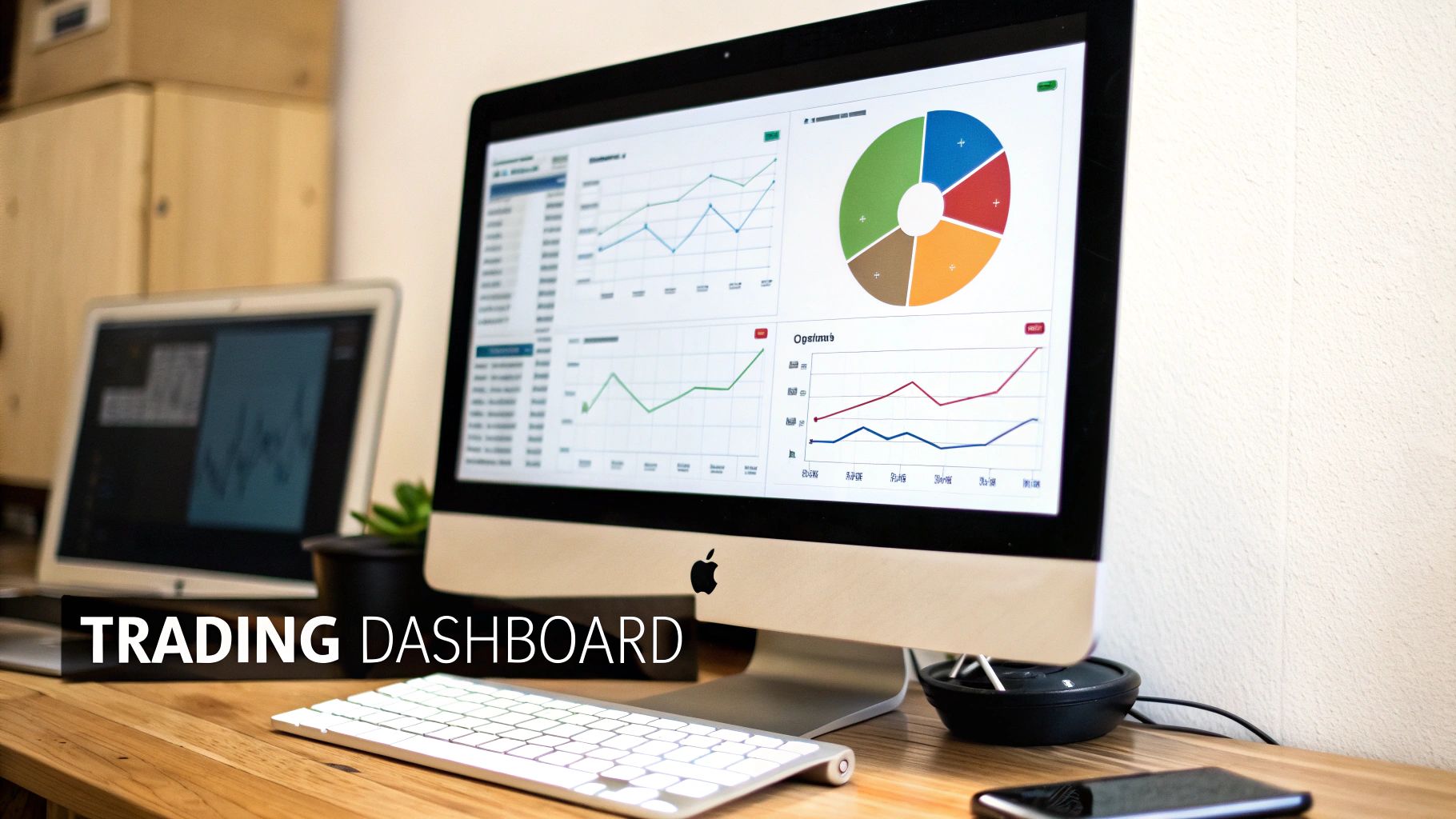
Data tables and formulas are incredibly powerful, but let’s be honest, they don’t always tell the whole story. A spreadsheet full of numbers can feel a bit lifeless. That’s where charts and graphs come in — they transform that raw data into a clear, compelling narrative of your trading journey.
Think of it as building a visual performance dashboard right inside your stock spreadsheet tracker. It becomes your command center for at-a-glance analysis.
We’ve all been there, staring at rows of P/L data, trying to figure out what it all means. It’s exhausting. Visuals cut through that noise, making it instantly obvious where your strengths and weaknesses are. This is about more than just making things look good; it’s about building a system that fosters the discipline you need to navigate the markets.
Charting Your Equity Curve
If there’s one chart every single trader needs, it’s the equity curve. This is a simple line chart that plots your cumulative profit and loss over time. It’s the unfiltered, visual story of your account’s growth — and the emotional rollercoaster that comes with it.
Creating one is straightforward. You’ll need a column in your trade log that calculates your running P/L after each trade is closed. Once you have that, just select that column along with your “Exit Date” column and insert a line chart.
The insights can be immediate. A smooth, upward-sloping curve? That shows consistency. A jagged, volatile curve might reveal a boom-and-bust cycle in your trading. You might even discover that your biggest drawdowns consistently happen right after a string of wins — a classic sign of overconfidence creeping in.
Breaking Down Your Strategies
Next up, you need to know which of your setups are actually making you money. A simple pie or bar chart is perfect for this. Using that “Strategy” column you created earlier, you can quickly see a visual breakdown of your performance.
Recent market performance has been varied across sectors. For instance, according to advisor insights from Vanguard, sectors like Technology and Communication Services have shown strong performance. A chart could instantly show you if your strategies are capitalizing on these trends or if you’re struggling in underperforming sectors.
To build this kind of chart, you need to summarize your data first. And the best tool for that job is a pivot table.
A pivot table is like a powerful filter for your data. It lets you slice, dice, and summarize huge amounts of information without writing a single complex formula, making it perfect for preparing your data for charting.
Here’s how you can put it into practice:
- Create a Pivot Table: Start by grouping your data by the “Strategy” column.
- Add Values: Set the values field to be the sum of your “P/L ($)” column.
- Insert a Chart: Directly from the pivot table, insert a bar chart to compare the total profitability of each strategy.
This simple chart might reveal that while you feel like your “Scalping” strategy is your bread and butter, it’s actually your “Swing Trading” strategy that brings in the biggest gains. This is the kind of data-driven insight that helps you focus your energy where it actually counts. If you’re new to this, check out our guide on how to build a pivot table.
When to Graduate to a Dedicated Trading Journal
Your custom stock spreadsheet tracker is an incredible tool, and for a lot of traders, it’s all they’ll ever need. But as your trading volume picks up and you start digging deeper into your own performance, you might begin to feel some growing pains. It’s a great problem to have — it means you’re getting serious.
We’ve all been there. The spreadsheet starts to lag every time you open it. A formula breaks out of nowhere, and you spend the next hour hunting down the error instead of analyzing your last trade. Or maybe you just realize you need insights that would take some impossibly complex macros to build yourself.
These are the classic signs that you might be outgrowing your spreadsheet. It’s a natural evolution. The total flexibility that got you here might not be what gets you to the next level of your trading.
Recognizing the Limitations
Spreadsheets are amazing for their flexibility, but that freedom can also be their biggest weakness. Once your trade history starts to pile up, you’ll likely hit a few common roadblocks that a dedicated trading journal is built to solve.
It might be time for an upgrade if you’re struggling with:
- Manual Broker Imports: That end-of-day routine of exporting from your broker and pasting into your sheet starts feeling like a real chore. It’s a major time sink.
- Performance Issues: Your sheet, now thousands of rows long, gets slow, sluggish, and is prone to crashing — especially when you try to open it on your phone.
- Complex Analytics: You want to run advanced reports, like analyzing your performance by time of day or how long you hold a position, but the formulas are just too complicated to build and maintain.
This becomes especially true for traders with diverse portfolios. Market conditions can vary globally. Data from sources like the global market trends on the UWSP blog often shows how different international markets perform. Tracking these diverse positions in a spreadsheet can become a significant challenge, whereas advanced tools handle it with ease.
Making a Smooth Transition
Moving to a professional journal doesn’t mean you have to ditch all your hard-earned data. The thought of losing years of trade history is a huge reason traders stick with a clunky spreadsheet for way too long. But the process is much easier than you think.
The goal is to spend your time analyzing your trades, not maintaining your tools. A dedicated journal automates the tedious work so you can focus on what actually matters — becoming a better trader.
Most dedicated platforms, including TradeReview, are designed to make this move seamless. You can typically just export your spreadsheet as a CSV file and import it directly. All your history, notes, and data are preserved.
You get all the benefits of powerful, automated analytics without losing the valuable context you’ve been building for years. It’s truly the best of both worlds.
Common Questions About Stock Trackers
As you start building out your stock spreadsheet tracker, you’re bound to run into a few questions. It’s a natural part of the process. Most traders hit the same walls, so let’s walk through some of the most common ones to keep you moving forward.
We’ve covered a lot of ground on how to build a powerful system, but sometimes it’s the little practical details that trip you up. Don’t let these small roadblocks derail your progress; the discipline of consistent tracking is far too valuable to lose.
Which Is Better for a Stock Tracker: Google Sheets or Excel?
This is the classic debate, and honestly, both are fantastic tools. But they serve slightly different needs.
For most traders, especially if you’re just starting out, Google Sheets is the clear winner. It’s free, cloud-based (so you can access it anywhere), and its GOOGLEFINANCE function is a game-changer for tracking live data. It automates one of the most tedious parts of tracking — pulling live stock data for your open positions.
On the other hand, Excel really shines for power users. If you have a Microsoft 365 subscription, you get access to more advanced charting and seriously powerful data analysis tools. It’s the go-to for traders who need to crunch massive datasets or build incredibly complex financial models.
But for the vast majority of traders? Google Sheets offers all the power you need with a much gentler learning curve.
How Often Should I Update My Stock Trading Journal?
The golden rule here is consistency over intensity. I’m a huge advocate for updating your tracker at the end of every single trading day. Making it a daily ritual turns it into a habit and ensures the details — and emotions — of each trade are still fresh in your mind.
By tracking your results over not just one game, but over the last 10, or even the last 100, you take a bigger picture view and can better process bad games as a natural part of play.
That insight comes from the world of competitive chess, but it applies perfectly to trading. Daily updates prevent logging from becoming a massive weekend chore where you might forget the crucial “why” behind your decisions. It’s about building a sustainable, long-term habit.
My Spreadsheet Is Getting Slow. What’s Next?
First off, congratulations! This is a great problem to have. It means your trading volume is growing and you’re getting serious about your analysis.
When your spreadsheet starts to feel sluggish, becomes prone to errors, or the formulas get too tangled to manage, it’s a clear sign you’re ready to graduate to a dedicated trading journal.
These specialized platforms are built from the ground up to handle huge amounts of data without breaking a sweat. They automate tedious tasks like broker imports and serve up sophisticated analytics right out of the box. This frees you up to focus on what actually matters — finding your edge — instead of wrestling with spreadsheet maintenance.
Ready to move beyond the limits of a spreadsheet? TradeReview offers a powerful, automated trading journal that grows with you. Import your trade history seamlessly, sync with your broker, and access deep performance analytics on any device. Start making data-driven decisions and sign up for free at TradeReview.