An import auto connection is a feature that automatically syncs your trading history from a brokerage account directly into an analysis platform like TradeReview. It creates a secure, read-only link that pulls in your trades, completely removing the need for manual data entry.
We understand the grind. Trading is hard enough without the administrative headache that comes after the bell. This connection isn’t just about saving a few minutes — it’s about giving you the tools to build discipline, ensure your performance data is always 100% accurate, and focus on what truly matters: becoming a better trader.
Why Manual Trade Logging Is Costing You More Than Time
Let’s be honest — manually logging your trades is a chore. It’s that one tedious task at the end of a long, draining session that’s so easy to put off until “later.” But later often means forgotten trades, half-remembered details, and a journal riddled with inaccuracies.
We’ve all been there, squinting at a spreadsheet trying to remember the exact reason for an entry you made hours ago. This isn’t just an annoyance; it’s an active drain on your most valuable resource as a trader: mental energy. Every minute you spend on admin is a minute you’re not spending analyzing market structure, refining your strategy, or reviewing what actually matters.
The Hidden Costs of Manual Entry
The small, subtle costs of manual logging add up fast and can seriously sabotage your growth. When you’re bogged down in data entry, you’re opening yourself up to a ton of issues that will warp your perception of your own performance. Making decisions on bad data isn’t a path to profitability; it’s a recipe for frustration.
These hidden costs usually fall into a few camps:
- Inaccurate Performance Metrics: A single misplaced decimal or an incorrect share count can completely throw off your P&L, win rate, and every other key metric. Making decisions based on flawed data is like trying to navigate with a broken compass.
- Missed Behavioral Patterns: Manually logged data is often incomplete. Without the full picture, you might miss a recurring mistake, like consistently exiting winning trades too early on Tuesdays or over-leveraging on FOMO-driven entries.
- Eroded Discipline: The discipline it takes to log every single trade — especially the painful losses — is immense. When you start skipping entries, you create a biased and overly optimistic view of your actual trading abilities. This is a trap many traders fall into, and it stalls their progress indefinitely.
“The market is a stern teacher, and it sends the bill for tuition to those who do not do their homework. Your trade journal is your homework.” — Peter L. Brandt
Reclaiming Your Focus for What Matters
An auto-import connection isn’t just a convenience; it’s a fundamental shift in how you run your trading business. By automating the bookkeeping, you get to step out of the data entry role and into the role of a high-level analyst of your own performance.
Imagine finishing a volatile trading day and, instead of dreading opening a spreadsheet, you open a dashboard where every trade is already logged, categorized, and waiting for your review. That’s the difference between working in your trading and working on your trading. To dig deeper into this mindset, you can learn more about why every trader needs a trading journal and how it builds the discipline required for real success.
Ultimately, automation forces the consistency you need to build a reliable, objective dataset of your trading habits. It’s the true foundation for making data-driven decisions — the hallmark of any professional trader.
How to Set Up Your First Import Auto Connection
Setting up your first brokerage connection can sound a bit technical, but we’ve made it as straightforward and secure as possible. Think of it less like a complicated setup and more like securely logging into your online banking app. The whole point is to create an import auto connection that quietly works for you in the background.
This process lets your trading data sync automatically, whether you’re at your desk using the web platform or on the go with our iOS or Android app. Let’s walk through how it works, skipping the jargon, so you can get started with confidence.
Preparing for a Smooth Connection
A little prep work goes a long way in making the connection process seamless. The main thing is to have your broker login info ready to go.
Most modern brokers use a secure “handoff” process. You won’t actually type your login details into TradeReview. Instead, we’ll send you directly to your broker’s official website to sign in. Once you’re in, you’ll grant our platform read-only permission to see your trade history. This is a critical security measure — your credentials are never shared with or stored by us.
To get ready, just have these two things on hand:
- Your brokerage account username and password.
- Your phone, in case your broker sends a two-factor authentication (2FA) code.
Having this ready means the whole authentication flow is quick and painless, often taking just a minute or two.
A Walkthrough of the Connection Process
While the exact screens might look a little different depending on your broker, the core steps for creating your import auto connection are always the same.
First, you’ll head over to the connections or broker sync area inside your TradeReview account. From there, you’ll pick your broker from our supported list, which kicks off the secure connection process.
You’ll then be redirected to your broker’s own login page. This is where you’ll enter your username and password, directly on their site. After a successful login, your broker will ask you to authorize TradeReview to access your trading history with read-only permissions.
The diagram below shows just how much time and effort this simple setup saves you by getting rid of the tedious and error-prone process of manual logging.
This is the problem the auto-import connection solves directly — freeing you up to focus on market analysis instead of data entry.
Real-World Connection Scenarios
Let’s look at practical examples of how this helps different types of traders.
Take a day trader using Interactive Brokers. After a frantic morning placing over 50 trades on small-cap stocks, they don’t have to do a thing. The auto-sync runs overnight, and by the next day, every single entry, exit, and commission is perfectly logged. They can spend their evening studying charts for the next session, not wrestling with a CSV file.
Or think about a swing trader managing complex options positions in their Schwab account. By setting up the auto-import, their multi-leg strategies — including weekly rolls and adjustments — are all captured automatically. This saves them from the nightmare of manually entering those trades, which is where costly mistakes often happen.
The real power of an auto-import connection is consistency. It creates an objective record of your trading, removing the temptation to “forget” logging a loser. This forces you to be brutally honest with your performance data — which is exactly what you need to actually improve.
Once you grant permission, you’ll be sent back to TradeReview, and the initial sync will start. Depending on how much trading history you have, this first import might take a few minutes. It’s a small, one-time investment for a massive payoff in long-term clarity.
You can find more details and see our full list of supported partners when you decide to set up your auto import broker connection.
What to Expect After Connecting Your Broker
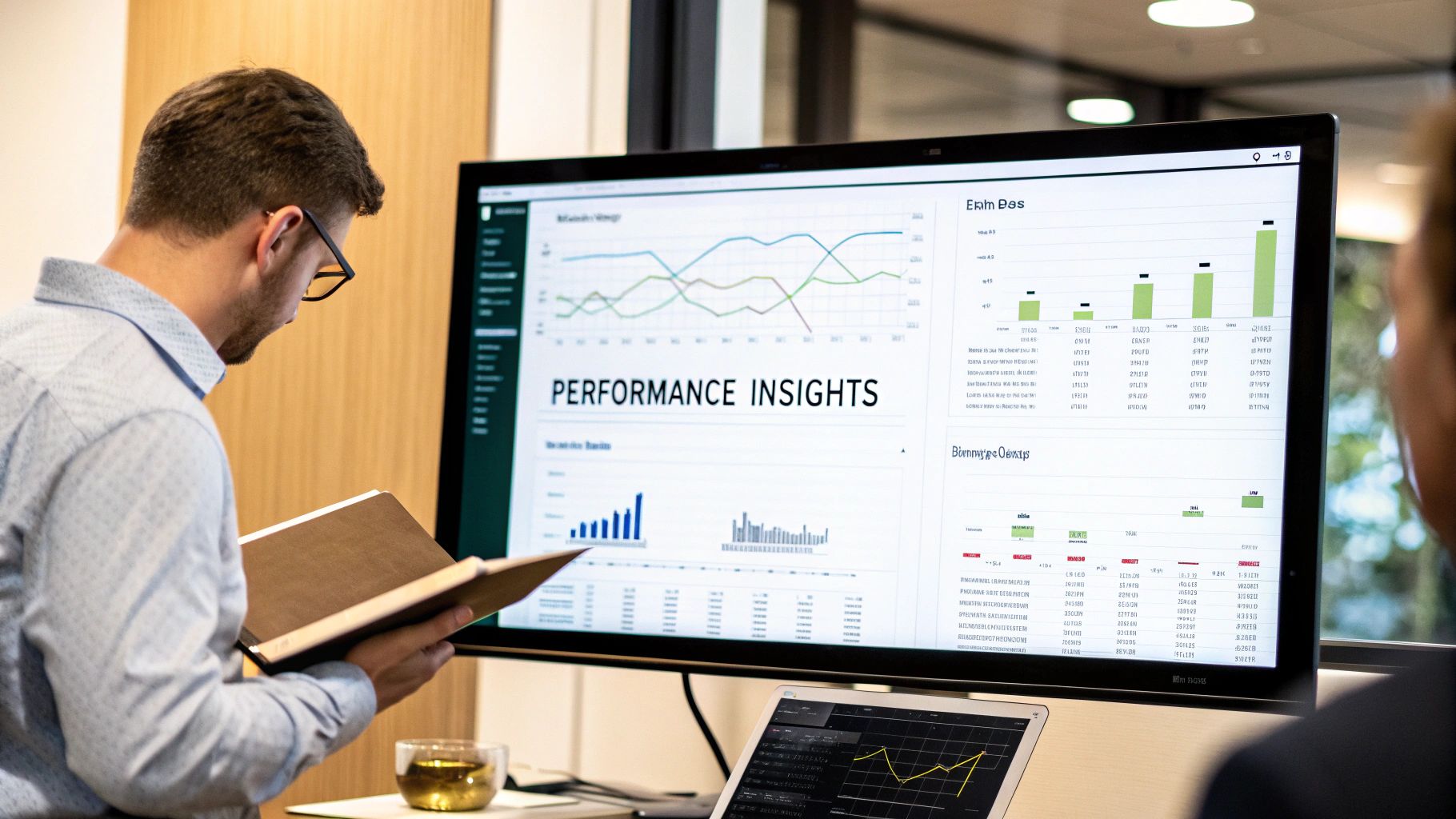
Okay, you’ve linked your broker. This is where the real work — and the real progress — begins. Your import auto connection is more than just a time-saver; it’s the tool that turns your raw trading history into a clear, honest look at your performance. This is the moment your data begins to tell a story.
Once the connection is live, TradeReview gets to work, pulling in all the critical details from every trade — your entries, exits, position sizes, and timestamps. It then automatically organizes everything into your Performance Analytics dashboard. What was once a messy spreadsheet of transactions becomes a clear picture of your trading habits.
Uncovering Patterns Hidden in Your Data
The real power here is seeing the patterns you didn’t even know you had. We all have subtle, repeated behaviors that drive our results, but they’re almost impossible to spot when you’re buried in data. Automation does the heavy lifting for you.
For example, a trader I know was frustrated with his performance trading tech stocks. He felt like he was taking good setups but kept ending the month flat. After syncing his account, he discovered his win rate on NVDA call options was 30% higher on Fridays than any other day of the week. This wasn’t just random luck; it was a real, actionable edge he never would have found manually. He started focusing his capital on those Friday trades and saw a significant improvement in his profitability over the next quarter.
The point of a trading journal isn’t just to log trades. It’s to find your unique trading DNA. Automation handles the grunt work so you can focus on reading the story your data is telling you.
Supported Brokers for Auto-Sync
We’re constantly expanding our list of supported brokers to make auto-sync as accessible as possible. Here’s a quick look at some of the popular platforms you can connect to TradeReview right now.
| Broker Name | Supported Assets (Stocks, Options, etc.) | Connection Type |
|---|---|---|
| Fidelity | Stocks, Options, ETFs, Mutual Funds | API |
| Interactive Brokers | Stocks, Options, Futures, Forex | API / Flex Query |
| TD Ameritrade | Stocks, Options, ETFs, Futures | API |
| E*TRADE | Stocks, Options, ETFs | API |
| Robinhood | Stocks, Options, Crypto | API |
| Webull | Stocks, Options, ETFs, Crypto | API |
This is just a partial list, and we’re adding more all the time. If you don’t see your broker, let us know!
Building Trust Through a Quick Verification
We get it. Handing over your trading data to an automated system requires trust. That’s why we always recommend a simple habit for new users: take a minute to verify your first few synced trades. It’s a small step that builds a ton of confidence in the import auto connection.
Here’s an easy way to do it:
- Pull Up Your Last Few Trades: Once your first sync is done, open your last three trades in your brokerage account and in TradeReview, side-by-side.
- Compare the Key Numbers: Check that the entry price, exit price, share size, and commissions match up perfectly.
- Set It and Forget It: After you’ve confirmed the data is spot-on, you can relax and trust the system to do its job.
This simple check solidifies your trust in the tool and helps you get into a routine of reviewing your performance. It’s this disciplined practice of showing up and analyzing your trades that truly separates struggling traders from consistently profitable ones.
This discipline becomes even more important when you’re trading around major economic events. For instance, the United States is the world’s top importer of automobiles, a trend expected to continue. This drives massive volatility in currency pairs and auto stocks like Toyota or BMW. With an import auto connection, you can log and analyze every trade tied to these global shifts without drowning in manual entry. To learn more, check out these insights on global auto import trends and their market impact and see how macro events could be influencing your strategy.
Your Data Security and Privacy Are Our Priority
We understand. Connecting your brokerage account to any third-party app requires a huge amount of trust. You’re linking sensitive financial information, and it’s completely normal to be cautious. We take this responsibility incredibly seriously, so we want to be crystal clear about how we protect your information every step of the way.
The single most important thing to understand is that our connection to your broker is strictly read-only. This isn’t just a feature; it’s a core security principle baked into our design from day one.
Read-Only Access Means We Cannot Touch Your Money
Think of it like giving someone a printed copy of a bank statement. They can see the transaction history, but they have absolutely no ability to make withdrawals, transfers, or any changes to the account. Our system is built to do one thing: view and import your trading history for analysis. That’s it.
We can never:
- Execute trades on your behalf.
- Move, withdraw, or access your funds.
- Store your brokerage login credentials on our servers.
This design guarantees that your capital remains secure and under your control at all times. The entire process is a one-way street built for data analysis, not for interacting with your funds.
Your trading capital is yours and yours alone. The auto-sync connection is a one-way street for data, giving you the analytical insights you need without ever putting your account at risk.
How We Keep Your Data Safe
Protecting your information involves multiple layers of security, both on our end and with our trusted connection partners. We use industry-standard protocols to lock down your information from the moment it leaves your broker to the second it appears in your journal.
All data is handled with end-to-end encryption. This means your info is scrambled and unreadable while it’s traveling between your broker and our platform (encryption in transit) and while it’s stored in our database (encryption at rest). This is a non-negotiable cornerstone of modern data security.
We’re committed to upholding these high standards so you can have complete peace of mind. For a deeper dive into our data handling practices, you can review the full details in our TradeReview privacy policy. Our goal is to empower you with the knowledge that your data is always safe, letting you focus on what really matters — improving your trading.
How to Troubleshoot Common Connection Issues
Even the most reliable tech has its moments. It’s frustrating when you’re expecting a seamless flow of trading data, only to find a missing trade or a disconnected account. We get it — your data’s integrity is absolutely essential for meaningful analysis.
The good news? Most issues with the auto-import connection are surprisingly simple to fix. Instead of guessing what’s wrong, let’s walk through the most common hiccups and how to get things running smoothly again.
A Recent Trade Hasn’t Appeared Yet
This is, by far, the most common question we get, and it almost always comes down to timing. You close a great trade, check your journal an hour later, and… it’s not there. It’s natural to think the connection broke, but there’s usually a straightforward explanation.
Most brokers run on a settlement cycle, often called T+1 (for “trade date plus one day”). This just means a trade officially “settles” one business day after you execute it. To ensure total accuracy, our sync process is designed to pull in settled trades, which naturally creates a bit of a delay.
So, what should you do?
- Just wait a bit. Seriously, the best first step is to give it 24-48 hours. In nearly every case, your trade will pop up in the next overnight sync once it has officially settled with your broker.
- Check your broker’s activity log. Pop over to your brokerage account and make sure the trade is listed in your official history, not just sitting as a pending order.
- Trigger a manual sync. If you’re eager to see the data, you can always head to your TradeReview dashboard and kick off a manual sync to prompt an earlier update.
The Connection Needs Re-Authentication
Every so often, your broker will ask you to re-authorize the connection for security purposes. This might happen after you change your password, they update their terms of service, or just as a routine security check.
You’ll usually see a clear notification in your TradeReview account asking you to reconnect. The steps are identical to the initial setup — we’ll securely redirect you to your broker’s site, where you’ll log in and approve the connection again. This keeps your auto-import connection secure and active.
Remember, a successful trading career is a marathon, not a sprint. Approaching a small technical issue with the same calm, disciplined mindset you apply to your trading will help you resolve it quickly and get back to analyzing your performance.
The same discipline that helps you troubleshoot calmly is vital in navigating today’s interconnected markets. For instance, global trade dynamics create unique trading opportunities. According to ACEA, new car registrations in the EU increased by 13.7% in the first half of 2023. A trader can use their journal’s analytics to see if their performance on European auto stocks correlates with these import spikes, letting data guide their decisions, not just gut feelings. You can learn more about how global auto industry trends are creating new market dynamics that a perfectly synced journal helps you capitalize on.
If you’ve waited 48 hours and a trade is still missing, or if re-authenticating doesn’t solve the problem, our support team is ready to jump in. Just send us a message with the trade details (ticker, date, and time), and we’ll get on it.
A Few Common Questions About Auto-Syncing
Even with a smooth setup, it’s totally normal to have a few questions about how the auto-sync connection really works. Getting comfortable with the details helps you build the discipline you need for long-term success. We’ve put together some of the most common questions we hear from traders to give you direct, clear answers.
This is all about clearing up the small stuff so you can focus on the big picture — analyzing your performance.
How often will my trades sync?
To keep a nice balance between having fresh data and not overloading the system, TradeReview typically syncs with your broker once every 24 hours, usually overnight.
This schedule makes sure all your settled trades from the previous day are imported and ready for you to review first thing in the morning. It’s a smart way to keep your journal accurate without constantly pinging your brokerage account.
What if my broker isn’t on the supported list?
We’re always working to add more brokers, and that list grows based on direct feedback from traders like you. If you don’t see your broker, the best thing to do is shoot us a request through our support channel. That helps us know who to prioritize next.
But you’re not stuck in the meantime. You can still get your entire trade history into TradeReview using our flexible CSV file import option. This way, you can start digging into your performance right away, no matter who you trade with.
Can I connect more than one brokerage account?
Absolutely. We know many serious traders have multiple accounts to run different strategies or trade different asset classes. TradeReview was built to be your central hub for all of it.
You can connect several accounts from different supported brokers, and we’ll pull all of those trades into a single, unified journal. This gives you a complete, consolidated view of your overall trading performance without needing to log in and out of different platforms.
The whole point of an auto-sync connection is to create a single source of truth for your trading. Consolidating all your accounts into one journal is the only way to get an honest, unfiltered look at your true performance.
Will connecting my account slow down my trading platform?
Not a chance. The import auto connection runs completely in the background, totally separate from your trading platform’s execution environment.
It uses secure, read-only APIs that don’t drain your platform’s resources or get in the way when you’re placing trades. Your trading speed and platform performance will be completely unaffected.
Ready to stop logging trades manually and start analyzing your performance like a pro? TradeReview makes it simple. Create your free trading journal today and set up your first auto-sync in minutes.